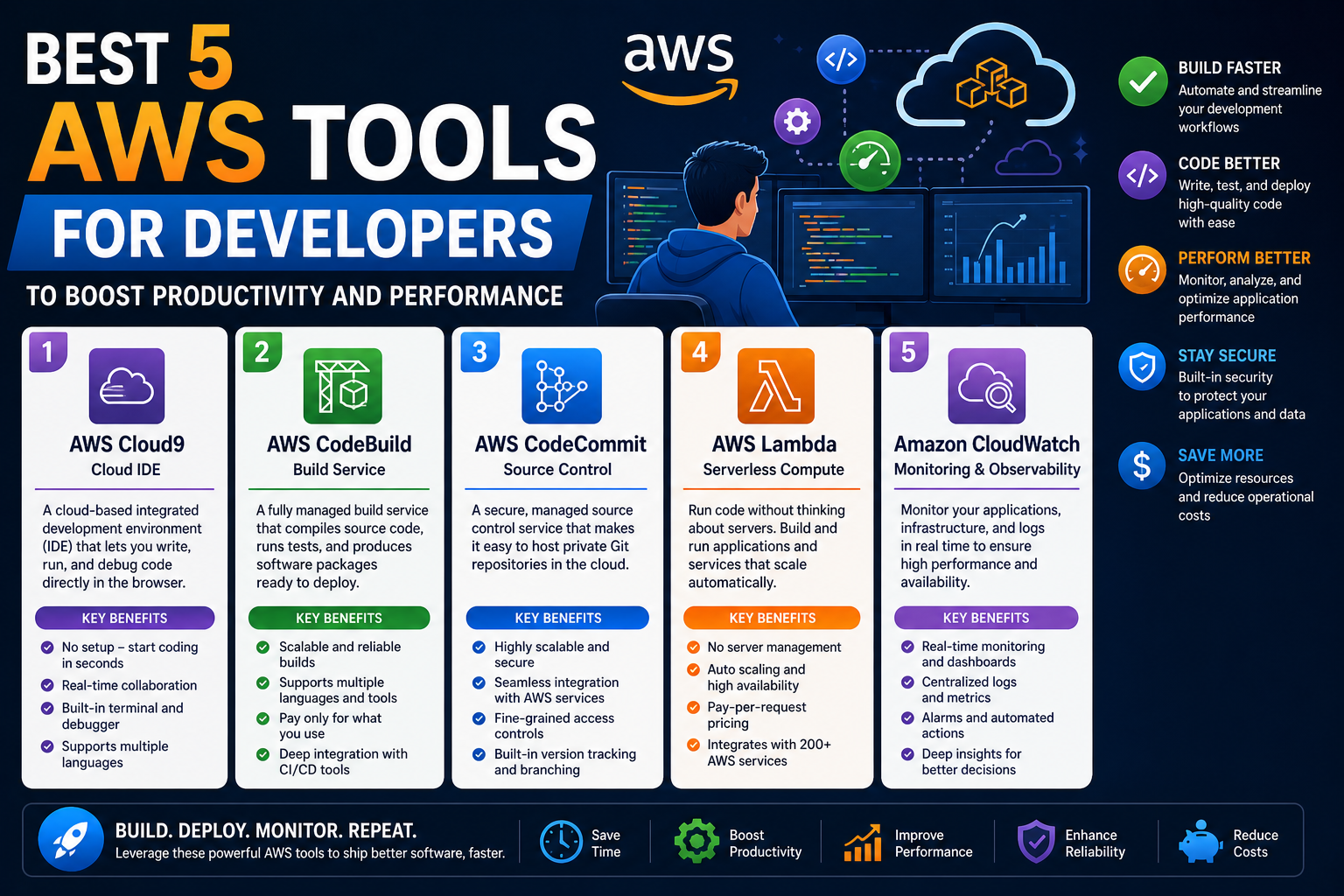
Amazon Web Services has become one of the most widely used cloud platforms for building, deploying, and scaling modern applications. Its strength lies not only in the breadth of services it offers but also in the continuous evolution of those services to match the changing needs of developers and organizations. As cloud-native development has become the standard approach for building software, AWS has positioned itself as a central environment where developers can design, test, and manage applications without being tied to physical infrastructure.
The AWS ecosystem is not a single tool or service but a collection of interconnected components that work together to support the entire software lifecycle. From writing code to testing, building, deploying, and monitoring applications, AWS provides solutions that aim to reduce manual effort and improve consistency. However, the complexity of cloud environments also means that developers often need structured tools to interact efficiently with AWS services.
This is where AWS developer tools play a critical role. These tools simplify interactions with the cloud, automate repetitive tasks, and help teams maintain consistent workflows across different stages of development. While AWS services themselves are powerful, the developer tools act as a bridge between human instructions and cloud execution, ensuring that developers can focus more on building applications rather than managing infrastructure.
As cloud systems scale, the importance of automation and streamlined workflows becomes even more evident. Developers are expected to deliver features faster, maintain high reliability, and ensure scalability without increasing operational overhead. AWS developer tools are designed specifically to support these expectations by offering command-based control, automated build systems, cloud-based development environments, and deployment automation capabilities.
Understanding how these tools function individually and how they fit into a broader development strategy is essential for anyone working with AWS. Each tool serves a distinct purpose, yet they are designed to complement each other within the AWS ecosystem. This interconnected approach allows developers to move from writing code to deploying applications in a more structured and efficient way.
Why AWS Developer Tools Matter in Modern Cloud Workflows
Modern software development is no longer limited to writing code and running it on a local machine. Applications today are distributed, scalable, and often operate across multiple environments. This shift has created a need for tools that can manage complexity without overwhelming developers.
AWS developer tools address this challenge by providing structured environments for every stage of the development lifecycle. Instead of manually configuring servers, managing build pipelines, or handling deployment scripts independently, developers can rely on integrated tools that automate these processes. This reduces the chance of human error and ensures consistency across environments.
Another major reason these tools are important is scalability. Traditional development environments often struggle when applications grow in size or user demand increases. AWS tools are built on cloud infrastructure, which means they can scale resources dynamically based on workload requirements. This is particularly important for teams working on applications that experience variable traffic or rapid growth.
Collaboration is also significantly improved through AWS developer tools. In many organizations, development is a team effort involving multiple contributors working on the same project. Cloud-based tools ensure that everyone is working within the same environment, reducing conflicts and integration issues. This shared environment improves transparency and allows teams to identify and resolve issues more efficiently.
Security is another key factor. As applications move to the cloud, securing development workflows becomes increasingly important. AWS tools integrate with security controls that help manage access, monitor activity, and protect sensitive data. This ensures that development processes remain secure without requiring developers to manually implement complex security configurations.
Efficiency is perhaps the most noticeable benefit. By automating repetitive tasks such as building code, running tests, and deploying applications, developers can spend more time focusing on logic, design, and innovation. This not only improves productivity but also enhances the overall quality of applications.
AWS developer tools are also designed to integrate seamlessly with other AWS services. This means that once a workflow is established, it can easily connect with storage systems, databases, monitoring tools, and other cloud services. This level of integration reduces friction and simplifies the overall development experience.
AWS Command Line Interface (CLI) as a Developer Control Tool
One of the foundational tools in the AWS developer ecosystem is the AWS Command Line Interface. It provides a text-based way to interact with AWS services, allowing developers to perform actions without relying on graphical dashboards. This approach is especially useful for automation, scripting, and managing multiple resources efficiently.
The AWS CLI acts as a direct communication layer between the developer and AWS infrastructure. Instead of navigating through multiple menus or interfaces, developers can execute commands to perform tasks such as managing storage, configuring services, or deploying resources. This simplifies workflows and significantly speeds up operational tasks.
One of the key strengths of the AWS CLI is its consistency. Regardless of the service being accessed, the command structure remains relatively uniform. This reduces the learning curve and makes it easier for developers to switch between different AWS services without having to learn entirely new interfaces for each one.
The CLI is also widely compatible across different operating systems. Whether working on Windows, macOS, or Linux, developers can use the same tool with minimal differences in setup. This cross-platform support ensures that teams working in diverse environments can still maintain consistent workflows.
Another important advantage is automation. The AWS CLI can be integrated into scripts and automated processes, allowing developers to perform repetitive tasks without manual intervention. This is particularly useful in large-scale environments where manual configuration would be inefficient and error-prone.
In addition to automation, the CLI also supports remote management of cloud resources. Developers can manage servers, update configurations, and monitor services from virtually anywhere, as long as they have access to the command interface. This flexibility is essential in modern distributed development environments.
The AWS CLI is also frequently updated to support new AWS services and features. This ensures that developers always have access to the latest capabilities without needing to switch tools or adopt new systems. The continuous updates help maintain compatibility with AWS’s rapidly evolving ecosystem.
Security is another important aspect of the CLI. Access can be controlled through authentication mechanisms that ensure only authorized users can execute commands. This helps protect cloud resources from unauthorized changes while still maintaining ease of access for legitimate users.
Overall, the AWS CLI serves as a foundational tool for developers who want precise, efficient, and scriptable control over AWS services. It is often one of the first tools developers learn when working with AWS because of its simplicity and power.
Core Capabilities and Practical Role of AWS CLI
The practical use of the AWS CLI extends far beyond basic command execution. It plays a central role in automating infrastructure management and streamlining development workflows. Developers often use it to interact with storage systems, compute resources, networking configurations, and application services.
One of the most common uses of the CLI is resource management. Instead of manually configuring services through a dashboard, developers can create, modify, or delete resources using structured commands. This is especially useful in environments where resources need to be managed at scale.
Another key capability is monitoring and diagnostics. The CLI allows developers to retrieve logs, check service statuses, and monitor system performance. This makes it easier to identify issues and respond quickly when something goes wrong in production or testing environments.
The CLI also plays a significant role in deployment workflows. It can be used to upload application files, configure environments, and trigger deployment processes. This makes it an essential part of continuous integration and continuous delivery pipelines, where speed and reliability are critical.
For teams working with multiple environments such as development, testing, and production, the CLI ensures consistency across all stages. By using the same command structure across environments, developers reduce the risk of configuration mismatches and deployment errors.
Another advantage is its ability to integrate with scripting languages and automation tools. This allows organizations to build complex workflows that automatically handle tasks such as backups, scaling, and system updates. These automated processes help reduce operational overhead and improve system reliability.
The CLI also enhances portability. Since it is not tied to a graphical interface, it can be used in remote environments, servers, or automated systems where traditional interfaces are not available. This makes it particularly valuable in backend development and infrastructure management.
In large organizations, the CLI is often used alongside other AWS tools to create a fully automated cloud management system. It acts as the foundational layer that enables more advanced tools to function efficiently.
AWS CodeBuild and the Evolution of Automated Software Builds
As applications become more complex, the process of building and testing code has also become more demanding. Traditional build systems often require significant manual configuration and maintenance, which can slow down development cycles. AWS CodeBuild addresses this challenge by providing a fully managed build service that automates the process of compiling and testing code.
CodeBuild eliminates the need for developers to maintain dedicated build servers. Instead, it runs build processes in a scalable environment that automatically adjusts based on workload. This means that whether a project is small or large, the system can handle build demands efficiently without requiring manual infrastructure management.
One of the most important aspects of CodeBuild is its scalability. It automatically allocates resources based on the number of builds being processed. This ensures that build performance remains consistent even during periods of high activity.
Another significant advantage is cost efficiency. Since resources are only used during the build process, organizations do not need to pay for idle infrastructure. This makes it a more efficient solution compared to traditional build systems that require continuous server maintenance.
CodeBuild also supports flexibility in build environments. Developers can define how their build process should behave, including specifying dependencies, runtime environments, and build instructions. This allows teams to tailor the system to their specific application requirements.
Integration is another key strength. CodeBuild works seamlessly with other AWS services, allowing it to fit naturally into broader development pipelines. It can retrieve source code, execute build processes, and store output in cloud storage systems without requiring manual intervention.
The service is also designed to support continuous integration workflows. This means that every time code is updated, it can automatically trigger a build process. This helps teams identify issues early in the development cycle and maintain high code quality.
Logging and monitoring are built into the system, allowing developers to track build performance and identify errors when they occur. This visibility is essential for maintaining reliable development pipelines.
How AWS CodeBuild Changes Development Workflows
The introduction of automated build systems like CodeBuild has significantly changed how software development teams operate. Instead of relying on manual processes, teams can now adopt continuous development practices that improve speed and consistency.
One of the most noticeable changes is the reduction in setup time. Traditional build systems often require extensive configuration before they can be used effectively. CodeBuild simplifies this process by providing a managed environment that is ready to use with minimal setup.
Another change is improved collaboration. Since build processes are centralized and automated, all team members work within the same system. This reduces inconsistencies and ensures that code is built and tested in a uniform environment.
Error detection has also improved. Automated builds run consistently every time code changes, which means issues are identified quickly. This reduces the time spent debugging and improves overall development efficiency.
CodeBuild also supports scalability in team environments. As development teams grow, the build system can handle increased demand without requiring additional infrastructure planning. This makes it easier for organizations to scale their development efforts.
In addition, the system helps standardize workflows across projects. By defining consistent build instructions, teams can ensure that all applications follow the same quality and testing standards.
AWS Cloud9 as a Cloud-Based Development Environment
AWS Cloud9 introduces a different approach to software development by providing a cloud-based integrated development environment. Instead of relying on locally installed tools, developers can access a fully configured development environment directly through a web interface.
This approach removes the need for manual setup of development tools and dependencies. Everything required to write, test, and debug code is available within the cloud environment. This makes it easier for developers to start new projects quickly without spending time configuring systems.
Cloud9 also supports collaborative development. Multiple developers can work within the same environment simultaneously, which improves teamwork and reduces communication barriers. Changes are reflected in real time, allowing teams to coordinate more effectively.
The environment includes features commonly found in traditional development tools, such as code assistance, debugging capabilities, and integrated terminal access. This ensures that developers do not lose functionality when moving to a cloud-based system.
Another advantage is accessibility. Since the environment is cloud-based, developers can access their projects from any device with an internet connection. This flexibility is particularly useful for remote work and distributed teams.
Cloud9 also integrates directly with AWS services, allowing developers to interact with cloud resources without leaving the development environment. This reduces context switching and improves productivity.
The tool is designed to support a wide range of programming languages, making it suitable for diverse development projects. Its flexibility allows it to be used for web applications, backend systems, and serverless applications.
The cloud-based nature of Cloud9 also ensures that development environments remain consistent across teams. This eliminates issues caused by differences in local system configurations.
Overall, AWS Cloud9 represents a shift toward more flexible and accessible development environments that align with modern cloud-native practices.
Expanding the AWS Developer Toolchain in Modern Software Delivery
As cloud-based development environments continue to mature, the role of AWS developer tools extends beyond simple code execution and basic automation. In real-world systems, applications are rarely static. They evolve continuously, require frequent updates, and must remain available even during deployment changes. This introduces the need for tools that manage not just development but also the safe and controlled delivery of software into production environments.
Within AWS, this responsibility is handled through a combination of deployment automation systems and testing frameworks that ensure applications behave correctly across different stages of release. These tools reduce the risk associated with updating live systems and allow developers to deliver changes in a controlled and predictable manner.
Modern application delivery is no longer a manual process. Instead, it is built around structured pipelines where code moves through multiple stages before reaching end users. Each stage serves a purpose such as validation, testing, or staging, and AWS tools help coordinate these transitions seamlessly.
This shift toward automated delivery has fundamentally changed how developers think about software releases. Instead of treating deployment as a final step, it is now an integrated part of the development lifecycle. AWS developer tools support this approach by providing systems that automate deployment actions, validate application behavior, and ensure consistency across environments.
AWS CodeDeploy and Automated Application Delivery
AWS CodeDeploy is a service designed to automate the deployment of applications to a variety of compute environments. Its primary purpose is to reduce the complexity and risk associated with manually deploying software updates. In traditional environments, deployment often involves multiple manual steps such as copying files, restarting services, and verifying system health. These steps can introduce inconsistencies and errors, especially in large systems.
CodeDeploy eliminates much of this manual effort by orchestrating deployments automatically. It manages how applications are released to servers, how updates are applied, and how systems transition between different application versions. This structured approach ensures that deployments are repeatable and consistent.
One of the most important aspects of CodeDeploy is its ability to support multiple deployment strategies. These strategies determine how new versions of an application are introduced to users. Instead of replacing all instances at once, CodeDeploy can gradually shift traffic or update servers in controlled phases.
This gradual approach significantly reduces downtime and minimizes risk. If a problem is detected during deployment, the system can pause or roll back changes before they affect the entire user base. This level of control is especially important for applications that require high availability.
CodeDeploy is also designed to work across different computing environments. Whether applications are running on virtual servers, container-based systems, or serverless environments, the tool can coordinate deployments in a consistent way. This flexibility allows organizations to standardize deployment practices across diverse infrastructures.
Another important feature is its ability to track the health of deployed applications. After deployment, CodeDeploy continuously monitors system behavior to ensure that new changes are functioning correctly. If any issues are detected, automated rollback mechanisms can restore the previous stable version.
This monitoring capability helps reduce downtime and improves reliability. It also provides developers with visibility into how changes affect system performance in real time.
CodeDeploy integrates naturally into broader development workflows. It can be triggered automatically as part of a larger pipeline or initiated manually when needed. This adaptability allows teams to choose deployment strategies that match their operational requirements.
In addition, CodeDeploy supports version control systems, ensuring that deployments are always linked to specific code states. This traceability makes it easier to track changes and identify the source of issues when they occur.
Deployment Strategies and Controlled Release Mechanisms
One of the key strengths of AWS CodeDeploy is its support for multiple deployment strategies that allow developers to control how updates are introduced into production environments. These strategies are essential for maintaining system stability while continuously delivering new features.
A rolling deployment approach is one of the most commonly used methods. In this strategy, updates are gradually applied to subsets of servers rather than the entire system at once. This ensures that only a portion of the system is affected at any given time, reducing the impact of potential issues.
Another approach is blue-green deployment, where two identical environments are maintained simultaneously. One environment runs the current version of the application, while the other is updated with the new version. Once the new version is verified, traffic is switched from the old environment to the new one. This approach provides a safe fallback option and minimizes downtime.
Canary deployments offer an even more controlled approach by releasing updates to a small subset of users before expanding to the full audience. This allows developers to monitor performance and detect issues early without affecting the entire user base.
These deployment strategies are particularly important in systems that require high reliability. Applications such as financial platforms, healthcare systems, and large-scale web services cannot afford extended downtime or unstable releases. AWS CodeDeploy supports these requirements by enabling controlled, reversible deployment processes.
Another important aspect of deployment strategies is automation. Once a deployment process is defined, it can be executed repeatedly without manual intervention. This reduces human error and ensures consistency across releases.
Monitoring plays a crucial role during deployments. AWS tools continuously track system behavior to ensure that performance remains stable. If anomalies are detected, automated rollback mechanisms can revert changes to maintain system integrity.
This combination of controlled deployment strategies and automated monitoring creates a robust system for managing application updates in complex environments.
Integration of CodeDeploy in Continuous Delivery Pipelines
In modern software development, deployment is rarely a standalone process. Instead, it is part of a larger continuous delivery pipeline that includes coding, building, testing, and releasing software. AWS CodeDeploy fits into this pipeline by handling the final stage of application delivery.
Within this pipeline, code changes are first committed to a version control system. These changes then trigger automated build processes that compile and prepare the application. Once the build is successful, testing systems validate functionality and performance.
After validation, CodeDeploy takes over and manages the deployment process. This seamless transition ensures that only tested and verified code reaches production environments.
The integration between CodeDeploy and other AWS tools creates a fully automated workflow. This reduces the need for manual intervention and allows development teams to focus on improving application quality rather than managing infrastructure.
Another important benefit of this integration is consistency. Since every stage of the pipeline is automated, the same process is followed for every release. This reduces variability and ensures predictable outcomes.
CodeDeploy also provides feedback into the pipeline. If deployment issues occur, the system can notify upstream processes, allowing developers to identify and fix problems early in the development cycle.
This tight integration between development, testing, and deployment creates a continuous loop of improvement. It allows teams to release updates more frequently while maintaining high levels of stability.
AWS Device Farm and Real-World Application Testing
As applications become increasingly complex and user expectations continue to rise, testing has become a critical part of the development lifecycle. It is no longer sufficient to test applications in controlled environments alone. Real-world testing across different devices, operating systems, and network conditions is essential for ensuring application quality.
AWS Device Farm addresses this need by providing access to a large collection of real physical devices for application testing. Instead of relying solely on simulated environments, developers can test applications on actual smartphones and tablets.
This approach is particularly important for mobile applications, where device fragmentation is a significant challenge. Different devices have different screen sizes, hardware capabilities, and operating system versions. Testing across all possible combinations in-house is often impractical.
Device Farm solves this problem by providing on-demand access to a wide range of devices. Developers can upload their applications and run automated tests across multiple device configurations simultaneously.
One of the key advantages of this approach is realism. Since tests are executed on real devices, results accurately reflect how applications will perform in real-world conditions. This helps identify issues that may not appear in simulated environments.
Device Farm also supports automated testing frameworks. Developers can define test scenarios that simulate user interactions, allowing applications to be evaluated without manual testing. This improves efficiency and allows for continuous testing throughout the development cycle.
In addition to automated testing, Device Farm also supports manual testing sessions. Developers can interact with devices remotely, observing application behavior in real time. This flexibility allows teams to choose the testing approach that best suits their needs.
Another important feature is detailed reporting. After tests are completed, Device Farm provides comprehensive logs, screenshots, and performance metrics. This information helps developers understand how applications behave under different conditions.
Mobile Testing Challenges and Device Farm Solutions
Mobile application testing presents unique challenges that are not typically encountered in traditional software development. One of the most significant challenges is device fragmentation. With thousands of different devices available on the market, ensuring compatibility across all of them is extremely difficult.
Another challenge is operating system variation. Even within the same operating system, different versions may behave differently. This can lead to unexpected issues that are difficult to reproduce without access to the specific environment.
Network conditions also play a major role in mobile application performance. Applications must be able to function under varying network speeds and connectivity conditions. Testing these scenarios manually can be time-consuming and inconsistent.
AWS Device Farm addresses these challenges by providing a controlled yet diverse testing environment. Developers can simulate different network conditions, device states, and operating system versions to ensure comprehensive testing coverage.
This level of control allows teams to identify issues early in the development process. Instead of discovering problems after deployment, they can be resolved during testing, reducing the risk of production failures.
Device Farm also improves testing efficiency. Since tests can be executed in parallel across multiple devices, results are generated faster compared to traditional sequential testing methods.
This speed is particularly valuable in agile development environments where rapid iteration is essential. Developers can test changes frequently and receive immediate feedback on application performance.
Enhancing Development Collaboration Through Cloud-Based Tools
As development teams become more distributed, collaboration tools have become increasingly important. AWS developer tools support collaboration by providing shared environments and consistent workflows that allow teams to work together effectively regardless of location.
Cloud-based development environments ensure that all team members are working with the same configurations and dependencies. This reduces inconsistencies and eliminates issues caused by differences in local setups.
Real-time collaboration features also allow developers to work together on the same project simultaneously. This improves communication and reduces delays caused by asynchronous workflows.
Shared access to testing and deployment tools ensures that all team members have visibility into application performance and release status. This transparency improves coordination and helps teams respond quickly to issues.
By integrating development, testing, and deployment into a unified ecosystem, AWS tools create an environment where collaboration is seamless and efficient across all stages of the software lifecycle.
Orchestrating End-to-End Workflows with AWS CodePipeline
In modern cloud development, writing and building code are only part of the larger system. The real challenge lies in coordinating all stages of software delivery in a structured and automated way. This is where orchestration tools become essential, ensuring that code moves smoothly from development to testing and finally into production.
AWS CodePipeline plays a central role in this orchestration layer by connecting different stages of the software delivery lifecycle into a single automated workflow. Instead of manually triggering builds, tests, and deployments, CodePipeline defines a structured flow where each stage depends on the successful completion of the previous one.
This stage-based approach allows development teams to establish a predictable and repeatable process for releasing software. Each time a change is introduced into the codebase, it can automatically pass through predefined stages such as source retrieval, build execution, testing, and deployment.
One of the key advantages of this orchestration system is consistency. Every change follows the same path, ensuring that no step is skipped or executed incorrectly. This reduces the risk of human error and improves reliability across releases.
CodePipeline also supports integration with multiple services within the AWS ecosystem. This allows teams to connect source repositories, build systems, testing frameworks, and deployment tools into a unified pipeline. Each component plays a specific role, and CodePipeline ensures they work together in a coordinated manner.
Another important aspect is visibility. Developers can track the progress of each change as it moves through the pipeline. This transparency makes it easier to identify bottlenecks and diagnose issues when they occur.
Automated triggers further enhance efficiency. Instead of waiting for manual intervention, pipelines can be activated automatically whenever changes are detected in the codebase. This accelerates delivery cycles and supports continuous development practices.
In large-scale environments, multiple pipelines can operate simultaneously, each handling different applications or services. This modular approach allows organizations to scale their development processes without increasing complexity.
Observability and Monitoring in AWS Development Ecosystem
As applications grow in complexity, monitoring their behavior becomes just as important as building them. Observability tools provide insights into how applications perform in real time, helping developers understand system behavior and detect issues before they escalate.
AWS provides a suite of monitoring tools that allow developers to track logs, metrics, and events across their entire infrastructure. These tools help ensure that applications remain stable, performant, and reliable even under heavy workloads.
One of the core components of this observability layer is real-time logging. Applications continuously generate logs that capture system activity, errors, and operational events. These logs can be collected and analyzed to identify patterns or detect anomalies.
Metrics provide another layer of insight. They represent quantitative data such as CPU usage, memory consumption, response times, and request counts. By monitoring these metrics, developers can understand how applications behave under different conditions.
Event tracking adds another dimension by capturing changes in system state. This includes deployment events, configuration updates, and infrastructure modifications. Together, logs, metrics, and events form a complete picture of system behavior.
AWS also enables developers to set up automated alerts based on specific thresholds. For example, if an application exceeds normal resource usage or experiences unusual error rates, alerts can be triggered to notify teams immediately.
This proactive approach to monitoring helps reduce downtime and ensures faster response to issues. Instead of discovering problems after users are affected, developers can identify and resolve them in real time.
Observability tools also support long-term analysis. By reviewing historical data, teams can identify trends and optimize system performance over time. This helps in capacity planning and performance tuning.
Deep Application Insights with Distributed Tracing
In complex cloud systems, applications are often composed of multiple interconnected services. A single user request may pass through several components before generating a response. Understanding this flow is essential for diagnosing performance issues and identifying bottlenecks.
Distributed tracing tools provide visibility into how requests move across different services. They track the entire journey of a request, from the initial entry point to the final response.
This level of visibility allows developers to pinpoint exactly where delays or errors occur. Instead of guessing which component is responsible for a problem, tracing tools provide a detailed breakdown of each step in the request lifecycle.
These insights are particularly valuable in microservices architectures, where applications are divided into small independent services. While this structure improves scalability, it also increases complexity. Distributed tracing helps manage this complexity by mapping interactions between services.
Performance optimization also becomes easier with tracing data. Developers can identify slow-performing services and optimize them individually without affecting the entire system.
In addition, tracing supports debugging in production environments. Since issues often appear only under real-world conditions, having visibility into live request flows is essential for accurate diagnosis.
AWS SDKs and Language-Level Integration
While command-line tools and cloud-based interfaces provide powerful ways to interact with AWS, developers often prefer working directly within their programming environments. AWS Software Development Kits (SDKs) enable this by providing libraries that integrate AWS services into popular programming languages.
These SDKs allow developers to interact with cloud services directly from application code. Instead of manually configuring external systems, developers can call cloud services using familiar programming constructs.
This integration simplifies application development by reducing the need for external tooling. Developers can perform operations such as accessing storage systems, managing databases, or invoking cloud functions directly from their codebase.
One of the key advantages of SDKs is consistency across languages. Whether working in Python, Java, JavaScript, or other supported languages, the structure of interactions remains similar. This reduces the learning curve when switching between projects.
SDKs also support error handling and retry mechanisms, ensuring that applications remain resilient even when network issues occur. This improves reliability in distributed systems where communication delays are common.
Another important benefit is abstraction. SDKs handle low-level communication details, allowing developers to focus on application logic rather than infrastructure complexities.
By embedding cloud functionality directly into code, SDKs bridge the gap between application development and cloud infrastructure management.
Security and Identity Management in AWS Development Environments
Security is a fundamental aspect of cloud development, especially when applications operate in distributed and multi-user environments. AWS provides a structured identity and access management system that controls how users and applications interact with cloud resources.
Identity management ensures that only authorized entities can access specific services or perform certain actions. This is achieved through finely controlled permission systems that define access rules at different levels.
Access control policies allow administrators to specify what actions are permitted for each user or service. This prevents unauthorized modifications and protects sensitive resources from misuse.
Authentication mechanisms verify the identity of users and applications before granting access. This ensures that only trusted entities can interact with cloud systems.
Another important component is secret management. Applications often require access to sensitive information such as API keys or database credentials. Secure storage systems ensure that this information is protected and only accessible when needed.
Encryption also plays a key role in securing data both at rest and in transit. This ensures that sensitive information remains protected even if intercepted or accessed improperly.
Security monitoring tools continuously track access patterns and detect unusual activity. This helps identify potential security threats early and allows for rapid response.
By integrating security directly into the development workflow, AWS ensures that applications are protected throughout their entire lifecycle.
Serverless Development and Event-Driven Architectures
Modern application development is increasingly moving toward serverless computing models, where developers focus on writing code without managing underlying infrastructure. In this model, cloud services automatically handle resource allocation, scaling, and execution.
Serverless systems are particularly well-suited for event-driven architectures. In these systems, applications respond to events such as user actions, file uploads, or system changes.
This approach improves efficiency by ensuring that resources are only used when needed. Instead of running continuously, functions are executed on demand, reducing operational overhead.
Serverless development also simplifies scaling. Since infrastructure is managed automatically, applications can handle varying workloads without manual intervention.
Another advantage is reduced complexity. Developers do not need to manage servers or configure infrastructure, allowing them to focus entirely on application logic.
Event-driven design also improves responsiveness. Applications can react immediately to changes, enabling real-time processing and automation.
This development model aligns closely with modern cloud-native architectures, where flexibility and scalability are essential.
Enhancing Developer Productivity Through Integrated Tooling
One of the most significant advantages of AWS developer tools is the way they integrate into a unified ecosystem. Instead of using isolated tools for different tasks, developers can work within a connected environment where each component supports the others.
This integration reduces context switching, allowing developers to move smoothly between writing code, testing applications, and deploying updates.
Automation plays a key role in improving productivity. Repetitive tasks are handled by cloud systems, freeing developers to focus on higher-level design and problem-solving.
Standardization also contributes to efficiency. When workflows are consistent across projects, teams can collaborate more effectively and reduce onboarding time for new developers.
Flexibility ensures that tools can adapt to different project requirements. Whether building small applications or large distributed systems, AWS provides scalable solutions that support various development needs.
Together, these elements create a development environment that emphasizes speed, reliability, and adaptability, enabling teams to build and maintain complex applications with greater efficiency.
Conclusion
AWS developer tools have become a central part of how modern applications are designed, built, tested, and delivered. Instead of treating development, deployment, and operations as separate tasks, these tools bring everything into a connected workflow where each stage naturally supports the next. This shift has changed not only how developers write code but also how they think about software systems as a whole.
One of the most important takeaways is the role of automation. Tools like AWS CLI, CodeBuild, CodeDeploy, and CodePipeline reduce the need for manual intervention in repetitive and time-consuming tasks. This allows development teams to focus more on improving application logic, performance, and user experience rather than managing infrastructure details. Automation also improves consistency, ensuring that processes are executed the same way every time, which reduces errors and increases reliability.
Another key strength lies in scalability and flexibility. AWS tools are designed to adjust automatically to changing workloads, making them suitable for both small projects and large enterprise systems. Whether an application is handling a few users or millions of requests, the underlying tools can scale resources without requiring major changes to the workflow.
Integration is also a defining feature of the AWS ecosystem. Each tool is built to work with others, creating a seamless pipeline from code creation to production deployment. This interconnected structure eliminates gaps between stages of development and allows teams to maintain continuous delivery practices more effectively.
Equally important is the emphasis on monitoring, security, and real-world testing. Tools such as Device Farm and monitoring services ensure that applications are not only functional but also reliable under real conditions. Security systems embedded within the ecosystem further ensure that applications remain protected throughout their lifecycle.
Overall, AWS developer tools provide a structured yet flexible foundation for modern software development. They simplify complexity, improve collaboration, and enable faster delivery cycles without sacrificing stability or control. As cloud technologies continue to evolve, these tools will remain essential in helping developers build scalable, secure, and efficient applications in an increasingly competitive digital landscape.
Beyond these core benefits, they also empower teams to adopt modern engineering practices such as continuous integration, continuous delivery, and infrastructure automation with greater confidence. By reducing operational overhead and increasing visibility across the development lifecycle, AWS tools help organizations innovate more rapidly while maintaining high standards of reliability, performance, and security across diverse workloads and environments.