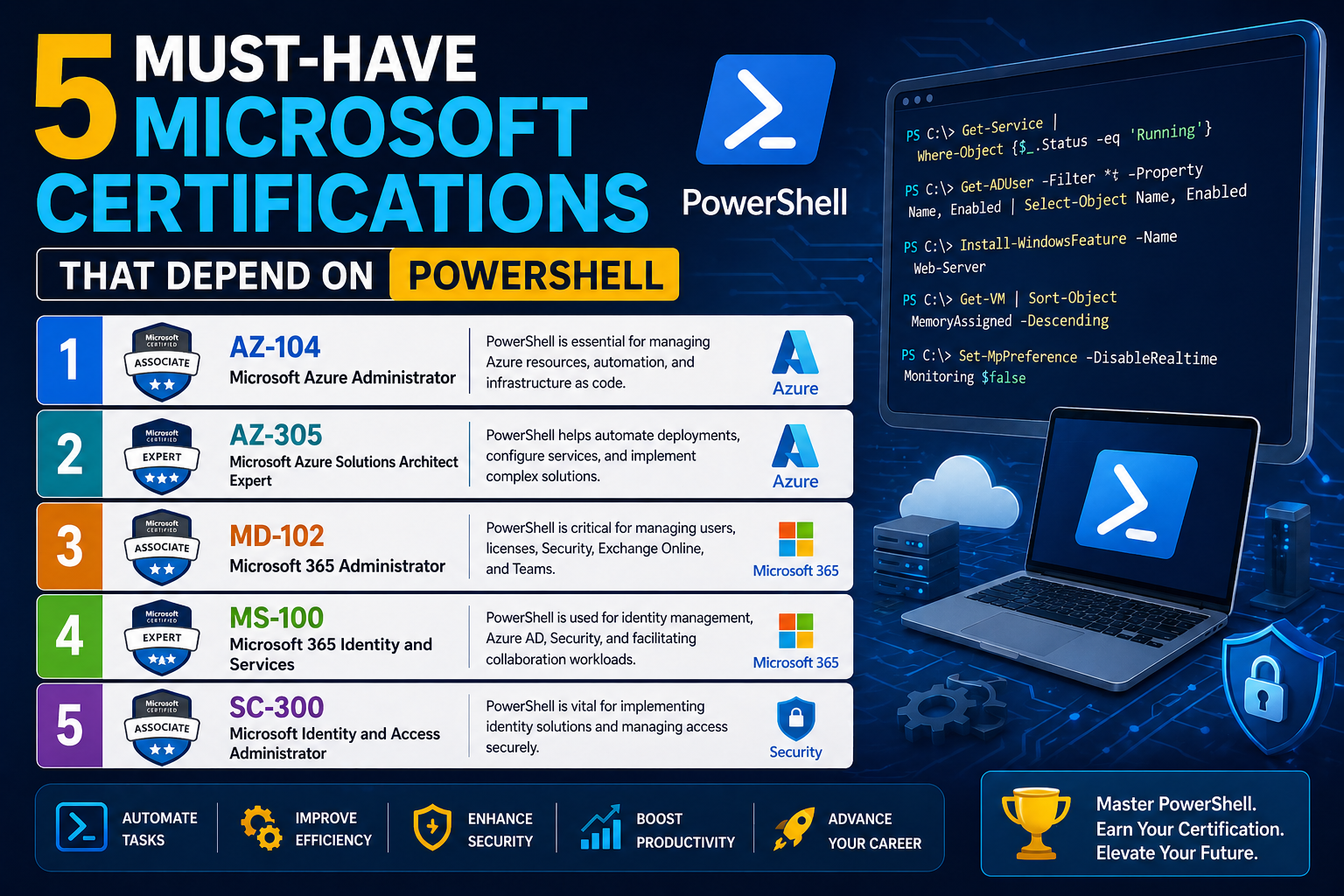
PowerShell has become one of the most influential tools in modern Microsoft environments, fundamentally changing how system administrators manage infrastructure. What began as a more advanced alternative to traditional command-line utilities has evolved into a comprehensive automation and configuration framework that underpins much of the Windows ecosystem today. Its growth reflects a broader shift in IT toward automation, scalability, and remote management.
In earlier Windows environments, administrators relied heavily on graphical interfaces and a collection of separate command-line tools. While these methods worked for smaller systems, they quickly became inefficient as networks grew in complexity. Managing hundreds or thousands of machines through graphical interfaces introduced delays, inconsistencies, and a higher likelihood of human error. PowerShell addressed these limitations by providing a unified, scriptable environment capable of handling almost every administrative task.
Unlike traditional command interpreters, PowerShell was designed around objects rather than plain text. This allowed administrators to manipulate structured data more efficiently, making automation not only possible but practical at scale. Over time, Microsoft integrated PowerShell deeply into its server products, cloud services, and enterprise solutions. Today, many administrative tasks cannot be fully mastered without at least a working understanding of PowerShell commands and scripting logic.
This shift has had a direct impact on certification pathways. Microsoft certifications are no longer just about navigating interfaces or memorizing configuration steps. Instead, they increasingly emphasize automation, scripting, and command-line proficiency. PowerShell sits at the center of this transformation, acting as a bridge between manual administration and fully automated infrastructure management.
As environments become more complex and hybrid in nature, combining on-premises systems with cloud-based services, the ability to control systems through a unified scripting language becomes essential. PowerShell provides that consistency, allowing administrators to apply the same logic across different platforms and services without having to learn entirely new tools for each environment.
This evolution marks a significant change in the expectations placed on IT professionals. It is no longer sufficient to understand what needs to be done; professionals are now expected to understand how to automate those tasks efficiently. PowerShell represents that shift in practice, making it one of the most important skills in modern Microsoft-based IT roles.
Why Microsoft Certifications Now Emphasize Automation Thinking
Modern Microsoft certifications are no longer designed solely to test theoretical knowledge or interface familiarity. Instead, they increasingly evaluate how well candidates understand automation, efficiency, and scalable system management. This shift reflects real-world demands, where administrators are expected to manage large, dynamic environments with minimal manual intervention.
Automation thinking involves more than just knowing commands. It requires understanding how systems behave, how tasks can be repeated reliably, and how processes can be streamlined. PowerShell plays a central role in developing this mindset because it encourages administrators to think in terms of repeatable instructions rather than one-time actions performed through a graphical interface.
In certification scenarios, this translates into exam objectives that implicitly or explicitly require PowerShell knowledge. Even when PowerShell is not the primary focus, it often appears as part of broader tasks such as configuring systems, managing users, or deploying services. This reflects the reality of modern Microsoft environments, where automation is deeply embedded in administrative workflows.
The emphasis on automation also prepares candidates for real-world challenges. Large organizations frequently operate with limited IT staff relative to the size of their infrastructure. Without automation, maintaining such environments would be impractical. PowerShell allows administrators to scale their efforts, performing tasks across multiple systems simultaneously without needing to interact with each machine individually.
Certifications that align with server administration, identity management, cloud platforms, and enterprise mobility all reflect this trend. They assume that candidates will not only know how to perform tasks manually but will also understand how to replicate those tasks programmatically. This dual expectation ensures that certified professionals are equipped for both troubleshooting and long-term system management.
Another important aspect of this shift is consistency. Manual configuration often leads to variations between systems, even when administrators follow the same procedures. Automation reduces this variability by ensuring that every system is configured in the same way. PowerShell scripts can be reused, shared, and standardized across teams, making infrastructure more predictable and easier to maintain.
This growing reliance on automation is why PowerShell has become a foundational skill in Microsoft certification paths. It is not treated as an optional enhancement but as an essential part of modern administrative practice. Candidates who ignore it often find themselves at a disadvantage, not only in exams but also in real-world job roles.
PowerShell as the Administrative Foundation of Modern Windows Systems
PowerShell serves as the backbone of many administrative operations within Windows environments. Its design allows it to interact directly with system components, services, and configurations in a way that is both powerful and consistent. Unlike older tools that were limited in scope, PowerShell provides a unified interface that can manage virtually every aspect of a Windows system.
One of its most important roles is enabling automation across repetitive administrative tasks. Tasks such as user creation, permission assignment, service configuration, and system monitoring can all be performed using PowerShell scripts. This reduces the time required for routine operations and minimizes the risk of errors that often occur during manual configuration.
PowerShell also provides deep integration with system internals. It can access registry settings, manage services, and interact with system processes in ways that were previously difficult or fragmented across multiple tools. This level of integration makes it an essential skill for anyone responsible for maintaining Windows-based infrastructure.
Another key advantage of PowerShell is its consistency across environments. Whether managing a standalone workstation or a large server cluster, the same commands and logic structures apply. This consistency reduces the learning curve for administrators and allows them to scale their skills across different systems without needing to learn entirely new tools for each environment.
In modern Windows systems, PowerShell is often the primary method for managing advanced configurations. Many graphical interfaces are simply front-end layers that execute PowerShell commands in the background. This means that understanding PowerShell provides deeper insight into how systems actually operate, beyond what is visible in the user interface.
The importance of PowerShell extends beyond local systems as well. It is frequently used in remote administration scenarios, allowing administrators to manage multiple machines from a single location. This capability is especially important in enterprise environments, where physical access to machines is limited or impractical.
Because of its versatility and depth, PowerShell has become a core expectation in many Microsoft certification paths. Candidates are expected to understand not only how to execute commands but also how to interpret results, structure scripts, and apply logic to solve administrative problems. This reflects its role as a foundational tool in modern Windows administration.
Transformation of Windows Server Administration Practices
Windows Server administration has undergone a significant transformation with the integration of PowerShell into its core management framework. Earlier versions of Windows Server relied heavily on graphical tools and manual configuration steps. While effective in smaller environments, this approach quickly became inefficient in larger infrastructures.
PowerShell introduced a more scalable and efficient method for managing server environments. Tasks that once required multiple steps through graphical interfaces can now be executed through single commands or reusable scripts. This shift has dramatically reduced the time and effort required to manage complex server systems.
One of the most significant changes brought by PowerShell is the ability to manage servers without relying on a graphical interface. Server Core installations, for example, operate without a traditional desktop environment. In these cases, PowerShell becomes the primary tool for configuration and management. This encourages administrators to develop command-line proficiency and understand system behavior at a deeper level.
PowerShell also enhances consistency in server configuration. Instead of manually configuring each server individually, administrators can use scripts to apply identical settings across multiple systems. This ensures uniformity and reduces the likelihood of configuration drift, where systems gradually become inconsistent over time.
Another important aspect of server administration is monitoring and maintenance. PowerShell allows administrators to automate monitoring tasks, generate reports, and respond to system events in real time. This proactive approach improves system reliability and reduces downtime.
As server environments become more complex, often involving virtualization, clustering, and hybrid cloud integration, PowerShell provides a unifying layer that simplifies management. It allows administrators to interact with different components of the infrastructure using a consistent set of commands and logic structures.
This transformation has directly influenced certification expectations. Candidates pursuing server-related certifications are now expected to understand how PowerShell integrates into server management workflows. This includes not only basic command usage but also the ability to apply scripting logic to real administrative scenarios.
Managing Identity and Group Structures Through Command-Based Control
Identity and group management form the foundation of most enterprise environments, and PowerShell plays a critical role in streamlining these processes. In large organizations, manually managing users and groups through graphical interfaces can become time-consuming and prone to inconsistency. PowerShell provides a more efficient and scalable alternative.
With command-based control, administrators can create, modify, and remove user accounts across entire domains with precision and speed. This is especially important in environments where user accounts must be frequently updated due to organizational changes, onboarding, or role adjustments.
Group management also benefits significantly from PowerShell automation. Instead of manually assigning users to groups through interface navigation, administrators can use scripts to ensure that group memberships are accurate and up to date. This reduces administrative overhead and ensures that access control policies are consistently enforced.
Another advantage of PowerShell in identity management is its ability to handle bulk operations. For example, administrators can import user data from external sources and automatically create accounts based on predefined rules. This is particularly useful in large organizations where manual entry would be impractical.
PowerShell also supports auditing and reporting capabilities, allowing administrators to track changes in user accounts and group memberships. This visibility is essential for maintaining security and compliance within enterprise environments.
In certification contexts, identity management is often a core focus area. Candidates are expected to understand how users and groups interact within directory services and how PowerShell can be used to manage these relationships efficiently. This reflects the real-world importance of identity as a central component of IT infrastructure.
Network Configuration and DNS Automation in Modern Environments
Networking is another area where PowerShell has become increasingly important. Configuring network settings, managing DNS records, and troubleshooting connectivity issues are all tasks that can be significantly streamlined using command-based automation.
DNS management, in particular, benefits from PowerShell’s ability to automate repetitive configuration tasks. Instead of manually adding or modifying records through graphical tools, administrators can use scripts to update DNS entries across multiple zones and servers. This ensures accuracy and reduces the risk of misconfiguration.
PowerShell also allows for more efficient network troubleshooting. Administrators can quickly retrieve network configuration details, test connectivity, and analyze routing behavior using built-in commands. This reduces the time required to diagnose and resolve network issues.
In complex environments, where multiple network segments and services interact, automation becomes essential. PowerShell provides a consistent method for managing these components, ensuring that configurations remain synchronized across the entire infrastructure.
Certification pathways that include networking components often incorporate PowerShell-based objectives. Candidates are expected to understand how network services operate and how automation can be used to manage them effectively. This reflects the increasing integration of scripting into traditional networking roles.
Server Core Environments and the Shift Away from Graphical Administration
Server Core represents a significant shift in Windows Server design, emphasizing minimalism and efficiency by removing the graphical user interface. In these environments, PowerShell becomes the primary method of interaction, making it an essential skill for administrators working with modern server deployments.
Without a graphical interface, administrators must rely entirely on command-line tools to configure and manage systems. PowerShell provides the necessary functionality to perform all required tasks, from initial setup to ongoing maintenance.
This approach offers several advantages. It reduces system resource usage, minimizes attack surfaces, and improves performance. However, it also requires a higher level of technical proficiency, as administrators must be comfortable working without visual aids.
PowerShell’s role in Server Core environments highlights its importance as more than just a convenience tool. It becomes a necessity for system operation, reinforcing its position as a core administrative skill in Microsoft ecosystems.
Certification exams reflect this reality by including scenarios that assume familiarity with non-GUI environments. Candidates are expected to understand how to perform essential tasks using command-line tools, reinforcing the importance of PowerShell proficiency.
MCSE Productivity and the Integration of Application-Level Administration
Productivity-focused Microsoft certifications emphasize the management of enterprise applications and services. While these certifications cover a broad range of tools, PowerShell plays a supporting role in simplifying and automating administrative tasks.
Enterprise applications often include complex administrative interfaces that can be difficult to manage manually. PowerShell provides a more efficient alternative, allowing administrators to automate tasks such as user provisioning, permission management, and service configuration.
This is particularly useful in environments where applications are tightly integrated with identity systems and collaboration platforms. PowerShell enables consistent management across these systems, reducing administrative complexity and improving operational efficiency.
Even when not explicitly highlighted, PowerShell knowledge enhances a candidate’s ability to understand and manage enterprise applications effectively. It provides a deeper level of control and flexibility that goes beyond standard graphical tools.
Azure and the Evolution of Cloud-Based Administrative Control
Cloud environments have significantly expanded the role of PowerShell in modern IT administration. Azure, in particular, integrates PowerShell as a core management tool, allowing administrators to control cloud resources programmatically.
This includes tasks such as deploying virtual machines, managing storage accounts, configuring networking components, and automating resource scaling. PowerShell enables these operations to be performed consistently and efficiently across large-scale cloud environments.
The shift to cloud computing has increased the importance of automation, as cloud resources are often dynamic and distributed. PowerShell provides the flexibility needed to manage these environments effectively, ensuring that resources can be provisioned and decommissioned as needed.
Certification paths related to cloud administration reflect this shift by incorporating PowerShell-based objectives. Candidates are expected to understand how cloud services can be managed through command-line tools and how automation improves scalability and efficiency.
System Center and Large-Scale Enterprise Management
System Center represents one of the most comprehensive management solutions in enterprise environments, and PowerShell plays a critical role in its operation. It enables administrators to automate deployment, configuration, monitoring, and maintenance tasks across large networks of systems.
In large organizations, where thousands of devices may need to be managed simultaneously, manual administration is not feasible. PowerShell provides the automation capabilities required to maintain consistency and efficiency at scale.
System Center integrates PowerShell into many of its management workflows, allowing administrators to extend functionality and customize operations. This flexibility is essential for adapting the system to the specific needs of an organization.
Certification pathways that include enterprise management components often assume familiarity with PowerShell-based automation. This reflects its importance in maintaining large-scale IT environments where efficiency and consistency are critical.
Building Core PowerShell Competency for Certification Success
Developing PowerShell competency for Microsoft certification success is less about memorizing commands and more about understanding how administrative logic translates into structured instructions. The real challenge lies in shifting from a manual mindset to an automation-oriented approach where every task is considered as a repeatable process.
Most candidates begin their journey with basic familiarity, such as running simple commands to retrieve system information or manage services. However, certification-level expectations go far beyond this initial stage. The focus moves toward understanding how different system components interact and how PowerShell can orchestrate those interactions efficiently.
At its core, PowerShell competency is built on three essential abilities. The first is command familiarity, which involves knowing what tools exist and what they are designed to do. The second is logical structuring, which involves combining commands in meaningful sequences. The third is problem decomposition, where complex administrative tasks are broken down into smaller, manageable steps that can be automated.
Certification environments assume that candidates can move fluidly between these levels of understanding. For example, configuring a server is no longer viewed as a single task but as a collection of smaller operations such as setting network parameters, configuring roles, managing users, and validating system health. PowerShell becomes the unifying mechanism that binds these tasks together.
Another critical aspect of competency is consistency in execution. Unlike graphical interfaces, where steps may vary slightly depending on navigation choices, PowerShell demands precision. Commands must be structured correctly, parameters must be accurate, and outputs must be interpreted correctly. This precision reinforces disciplined thinking, which is a key expectation in Microsoft certification exams.
As candidates progress, they begin to recognize patterns in administrative tasks. These patterns form the foundation of reusable logic, which is essential for both exam success and real-world system administration. Understanding these patterns allows administrators to anticipate system behavior and apply consistent solutions across different environments.
Understanding Cmdlet Logic and Pipeline Thinking
One of the most important conceptual shifts in PowerShell is the move from isolated commands to pipeline-based thinking. Cmdlets are designed to work together, passing structured data from one operation to another in a continuous flow. This approach fundamentally changes how administrative tasks are executed.
Instead of treating each command as an independent action, PowerShell encourages viewing them as components in a larger process. Each cmdlet produces output that can be consumed by another cmdlet, creating a chain of operations that can be extended and modified as needed. This pipeline structure is what makes PowerShell especially powerful for complex administrative scenarios.
In certification contexts, understanding pipeline logic is essential because many tasks are designed to test not just knowledge of individual commands but the ability to combine them effectively. Candidates are often expected to interpret scenarios where multiple system operations must be performed in sequence without manual intervention.
This approach also introduces a level of abstraction that simplifies complex tasks. Rather than focusing on low-level details, administrators can focus on outcomes. The pipeline handles data transformation internally, allowing administrators to concentrate on what needs to be achieved rather than how each step is executed manually.
Another important aspect of pipeline thinking is filtering and selection. PowerShell allows administrators to refine data streams dynamically, extracting only relevant information for further processing. This capability is especially useful in environments where large volumes of system data must be analyzed efficiently.
As candidates become more comfortable with this model, they begin to see PowerShell not just as a command-line tool but as a data processing system. This shift in perspective is critical for mastering certification-level scenarios, where efficiency and accuracy are both heavily tested.
PowerShell Remoting and Managing Distributed Environments
Modern IT environments are rarely confined to a single machine. Instead, they consist of distributed systems spread across multiple locations, networks, and even cloud platforms. Managing these environments requires tools that can operate remotely and consistently across different systems, and PowerShell Remoting provides exactly that capability.
PowerShell Remoting allows administrators to execute commands on remote systems without physically accessing them. This capability is essential for managing large infrastructures where manual access would be impractical or impossible. It enables centralized control, reducing administrative overhead and improving operational efficiency.
In certification scenarios, remoting is often used to simulate real-world enterprise environments where administrators must perform tasks across multiple servers simultaneously. This requires not only technical knowledge but also an understanding of network communication, authentication, and system security.
One of the key advantages of remoting is scalability. A single command can be executed across dozens or even hundreds of machines, ensuring consistency in configuration and reducing the likelihood of human error. This is particularly important in environments where uniformity is critical for stability and security.
Remoting also supports automation at a higher level. Scripts can be designed to execute complex workflows across multiple systems, coordinating tasks such as updates, configuration changes, and diagnostics. This level of automation is essential in modern IT operations, where efficiency is a top priority.
Another important aspect of remoting is security. Remote execution requires proper authentication and authorization mechanisms to ensure that only trusted administrators can perform operations on target systems. Understanding these security principles is an important part of certification preparation, as they are often embedded within exam scenarios.
Automation in Active Directory and Enterprise Identity Systems
Identity management systems form the backbone of enterprise IT environments, and PowerShell plays a central role in automating their administration. Active Directory, in particular, is one of the most common systems where PowerShell is used extensively for managing users, groups, and organizational structures.
In large organizations, manually managing identity systems is inefficient and error-prone. PowerShell automation allows administrators to perform bulk operations, such as creating multiple user accounts, modifying group memberships, and enforcing access policies across entire departments.
This automation is not just about convenience. It is also about maintaining consistency and enforcing security standards. When identity management is automated, organizations can ensure that access rights are assigned correctly and consistently across all systems.
PowerShell also enables dynamic identity management. Instead of manually updating user accounts, administrators can design scripts that automatically adjust permissions based on predefined rules or organizational changes. This reduces administrative workload and improves responsiveness.
Another important use case is auditing. PowerShell can be used to extract detailed information about user activity, group memberships, and permission changes. This data is essential for maintaining compliance and ensuring that security policies are being followed correctly.
Certification exams often include identity management scenarios because they reflect real-world administrative challenges. Candidates are expected to understand how to manipulate directory structures efficiently and how to apply automation principles to identity-related tasks.
PowerShell in Cloud Administration Beyond Basic Azure Tasks
Cloud environments introduce a new level of complexity in system administration, and PowerShell plays a crucial role in managing that complexity. While basic cloud tasks can often be performed through graphical interfaces, advanced administration requires automation and scripting capabilities.
In cloud environments, resources are dynamic and constantly changing. Virtual machines can be created, modified, or removed based on demand. Storage systems scale automatically, and networking configurations evolve continuously. Managing this level of dynamism manually is impractical, which is why PowerShell becomes essential.
Cloud-based PowerShell usage goes beyond simple resource creation. It allows administrators to design entire infrastructure environments using scripts. These scripts can define virtual networks, deploy applications, configure security settings, and establish monitoring systems in a repeatable manner.
This approach is particularly important in environments where infrastructure needs to be replicated across different regions or environments. PowerShell enables consistency by ensuring that every deployment follows the same structure and configuration rules.
Another important aspect is integration. Cloud environments often interact with on-premises systems, requiring hybrid management strategies. PowerShell provides a unified interface for managing both environments, reducing complexity and improving operational efficiency.
Certification scenarios frequently reflect these realities by presenting tasks that involve multi-layered cloud configurations. Candidates must demonstrate not only technical knowledge but also the ability to design automated solutions that scale across cloud infrastructures.
Configuration Management and Desired State Thinking
Configuration management is a critical aspect of modern IT administration, and PowerShell supports this through structured automation approaches. Instead of manually configuring systems, administrators define desired states that systems should maintain.
This approach shifts the focus from execution to outcome. Rather than specifying every step required to configure a system, administrators define the final state, and automation tools ensure that the system matches that state consistently.
PowerShell supports this model by allowing administrators to write scripts that enforce configuration standards. These scripts can be applied repeatedly to ensure that systems remain consistent over time, even after updates or changes.
This is particularly important in environments where systems are frequently modified or updated. Without configuration management, systems can drift from their intended state, leading to inconsistencies and potential failures.
Desired state thinking also improves scalability. Instead of managing systems individually, administrators define rules that apply universally. This reduces administrative overhead and ensures that systems remain aligned with organizational standards.
In certification contexts, configuration management principles are often tested indirectly through scenario-based questions. Candidates must demonstrate an understanding of how systems should behave and how automation can enforce that behavior consistently.
Security Administration and Compliance Automation
Security is one of the most critical aspects of IT administration, and PowerShell plays a significant role in enforcing security policies and ensuring compliance across systems. As environments become more complex, manual security management becomes increasingly difficult, making automation essential.
PowerShell allows administrators to configure security settings across multiple systems simultaneously. This includes managing user permissions, configuring firewall rules, and enforcing system policies consistently across an organization.
Automation also plays a key role in compliance reporting. Organizations often need to demonstrate that their systems adhere to specific regulatory standards. PowerShell can be used to collect and analyze system data, providing detailed reports on configuration and compliance status.
Another important use case is vulnerability management. PowerShell scripts can be used to identify potential security weaknesses, apply patches, and verify system integrity. This proactive approach helps organizations maintain secure environments with minimal manual intervention.
Security automation also extends to monitoring. PowerShell can be used to detect unusual system behavior, generate alerts, and trigger automated responses. This improves response times and reduces the impact of potential security incidents.
Certification exams often incorporate security-related scenarios because they reflect real-world responsibilities. Candidates must understand how to apply automation principles to maintain secure and compliant systems.
How Exam Scenarios Reflect Real Administrative Workflows
Microsoft certification exams are designed to reflect real administrative workflows rather than isolated technical knowledge. This means that candidates are often presented with scenarios that simulate actual IT environments where multiple systems, services, and requirements interact simultaneously.
These scenarios require candidates to think beyond individual commands and consider broader system behavior. Tasks may involve multiple steps, dependencies, and constraints that mirror real-world administrative challenges.
PowerShell plays a central role in these scenarios because it allows candidates to demonstrate not just technical knowledge but also problem-solving ability. Exams often test how well candidates can apply automation principles to achieve specific outcomes under realistic conditions.
Another important aspect is time efficiency. Real administrators must complete tasks quickly and accurately, and certification scenarios reflect this expectation. Candidates must demonstrate that they can apply PowerShell effectively without relying on trial-and-error approaches.
Scenarios also emphasize adaptability. Systems may behave differently depending on configuration, environment, or state. Candidates must understand how to adjust their approach based on system feedback and dynamic conditions.
This alignment between exam design and real-world workflows ensures that certified professionals are not just theoretically knowledgeable but also practically capable of managing modern IT environments effectively.
Advanced PowerShell Scripting and Real-World Administrative Design
As Microsoft environments continue to evolve, PowerShell scripting has moved far beyond simple automation tasks. It now plays a central role in designing entire administrative workflows that mirror real-world enterprise operations. At this level, scripting is not just about running commands but about building structured, reusable logic that can adapt to changing system conditions.
Advanced scripting begins with understanding how to organize tasks into modular components. Instead of writing long, linear scripts that perform a single function, administrators design scripts that can be reused across multiple environments. This modular approach improves maintainability and reduces redundancy, which is critical in large-scale IT systems.
A key principle in advanced scripting is the separation of concerns. Each script or function is designed to handle a specific task, such as user creation, system validation, or service configuration. These components can then be combined to create larger workflows. This approach reflects real enterprise environments, where systems are interconnected and dependent on multiple services.
Error handling becomes especially important at this stage. In complex environments, failures are inevitable, and scripts must be designed to respond gracefully. PowerShell provides structured mechanisms for detecting, logging, and responding to errors, allowing administrators to maintain control even when unexpected issues arise.
Another important aspect is parameterization. Instead of hardcoding values into scripts, administrators define parameters that allow scripts to be flexible and adaptable. This makes it possible to reuse the same script across different environments without modification.
Advanced scripting also introduces the concept of state awareness. Scripts are designed not only to perform actions but also to evaluate system conditions before executing tasks. This ensures that operations are performed only when necessary, reducing unnecessary changes and improving system stability.
In certification contexts, advanced scripting concepts are often embedded within scenario-based questions. Candidates are expected to interpret requirements and design logical solutions that reflect real-world administrative thinking rather than simple command execution.
PowerShell in Hybrid Infrastructure Management
Modern IT environments rarely exist entirely on-premises or entirely in the cloud. Instead, they operate as hybrid infrastructures that combine both models. Managing these environments requires tools that can operate seamlessly across different platforms, and PowerShell is uniquely positioned for this role.
Hybrid infrastructure management introduces complexity because systems may behave differently depending on where they are hosted. On-premises servers follow traditional administrative models, while cloud resources are dynamic and scalable. PowerShell provides a unified interface that bridges these differences.
Administrators can use PowerShell to manage both environments through consistent command structures. This reduces the learning curve and ensures that administrative practices remain consistent regardless of where systems are hosted.
One of the key challenges in hybrid environments is synchronization. Data, configurations, and policies must remain consistent across both on-premises and cloud systems. PowerShell enables automation that ensures this consistency is maintained continuously.
Another important aspect is identity synchronization. Users and permissions must often be managed across multiple systems, requiring careful coordination. PowerShell allows administrators to automate identity synchronization processes, reducing the risk of mismatches or security gaps.
Hybrid environments also require robust monitoring. PowerShell scripts can be used to collect data from both cloud and on-premises systems, providing a unified view of system health and performance. This visibility is essential for maintaining operational stability.
In certification scenarios, hybrid management concepts are increasingly common because they reflect real-world enterprise architectures. Candidates must demonstrate an understanding of how different environments interact and how PowerShell can be used to manage them cohesively.
PowerShell and DevOps-Style Administrative Thinking
The rise of DevOps practices has significantly influenced how system administration is performed, and PowerShell plays a key role in this transformation. DevOps emphasizes collaboration, automation, and continuous improvement, all of which align closely with PowerShell’s capabilities.
In traditional administration models, tasks were often performed manually and in isolation. DevOps introduces a more integrated approach where development and operations work together using automated pipelines and shared tools. PowerShell fits naturally into this model because it enables automation at every stage of the process.
One of the core principles of DevOps is infrastructure as code. This means that infrastructure configurations are defined through scripts rather than manual processes. PowerShell allows administrators to define, deploy, and manage infrastructure using code-based approaches, ensuring consistency and repeatability.
Another important DevOps concept is continuous integration and deployment. PowerShell scripts can be integrated into automated workflows that handle system updates, application deployments, and configuration changes. This reduces downtime and improves system reliability.
Monitoring and feedback loops are also essential in DevOps environments. PowerShell can be used to collect system metrics, analyze performance, and trigger automated responses based on predefined conditions. This ensures that systems remain stable and responsive.
Collaboration is another key aspect of DevOps thinking. PowerShell scripts can be shared, versioned, and reused across teams, allowing multiple administrators to contribute to infrastructure management in a structured way.
Certification environments increasingly reflect DevOps principles by incorporating scenarios that require automation thinking and infrastructure design. Candidates are expected to understand not only how systems operate but also how they can be automated and improved continuously.
PowerShell for Large-Scale System Monitoring and Diagnostics
System monitoring is one of the most critical responsibilities in IT administration, especially in large-scale environments where failures can have a widespread impact. PowerShell provides powerful tools for monitoring system health, analyzing performance, and diagnosing issues efficiently.
Monitoring begins with data collection. PowerShell can retrieve detailed information about system resources, services, network activity, and application performance. This data forms the foundation for analysis and decision-making.
Once data is collected, it must be interpreted. PowerShell allows administrators to filter, sort, and analyze system information to identify patterns or anomalies. This helps in detecting potential issues before they escalate into serious problems.
Automation plays a key role in monitoring systems. Instead of manually checking system status, administrators can create scripts that continuously monitor conditions and trigger alerts when thresholds are exceeded. This proactive approach improves system reliability.
Diagnostics is another important use case. When issues occur, PowerShell can be used to gather detailed diagnostic information quickly. This reduces troubleshooting time and helps administrators identify root causes more efficiently.
In large environments, monitoring must be scalable. PowerShell supports remote data collection, allowing administrators to monitor multiple systems simultaneously. This ensures that no system is overlooked and that issues are detected consistently across the infrastructure.
Certification scenarios often include monitoring and diagnostics because they reflect real-world operational challenges. Candidates must demonstrate the ability to interpret system data and apply automation principles to maintain system health.
Automating Deployment Workflows Across Enterprise Systems
Deployment automation is a critical aspect of modern IT operations, and PowerShell plays a central role in streamlining this process. In enterprise environments, deploying systems manually is inefficient and prone to inconsistency. Automation ensures that deployments are repeatable, reliable, and scalable.
A typical deployment workflow includes multiple stages, such as system preparation, configuration, application installation, and validation. PowerShell allows these stages to be automated and executed consistently across different systems.
One of the key benefits of deployment automation is speed. Tasks that would normally take hours can be completed in minutes when automated properly. This is especially important in environments where rapid scaling is required.
Another important benefit is consistency. Automated deployments ensure that every system is configured identically, reducing the risk of configuration drift and improving system stability.
PowerShell also allows for conditional deployment logic. Systems can be configured differently based on predefined criteria, such as role, location, or resource availability. This flexibility is essential in complex environments.
Validation is another important aspect of deployment automation. After systems are deployed, PowerShell can be used to verify that configurations are correct and that services are functioning as expected.
In certification contexts, deployment scenarios are commonly used to test candidates’ ability to design and execute structured workflows. These scenarios reflect real-world responsibilities where administrators must manage large-scale system deployments efficiently.
PowerShell and Performance Optimization Strategies
Performance optimization is an essential part of system administration, particularly in environments where resource efficiency directly impacts operational costs and user experience. PowerShell provides several mechanisms for analyzing and improving system performance.
Optimization begins with measurement. PowerShell can collect performance metrics such as CPU usage, memory consumption, disk activity, and network throughput. This data provides insight into system behavior under different conditions.
Once performance data is collected, it can be analyzed to identify bottlenecks. PowerShell allows administrators to filter and compare metrics over time, helping to pinpoint areas where performance improvements are needed.
Automation plays a role in optimization by enabling dynamic adjustments. Scripts can be designed to respond to performance conditions in real time, such as scaling resources or redistributing workloads.
Another important aspect is resource management. PowerShell can be used to control system resources more efficiently, ensuring that applications receive the resources they need without overloading the system.
Optimization also involves system tuning. PowerShell allows administrators to adjust configuration settings that influence system performance, ensuring that environments operate at optimal levels.
In certification scenarios, performance-related tasks often require candidates to analyze system behavior and recommend or implement improvements. This reflects the real-world importance of maintaining efficient and responsive systems.
Conclusion
PowerShell has become an essential skill across modern Microsoft certification paths, shaping how administrators manage servers, cloud platforms, identity systems, and enterprise infrastructure. Its role goes far beyond simple command execution, enabling automation, consistency, and scalability in complex environments. As Microsoft continues to prioritize hybrid and cloud-based systems, PowerShell remains a core requirement for efficient administration and exam success. Understanding its principles not only improves certification performance but also prepares professionals for real-world challenges in IT operations. Mastering PowerShell ultimately means gaining the ability to manage systems smarter, faster, and with far greater control and precision.