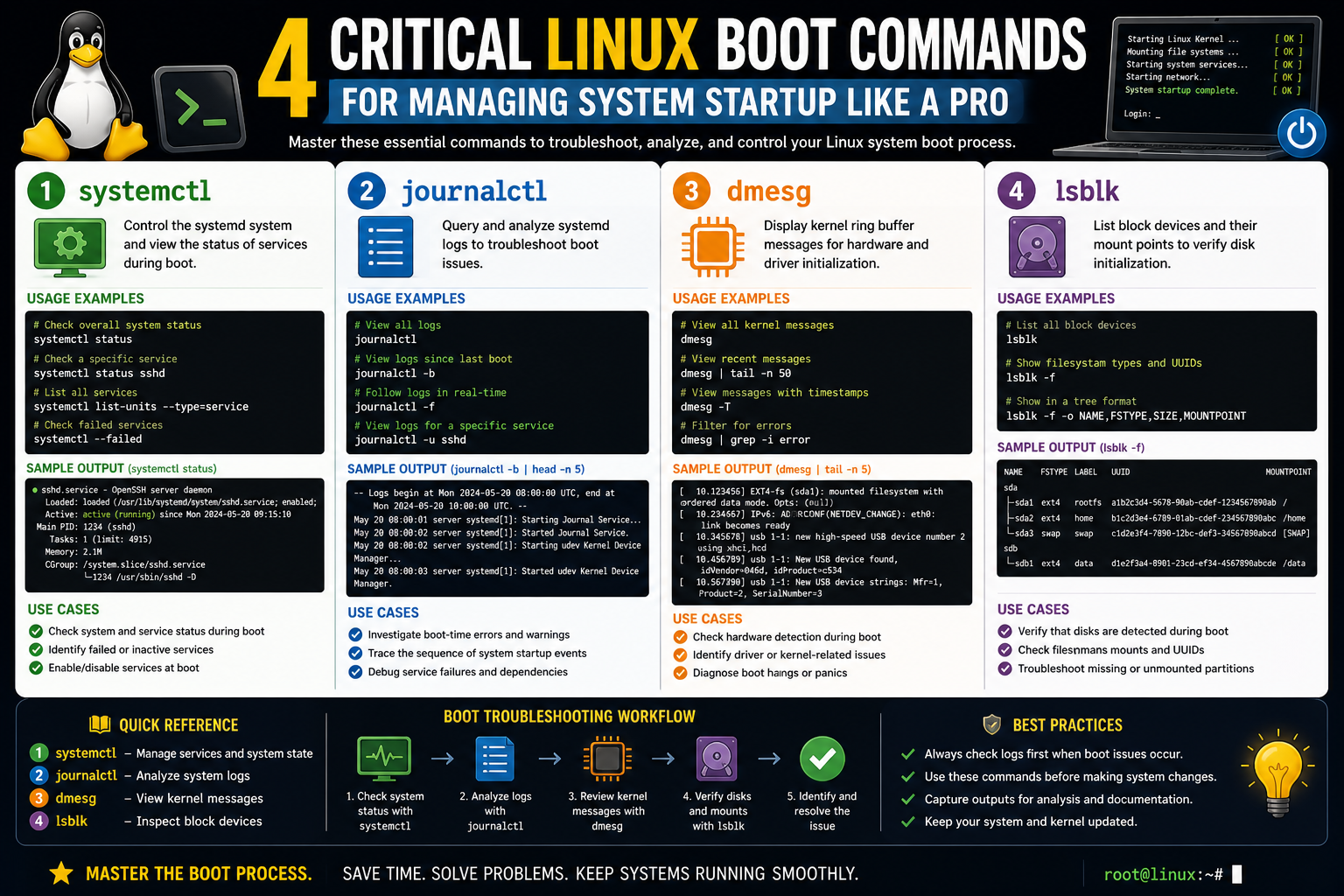
The Linux boot process is a carefully orchestrated sequence that transforms a powered-off machine into a fully functional operating system. For system administrators, understanding what happens during these early stages is not just theoretical knowledge—it is a practical requirement for diagnosing failures and maintaining system stability. While modern Linux distributions often automate most of the boot configuration, the underlying mechanisms remain essential knowledge when systems fail to start or when advanced customization is required.
At a high level, the boot process begins the moment a computer is powered on. Firmware such as BIOS or UEFI initializes hardware components and then hands control over to a bootloader. The bootloader is responsible for loading the Linux kernel into memory and preparing the environment required for the operating system to start functioning. However, between loading the kernel and reaching a fully operational system lies a crucial intermediate stage: the initialization of a temporary root filesystem.
This early environment is what allows Linux to bridge the gap between hardware initialization and the complete operating system launch. Without it, the kernel would not have access to the necessary drivers or storage modules required to mount the actual root filesystem. This is where early boot tools such as initramfs and initrd come into play.
Understanding this intermediate stage helps administrators troubleshoot scenarios where a system fails to boot after a kernel update, hardware change, or misconfiguration. It also provides insight into how Linux adapts dynamically to different hardware environments during startup.
The Purpose of the Early Userspace and Temporary Root Filesystem
Once the bootloader passes control to the Linux kernel, the kernel cannot immediately access all hardware and storage devices in a fully operational way. Instead, it relies on a temporary environment that provides just enough functionality to mount the real root filesystem. This temporary environment is known as initramfs or initrd, depending on system design and distribution preferences.
The primary purpose of this early userspace is to load essential drivers and modules required for accessing storage devices. For example, if the root filesystem is located on a complex storage setup such as RAID, LVM, or encrypted partitions, the kernel alone may not have built-in support to access it immediately. The early userspace solves this problem by loading the necessary modules before the system transitions to the main operating environment.
Another important role of this stage is system flexibility. Linux supports a wide range of hardware configurations, and it is not practical to compile every possible driver directly into the kernel. Instead, the early boot environment loads only what is required for the specific machine at startup, making the system more modular and efficient.
This temporary filesystem exists entirely in memory. Because it is RAM-based, it disappears once the real root filesystem is mounted and control is transferred to the main system initialization process. Despite its temporary nature, it plays a critical role in ensuring that the system can reliably reach a working state.
When issues occur at this stage, they often result in boot failures where the system cannot find or mount the root filesystem. This is why administrators often need to understand and rebuild this environment when troubleshooting.
Understanding mkinitrd and Its Role in Boot Image Creation
One of the most important tools associated with early boot initialization is mkinitrd. This utility is responsible for creating the initial RAM disk image that the kernel uses during the early stages of boot. The RAM disk contains essential drivers, modules, and configuration files needed to prepare the system for full startup.
The concept behind mkinitrd is straightforward: it packages required system components into a compressed image that is loaded into memory during boot. This image ensures that the kernel has access to everything it needs before the root filesystem becomes available.
In many traditional Linux distributions, mkinitrd is automatically executed when a new kernel is installed. This ensures that the boot image always matches the current system configuration. However, manual intervention becomes necessary when system changes occur that are not automatically detected.
Such changes may include installing new hardware, modifying storage configurations, or updating kernel modules. In these cases, the existing boot image may no longer accurately reflect the system’s requirements. If the boot image is outdated, the system may fail to locate critical drivers during startup, leading to boot errors.
Rebuilding the initrd image ensures that all required kernel modules are included. This process essentially refreshes the early boot environment so that it aligns with the current system state. It is particularly useful after system recovery operations or kernel rollbacks.
System administrators also use mkinitrd when migrating systems or resolving inconsistencies between installed kernels and available boot images. Because it directly influences system startup, it is considered one of the foundational tools in Linux system recovery and maintenance.
Scenarios That Require Rebuilding the Boot Image
There are several situations in which rebuilding the initrd image becomes necessary. One of the most common scenarios is a kernel upgrade. When a new kernel version is installed, it may introduce changes in how hardware is accessed or how modules are loaded. If the initrd image is not updated accordingly, the system may fail to boot properly.
Another scenario involves hardware changes. For example, adding a new storage controller or replacing a disk may require additional drivers that are not present in the existing boot image. In such cases, rebuilding ensures that the new hardware is recognized during the early boot stage.
Boot failures after system updates are also a frequent reason for rebuilding the initrd. Sometimes updates may alter dependencies or remove modules that were previously required. When this happens, the system may enter a boot loop or fail to reach the login screen.
Additionally, administrators may need to rebuild the boot image when recovering a system from a broken state. In recovery environments, the goal is often to create a minimal but functional boot setup that allows access to the system for further repair. Rebuilding the initrd image is often part of this recovery process.
Even performance optimization can be a reason for regeneration. By tailoring the boot image to include only necessary modules, administrators can reduce boot time and improve efficiency. Although this is a more advanced use case, it highlights the flexibility of Linux’s modular boot design.
Understanding when and why to rebuild the boot image is essential for maintaining system reliability. It allows administrators to respond effectively to both planned changes and unexpected failures.
Dracut as a Modern Alternative to Traditional Boot Image Generation
As Linux systems evolved, newer tools were introduced to replace or enhance older boot image generation utilities. One of the most widely used modern alternatives is Dracut. Unlike traditional approaches that rely on static configurations, Dracut is designed to dynamically generate initramfs images based on the current system environment.
Dracut operates by analyzing installed hardware, kernel modules, and system requirements, then assembling a tailored boot image. This modular approach improves flexibility and reduces unnecessary components in the boot process.
One of the key advantages of Dracut is its adaptability across different hardware environments. It is especially useful in scenarios where systems are migrated between machines or used in virtualized environments with varying configurations. Because it dynamically determines what is needed, it reduces the risk of missing dependencies during boot.
Another important feature is its ability to create more generalized boot images. In recovery situations, administrators may need a boot environment that supports a wide range of hardware rather than a single specific configuration. Dracut can generate such images by including a broader set of modules, ensuring that the system can boot even if exact hardware details are unknown.
This flexibility makes Dracut particularly valuable in enterprise environments where systems must be recoverable across multiple hardware platforms. It also simplifies maintenance by reducing the need for manual configuration in many cases.
Despite its advanced capabilities, Dracut still serves the same fundamental purpose as older tools: ensuring that the kernel has access to necessary components during the earliest stage of system startup. Its internal mechanisms may be more sophisticated, but its role in the boot process remains essential.
Differences Between Targeted and General Boot Environments
A key concept in understanding modern Linux boot image generation is the distinction between targeted and general boot environments. A targeted environment includes only the modules required for a specific system configuration. This approach minimizes size and speeds up boot time, but it is less flexible.
In contrast, a general boot environment includes a broader set of modules that may not all be strictly necessary for booting a single system but provide compatibility across different hardware setups. This approach is particularly useful for recovery scenarios or systems that need to support multiple configurations.
Tools like Dracut allow administrators to choose between these approaches depending on their needs. A targeted environment is ideal for stable production systems where hardware does not change frequently. A general environment is better suited for troubleshooting, recovery, or deployment across varied systems.
Understanding this distinction is important because it directly affects system reliability and recovery capability. A highly optimized boot image may perform well under normal conditions but fail when unexpected hardware changes occur. Conversely, a more general image may consume slightly more resources but offers greater resilience.
This trade-off is a fundamental aspect of Linux system design and reflects the balance between efficiency and flexibility.
The Importance of Kernel Modules During Early Boot
Kernel modules play a central role in the early boot process. These modules provide support for hardware devices such as storage controllers, file systems, and encryption mechanisms. Without them, the kernel would not be able to access essential system components.
During early boot, only a minimal set of modules is available. The initramfs environment is responsible for loading additional modules as needed. This ensures that the system can adapt to different hardware configurations without requiring a monolithic kernel design.
For example, if a system uses encrypted storage, the appropriate encryption module must be loaded before the root filesystem can be accessed. Similarly, if the system relies on a specific storage driver, that driver must be available in the early boot environment.
This modular approach allows Linux to remain highly flexible while maintaining compatibility with a wide range of hardware. However, it also introduces complexity, especially when modules are missing or incorrectly configured.
When boot issues occur, missing or incompatible kernel modules are often a primary cause. This is why tools that manage boot images must ensure that the correct modules are included based on system requirements.
How Early Boot Tools Interact With System Hardware
Early boot tools operate at the intersection of software and hardware initialization. They must ensure that the kernel has access to all necessary resources before transitioning control to the full operating system.
This interaction begins immediately after the bootloader loads the kernel. The kernel initializes basic hardware components and then relies on the initramfs environment to provide additional support. This includes detecting storage devices, loading drivers, and preparing the system for mounting the root filesystem.
The process is highly dynamic, meaning it can adapt to different hardware configurations at runtime. This is one of the reasons Linux is widely used across servers, desktops, and embedded systems.
Understanding this interaction helps administrators diagnose issues where hardware is not recognized during boot. In many cases, the problem is not with the hardware itself but with missing or improperly configured boot modules.
By analyzing how early boot tools interact with hardware, administrators can better understand system behavior and improve reliability during system startup.
The GRUB Bootloader Architecture in Modern Linux Systems
The GRUB bootloader sits at the heart of most modern Linux startup processes, acting as the bridge between firmware initialization and the operating system kernel. Its primary responsibility is to load the kernel into memory and pass control in a structured and configurable way. Unlike earlier boot systems that were rigid and limited, GRUB is designed to be flexible, scriptable, and capable of handling complex system environments.
At its core, GRUB operates as a small but powerful program stored on the boot disk. When a system starts, firmware such as BIOS or UEFI locates GRUB and executes it. From that moment, GRUB becomes responsible for identifying available operating systems, presenting boot options, and loading the selected kernel along with its associated initialization files.
One of GRUB’s most important strengths is its ability to understand multiple filesystem types. This allows it to locate kernel images and configuration files without requiring a fully operational operating system. Instead, it reads directly from disk structures, which makes it highly reliable during early system startup.
GRUB also supports modular configuration, meaning its behavior can be adjusted without reinstalling the entire bootloader. This is particularly useful in environments where systems are frequently updated or modified. The flexibility of GRUB is one of the reasons it has become the standard bootloader across most Linux distributions.
Understanding GRUB is essential for system administrators because nearly all boot-related issues eventually involve some interaction with its configuration or installation state. Whether it is a missing kernel entry, incorrect disk mapping, or a broken boot sequence, GRUB is often at the center of the troubleshooting process.
BIOS vs UEFI Boot Pathways and Their Impact on Linux Startup
Modern Linux systems can boot through two fundamentally different firmware interfaces: BIOS and UEFI. Each of these systems handles the startup process differently, which directly affects how the bootloader and kernel are initialized.
BIOS is the older system, relying on a simple method of locating boot sectors on a disk. It reads the first sector of the drive, known as the Master Boot Record, and executes the code stored there. This code then typically points to the GRUB bootloader, which continues the startup process. BIOS systems are limited in functionality and lack advanced features such as secure boot or large disk support.
UEFI, on the other hand, is a more modern and flexible firmware system. Instead of relying on fixed disk sectors, UEFI reads boot entries stored in a dedicated partition known as the EFI System Partition. This allows for more advanced boot management, including graphical boot menus, secure boot verification, and support for multiple operating systems without relying on chainloading techniques.
For Linux systems, the difference between BIOS and UEFI affects how bootloaders are installed and configured. In BIOS systems, GRUB is written directly to the disk’s boot sector. In UEFI systems, GRUB is installed as an executable file within the EFI partition and registered with the firmware.
This distinction is critical when performing system recovery or migration. A bootloader configured for BIOS will not function correctly on a UEFI system without modification, and vice versa. Understanding the underlying firmware architecture helps administrators avoid misconfiguration and ensures compatibility during system deployment.
How GRUB Locates Kernels and Initial RAM Filesystems
Once GRUB is executed, its primary task is to locate the Linux kernel and the initial RAM filesystem required for booting. This process is driven by configuration files that define where these components are stored and how they should be loaded.
GRUB scans available disks and partitions based on its configuration, searching for kernel images typically stored in the boot directory. Once located, it loads the kernel into memory and prepares the necessary parameters required for execution.
Alongside the kernel, GRUB also loads the initial RAM filesystem. This is a temporary environment that provides essential drivers and tools required during early system startup. Without this component, the kernel would not be able to access storage devices or mount the root filesystem.
The relationship between GRUB and these boot components is tightly coupled. If the kernel path is incorrect or the initramfs file is missing, the system will fail to boot. This is why maintaining accurate GRUB configuration is essential for system stability.
GRUB also allows multiple kernel versions to coexist. This enables administrators to select older kernels in case newer versions introduce compatibility issues. This flexibility is one of the reasons GRUB is widely used in production environments.
Understanding grub2-install and Disk-Level Boot Configuration
The grub2-install utility plays a critical role in writing the bootloader to a storage device. It ensures that GRUB is properly installed at the disk level so that firmware can locate and execute it during system startup.
When executed, this tool writes essential boot code to the target disk and sets up the necessary structure for GRUB to function correctly. In BIOS systems, this involves writing to the Master Boot Record. In UEFI systems, it involves placing bootloader files in the EFI System Partition and registering them with the firmware.
Disk-level installation is a sensitive operation because it directly affects the system’s ability to boot. Incorrect usage can result in a non-bootable system, especially if the wrong disk is targeted or if partition structures are modified unintentionally.
Administrators often use this tool during system recovery, migration, or initial installation. It is particularly useful when a bootloader becomes corrupted or overwritten by another operating system. Reinstalling GRUB at the disk level restores the ability to boot into Linux.
Understanding how grub2-install interacts with disk structures is essential for safe system administration. It ensures that boot configurations remain consistent and recoverable even after major system changes.
The Role of grub2-mkconfig in Dynamic Boot Menu Generation
The grub2-mkconfig utility is responsible for generating the configuration file that defines GRUB’s boot menu. This file contains entries for available operating systems, kernel versions, and boot parameters.
Unlike static configuration methods, grub2-mkconfig dynamically scans the system to identify installed kernels and operating systems. It then builds a structured menu that GRUB uses during startup.
This dynamic approach ensures that the boot menu remains up to date without requiring manual edits. When a new kernel is installed, it is automatically added to the boot menu during configuration generation. Similarly, removed kernels are excluded, preventing outdated entries from appearing.
The configuration file generated by this tool is essential for proper system boot behavior. If it is missing or corrupted, GRUB may fail to display boot options or may load incorrect kernel versions.
System administrators often regenerate this configuration after system updates, hardware changes, or recovery operations. It ensures that GRUB accurately reflects the current state of the system.
Understanding this process is important because many boot issues stem not from GRUB itself, but from outdated or misconfigured menu entries.
Boot Parameter Editing and Kernel Command Line Influence
GRUB allows administrators to modify kernel boot parameters before the operating system starts. These parameters influence how the kernel behaves during initialization and can be critical for troubleshooting.
Boot parameters are passed directly from GRUB to the kernel and can control a wide range of system behaviors. For example, they can determine how hardware is initialized, how filesystems are mounted, or whether certain services are enabled during startup.
This capability is particularly useful when diagnosing system issues. If a system fails to boot normally, modifying boot parameters can allow administrators to enter recovery modes or disable problematic components temporarily.
The kernel command line acts as a communication bridge between GRUB and the Linux kernel. Any changes made at this stage directly affect how the system initializes. Because of this, careful attention is required when modifying these parameters.
Incorrect configuration can lead to boot failures or unstable system behavior. However, when used correctly, boot parameter editing is one of the most powerful tools available for system recovery and diagnostics.
Boot Failures Caused by Misconfigured Bootloaders
Bootloader misconfiguration is one of the most common causes of Linux startup failures. These issues can arise from incorrect installation, damaged configuration files, or mismatched kernel references.
When GRUB is unable to locate the kernel or initramfs files, the system will typically halt during startup. In some cases, the boot menu may still appear, but selecting an option results in errors or system crashes.
Another common issue involves incorrect disk references. If the bootloader points to a partition that no longer exists or has been modified, the system will fail to load the operating system. This often occurs after disk replacements or cloning operations.
Configuration errors can also lead to missing boot entries. If the GRUB configuration file is not properly updated after kernel changes, older or invalid entries may remain, causing boot failures.
Understanding these failure modes is essential for effective troubleshooting. Most boot issues can be resolved by correcting the GRUB configuration or reinstalling the bootloader with accurate system references.
Rescue Mode and GRUB Recovery Techniques Without Reinstalling the OS
Linux systems provide several recovery mechanisms that allow administrators to fix boot issues without reinstalling the operating system. One of the most important of these is rescue mode, which provides a minimal environment for system repair.
In rescue mode, administrators can access disk partitions, inspect configuration files, and rebuild boot components. This environment is particularly useful when the system cannot boot normally due to GRUB-related issues.
Another common recovery technique involves using a live system environment. This allows administrators to mount the installed system’s partitions and perform repairs from an external operating system instance.
From these environments, GRUB can be reinstalled, configuration files can be regenerated, and kernel images can be repaired or replaced. These tools provide a powerful recovery framework that minimizes downtime and avoids full system reinstallation.
Understanding recovery workflows is essential for system administrators because boot failures are often unpredictable. Having the ability to restore system functionality quickly is a critical operational skill.
Disk Identification Changes and Their Effect on Boot Process
Disk identification plays a crucial role in the Linux boot process. When disks are added, removed, or rearranged, their identifiers may change, which can disrupt bootloader configuration.
GRUB relies on specific disk and partition references to locate kernel and system files. If these references change, the boot process may fail because the system cannot find the required components.
This issue is common in environments where multiple storage devices are used or where hardware is frequently modified. Even small changes in disk ordering can affect how the system interprets device names.
To mitigate these issues, modern Linux systems often use unique identifiers rather than fixed disk names. This approach improves reliability but still requires careful configuration during bootloader setup.
Understanding how disk identification works helps administrators avoid boot failures caused by hardware changes or system upgrades.
Secure Boot Considerations in UEFI Systems
Secure Boot is a feature of UEFI systems designed to ensure that only trusted software is executed during the boot process. It verifies the digital signatures of bootloaders and operating system kernels before allowing execution.
In Linux environments, Secure Boot introduces additional configuration requirements. Bootloaders must be properly signed, and kernels must be compatible with the verification process.
While Secure Boot enhances system security, it can also complicate bootloader management. Improperly configured systems may fail to boot if signature verification fails.
System administrators must ensure that boot components are properly signed and configured to work within Secure Boot environments. This is especially important in enterprise systems where security policies are strictly enforced.
Chainloading and Multi-Boot System Behavior
Chainloading is a technique used by GRUB to pass control to another bootloader. This is commonly used in multi-boot environments where multiple operating systems are installed on the same machine.
Instead of loading a kernel directly, GRUB can delegate control to another bootloader, allowing different systems to manage their own startup processes. This enables flexible system configurations without requiring complex bootloader integration.
Chainloading is particularly useful when combining Linux with other operating systems. It allows each system to maintain its own boot structure while still being accessible from a central boot menu.
Understanding chainloading is important for managing multi-boot environments and ensuring that all installed systems remain accessible.
Practical Boot Troubleshooting Workflow for Administrators
When a Linux system fails to boot, administrators follow a structured troubleshooting workflow to identify and resolve the issue. This process typically begins with identifying whether the problem originates from firmware, bootloader, kernel, or filesystem components.
The first step is often to check whether GRUB is loading correctly. If the boot menu appears, the issue is likely related to kernel or configuration errors. If the menu does not appear, the problem may be at the bootloader or firmware level.
Next, administrators may inspect boot entries, verify disk accessibility, and review configuration files. Recovery environments are often used to access system partitions and make necessary corrections.
Kernel and initramfs files are also checked for consistency. If these components are missing or corrupted, they must be rebuilt or replaced.
Throughout this process, understanding how each stage of the boot sequence interacts with the next is essential. It allows administrators to isolate problems efficiently and restore system functionality with minimal disruption.
Advanced System Recovery Techniques Using Linux Boot Components
When a Linux system fails to boot correctly, experienced system administrators rely on a combination of bootloader tools, kernel recovery methods, and filesystem repair techniques to restore functionality. These advanced recovery techniques are not typically required during normal system operation, but they become essential when standard boot sequences break due to misconfiguration, hardware changes, or corrupted system files.
At the heart of most recovery workflows is the ability to regain control over the boot process. This is usually done through GRUB’s rescue interface or by using external recovery media to access the installed system. From there, administrators can manually inspect boot configurations, verify kernel availability, and repair broken initialization components.
One of the most common recovery steps involves regenerating the boot configuration. If GRUB is unable to locate valid kernel entries, rebuilding its configuration ensures that the boot menu correctly reflects the installed system state. This is especially important after kernel updates or system upgrades that alter file paths or remove older kernel versions.
Another essential recovery method involves rebuilding the initial RAM filesystem. If the system fails to mount the root filesystem during boot, the issue often lies in missing or incompatible drivers within the initramfs environment. Recreating this image ensures that the kernel has access to the correct storage drivers, enabling the successful mounting of the root partition.
In more severe cases, the bootloader itself may need to be reinstalled. This is typically necessary when the boot sector has been overwritten or corrupted. Reinstalling GRUB restores the system’s ability to locate and load the kernel, effectively rebuilding the bridge between firmware and operating system.
These recovery techniques highlight the importance of understanding the layered structure of the Linux boot process. Each stage depends on the successful completion of the previous one, and failure at any point can prevent the system from reaching a usable state.
Kernel Panic Scenarios and Their Relation to Boot Failures
A kernel panic is one of the most serious types of system failure in Linux. It occurs when the kernel encounters a critical error from which it cannot safely recover. In many cases, kernel panics are directly related to boot issues, particularly when essential components are missing or incompatible.
During the boot process, the kernel relies on the initramfs environment to load necessary modules and mount the root filesystem. If these components are unavailable or incorrectly configured, the kernel may be unable to proceed, resulting in a panic.
Common causes of kernel panics during boot include missing storage drivers, corrupted filesystem structures, or mismatched kernel and initramfs versions. Hardware changes can also trigger these issues if the system attempts to access devices that are not properly supported by the current boot configuration.
When a kernel panic occurs, the system typically halts and displays diagnostic information. While this output can appear complex, it often provides valuable clues about the underlying issue. Administrators use this information to determine whether the problem lies in hardware, kernel configuration, or bootloader setup.
Resolving kernel panics usually involves restoring compatibility between the kernel and its supporting components. This may include rebuilding the initramfs, selecting a different kernel version, or adjusting boot parameters to bypass problematic modules.
Understanding kernel panic behavior is essential for diagnosing deep system failures. It provides insight into how tightly integrated the boot process is and how small inconsistencies can lead to complete system failure.
Role of Filesystem Integrity in Boot Stability
Filesystem integrity plays a critical role in ensuring a successful system startup. During boot, the Linux kernel must mount the root filesystem before transitioning to full system initialization. If the filesystem is damaged or inconsistent, the boot process may fail at this stage.
Common filesystem issues include corrupted metadata, improper shutdowns, and hardware-related disk errors. These problems can prevent the kernel from reading essential system files, resulting in boot failures or emergency mode activation.
To address these issues, Linux systems often include filesystem checking utilities that verify and repair disk structures. These tools examine inode tables, directory structures, and allocation maps to ensure consistency.
If inconsistencies are detected during boot, the system may automatically attempt repair or request manual intervention. In severe cases, administrators must perform filesystem checks from a recovery environment to avoid further damage.
Filesystem integrity is closely tied to the reliability of the boot process. Even if the bootloader and kernel are functioning correctly, a damaged filesystem can prevent the system from reaching a usable state. This makes disk health monitoring an important aspect of system administration.
Emergency and Rescue Boot Environments
Linux distributions provide specialized boot modes designed for recovery and troubleshooting. These environments allow administrators to access a minimal system interface when normal booting fails.
In emergency mode, the system boots with only essential services enabled. This allows administrators to investigate and repair system issues without interference from background processes. It is particularly useful when system configuration errors prevent normal startup.
Rescue mode goes a step further by providing a more complete recovery environment, often including tools for filesystem repair, bootloader reconfiguration, and kernel management. In this mode, administrators can mount installed system partitions and perform manual repairs.
These environments are critical for maintaining system availability in production environments. They provide a controlled setting in which administrators can safely diagnose and fix complex boot issues.
Understanding how to use emergency and rescue modes is a fundamental skill for managing Linux systems, especially in environments where downtime must be minimized.
Boot Parameter Manipulation for System Debugging
Boot parameters provide a powerful mechanism for controlling kernel behavior during startup. By modifying these parameters, administrators can influence how the system initializes hardware, mounts filesystems, and manages services.
In debugging scenarios, boot parameters are often adjusted to isolate system issues. For example, disabling certain drivers or services can help determine whether they are responsible for boot failures. Similarly, enabling verbose logging can provide detailed diagnostic information during startup.
These parameters are passed through the bootloader and interpreted by the kernel during initialization. Because they directly affect system behavior, they must be used carefully to avoid introducing new issues.
Boot parameter manipulation is especially useful in cases where the system fails silently or enters unexpected states during startup. By adjusting kernel behavior at boot time, administrators can gain deeper insight into system operations.
This technique is widely used in both troubleshooting and performance tuning, making it an important tool in advanced system administration.
Hardware Abstraction and Its Effect on Boot Reliability
Linux relies heavily on hardware abstraction to maintain compatibility across diverse systems. During the boot process, this abstraction is managed through kernel modules and initialization scripts that adapt the system to available hardware.
This design allows Linux to run on everything from embedded devices to large servers without requiring major changes to the core system. However, it also introduces complexity during boot, as the system must correctly identify and configure hardware before becoming fully operational.
When hardware abstraction fails, it often results in boot issues. This can occur when required drivers are missing or when hardware changes are not reflected in the boot configuration.
Understanding how Linux abstracts hardware during startup helps administrators diagnose issues related to device detection and initialization. It also highlights the importance of maintaining accurate boot images that reflect the current system environment.
Multi-Kernel Environments and Boot Selection Strategies
Linux systems often maintain multiple kernel versions simultaneously. This allows administrators to select different kernels based on stability, performance, or compatibility requirements.
GRUB plays a key role in managing multi-kernel environments by presenting a boot menu that lists available kernel options. Users can select which kernel to load during startup, providing flexibility in system management.
This capability is particularly useful when testing new kernel versions or recovering from problematic updates. If a new kernel introduces instability, administrators can revert to a previous version without modifying system files.
Managing multiple kernels requires careful coordination of boot configurations and initramfs images. Each kernel version must have a corresponding boot image to ensure compatibility during startup.
This approach enhances system resilience by providing fallback options in case of failure.
Persistent Lessons From Linux Boot Architecture
The Linux boot process is a layered and highly modular system that depends on the interaction of firmware, bootloader, kernel, and initialization environments. Each stage plays a specific role, and failure at any point can prevent the system from reaching full functionality.
Understanding this architecture provides system administrators with the ability to diagnose and resolve complex boot issues. It also highlights the importance of maintaining accurate boot configurations, updated kernel modules, and reliable filesystem structures.
While modern Linux distributions automate many aspects of the boot process, the underlying mechanisms remain critical knowledge for system recovery and advanced configuration.
Conclusion
A deep understanding of the Linux boot process is one of the most valuable skills a system administrator can develop. Although modern Linux distributions handle most of the boot sequence automatically, the underlying structure remains complex, layered, and highly dependent on precise coordination between firmware, bootloader, kernel, and initialization components. When everything works correctly, the process is seamless and invisible. However, when something goes wrong, that same complexity becomes the key to diagnosing and resolving system failures.
At the center of this process is the bootloader, most commonly GRUB, which acts as the transition point between hardware initialization and operating system startup. It is responsible for locating the kernel, loading the initial RAM filesystem, and passing control to the Linux kernel with the correct parameters. Any misconfiguration at this stage can prevent the system from progressing further, making GRUB one of the most critical components in system startup reliability.
Equally important is the role of the initial RAM filesystem, which provides a temporary but essential environment for early system initialization. It ensures that necessary drivers and modules are available before the root filesystem is mounted. Without this layer, even a correctly installed kernel would be unable to access storage devices or complete the boot process. Tools such as mkinitrd and Dracut ensure that this environment is properly constructed and aligned with the system’s current hardware and kernel configuration.
As systems evolve through updates, hardware changes, and configuration adjustments, boot-related issues can emerge unexpectedly. Kernel mismatches, missing modules, corrupted configuration files, or disk identification changes can all disrupt the boot sequence. In such situations, administrators rely on recovery tools, rescue environments, and manual bootloader configuration to restore system functionality.
The ability to reinstall GRUB, regenerate configuration files, and rebuild initramfs images is not just theoretical knowledge—it is a practical requirement for maintaining system uptime. These tasks ensure that the boot process remains aligned with the actual state of the system, especially after major updates or hardware modifications.
Beyond recovery, understanding the boot process also provides opportunities for optimization and control. Administrators can fine-tune boot parameters, manage multiple kernel versions, and configure systems for different operational environments. This flexibility allows Linux to operate efficiently across a wide range of use cases, from lightweight embedded systems to large enterprise servers.
Another important takeaway is the layered nature of Linux boot architecture. Each stage depends on the successful completion of the previous one, forming a chain of dependencies that must remain consistent. Recognizing these dependencies allows administrators to isolate problems more effectively and apply targeted solutions rather than broad, disruptive fixes.
Ultimately, mastering Linux boot commands and processes is about gaining control over the most fundamental stage of system operation. It transforms boot failures from seemingly critical breakdowns into structured, diagnosable problems. With this knowledge, system administrators can ensure greater reliability, faster recovery, and more confident management of Linux environments in real-world scenarios.