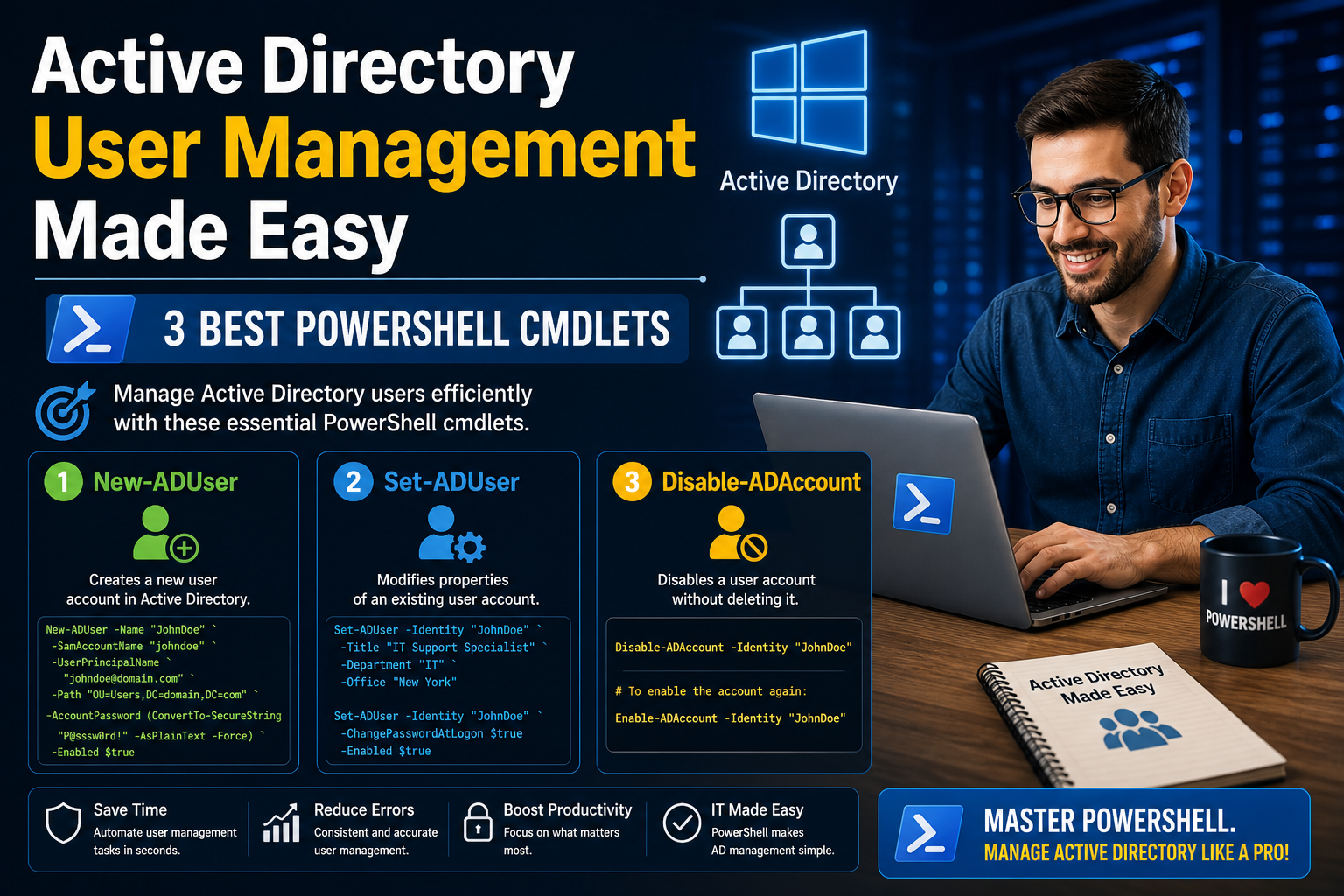
Managing identity systems in a modern IT environment requires more than just clicking through graphical interfaces or relying on traditional administrative tools. Active Directory remains one of the most critical components in enterprise environments, acting as the central system for authentication, authorization, and identity management. As organizations grow, the number of users, groups, and organizational units increases rapidly, making manual management increasingly inefficient and error-prone.
PowerShell has become an essential tool for administrators because it introduces automation, consistency, and speed into administrative workflows. Instead of performing repetitive actions manually, administrators can query, modify, and manage large sets of directory objects in a structured and repeatable way. This shift is especially important when dealing with user accounts, where accuracy and efficiency are both critical.
The real strength of PowerShell in Active Directory environments lies in its ability to work with objects at scale. Rather than focusing on one user at a time through a graphical interface, administrators can retrieve and manage hundreds or thousands of users in a single operation. This capability significantly reduces administrative overhead and improves operational reliability.
Active Directory management using PowerShell is not just about learning commands; it is about understanding how identity data is structured and how it can be accessed programmatically. Once this understanding develops, administrators gain the ability to design workflows that are both efficient and resilient.
Limitations of Traditional Active Directory Management Interfaces
The traditional Active Directory Users and Computers interface has long been the default tool for managing user accounts. It provides a visual representation of directory structure, making it intuitive for beginners to navigate. However, as environments scale, the limitations of this interface become increasingly visible.
One of the most noticeable challenges is the amount of manual effort required to perform even simple tasks. Searching for users often involves navigating through multiple organizational units, expanding folders, and filtering visually. While this approach works for small environments, it becomes inefficient when dealing with large directories containing thousands of objects.
Another limitation is the lack of bulk processing capability. When multiple user accounts need to be updated, administrators must often repeat the same action multiple times. This repetition increases the likelihood of human error and consumes valuable time that could otherwise be spent on more strategic tasks.
The graphical interface also provides limited flexibility in terms of filtering and reporting. While basic search functionality exists, it does not allow for complex queries or conditional logic. This makes it difficult to extract specific subsets of users based on dynamic criteria such as department, account status, or attribute combinations.
As environments grow more complex, administrators often find themselves switching between multiple tools to complete tasks. This fragmentation further reduces efficiency and increases cognitive load. PowerShell addresses these limitations by offering a unified and scriptable approach to directory management.
Understanding the Role of PowerShell in Directory Administration
PowerShell is designed around the concept of object-based automation. Unlike traditional command-line tools that output plain text, PowerShell works with structured objects that represent real system components. In the context of Active Directory, these objects represent users, groups, computers, and organizational units.
This object-based approach allows administrators to manipulate directory data in a highly flexible manner. Instead of manually interpreting text output, administrators can directly access properties and attributes associated with each object. This makes it significantly easier to filter, sort, and modify directory information.
In addition to object manipulation, PowerShell provides access to a wide range of modules that extend its functionality. One of the most important of these is the Active Directory module, which introduces specialized tools for interacting with directory services. Without this module, PowerShell cannot communicate directly with Active Directory environments.
Once this module is available, administrators gain access to a rich set of tools designed specifically for identity management. These tools are built to handle common administrative tasks such as retrieving user information, modifying account properties, and managing account states.
The integration between PowerShell and Active Directory represents a major shift in administrative methodology. Instead of relying on visual navigation, administrators can define precise conditions and execute operations across large datasets with minimal effort.
Preparing the Environment for Active Directory Management
Before PowerShell can be effectively used to manage Active Directory, the environment must be properly configured. By default, a standard installation of PowerShell does not include the necessary components to communicate with directory services. This is intentional, as not all systems require directory management capabilities.
To enable Active Directory functionality, the system must include the appropriate administrative tools. These tools are typically part of a broader management framework designed for Windows environments. Once installed, they extend PowerShell with additional capabilities specifically tailored for directory operations.
In modern Windows environments, these components are often delivered as optional features rather than pre-installed packages. This allows administrators to install only the tools they need, reducing system overhead and improving security posture.
It is also important that the machine being used for Active Directory management is part of the same domain or has appropriate trust relationships configured. Without domain connectivity, PowerShell will not be able to authenticate or retrieve directory information.
Once the environment is properly prepared, PowerShell sessions can recognize and utilize Active Directory-specific functionality. This enables administrators to begin interacting with directory objects in a meaningful way.
Exploring the Structure of Active Directory Objects
Active Directory is fundamentally a hierarchical database of objects. Each object represents a real-world entity such as a user, computer, or security group. These objects contain attributes that define their properties, including names, identifiers, and configuration settings.
User objects are among the most commonly managed components in Active Directory. They contain a wide range of attributes that describe everything from basic identity information to security-related settings. Examples include account status, login identifiers, group memberships, and organizational details.
Understanding how these objects are structured is essential for effective management. PowerShell interacts with these objects by retrieving them, exposing their properties, and allowing modifications to be applied based on administrative requirements.
Each object in Active Directory is uniquely identifiable using multiple forms of identification. These include security identifiers, globally unique identifiers, and account names. This flexibility allows administrators to reference objects in the most convenient way depending on the task at hand.
The richness of object attributes also means that administrators can perform highly detailed queries. Instead of relying on basic filters, it is possible to construct queries based on specific combinations of attributes, enabling precise control over data retrieval.
Introduction to Query-Based User Retrieval
One of the most powerful capabilities in PowerShell-based Active Directory management is the ability to retrieve user objects based on specific criteria. Rather than manually searching for users, administrators can define conditions that automatically return relevant results.
This query-based approach allows for dynamic filtering of directory data. For example, administrators can retrieve users from a specific organizational unit, users with certain account properties, or users matching specific naming conventions.
The ability to define search boundaries is particularly useful in large environments. Instead of processing the entire directory, queries can be limited to specific segments, improving performance and clarity of results.
Querying also enables administrators to build targeted reports. By retrieving only the necessary attributes, it becomes easier to analyze account states, identify inactive users, or review configuration consistency across departments.
The flexibility of query-based retrieval is one of the reasons PowerShell has become a preferred tool for directory management. It allows administrators to move beyond static views and work with data in a more analytical and structured manner.
Working with Single and Multiple User Objects
Active Directory management often involves both individual and bulk operations. In some cases, administrators need to focus on a single user account to investigate or modify specific details. In other cases, they need to apply changes across large groups of users.
PowerShell supports both approaches seamlessly. Individual user retrieval allows for detailed inspection of account properties, while bulk retrieval enables large-scale analysis and modification.
When working with multiple objects, PowerShell treats results as collections. This means that administrators can apply consistent operations across all returned objects without needing to process each one individually.
This capability is particularly valuable in environments where organizational changes occur frequently. For example, when departments are reorganized or policies are updated, bulk operations can ensure that all affected accounts are updated consistently.
The ability to transition between single-object and multi-object operations without changing tools or workflows is one of the key advantages of PowerShell-based management.
Understanding the Importance of User Properties
Every user object in Active Directory contains a wide range of properties that define its behavior and identity within the system. These properties are not limited to basic information such as names or usernames but extend to detailed configuration settings that affect authentication, access, and security.
Some properties are commonly used in day-to-day administration, while others are more specialized and used for specific scenarios. Understanding which properties are available and how they are structured is essential for effective management.
PowerShell allows administrators to view both default and extended properties associated with user objects. This visibility is important because it reveals the full scope of information stored within the directory.
By examining these properties, administrators can identify patterns, troubleshoot issues, and ensure consistency across accounts. It also enables better decision-making when designing organizational policies or automation workflows.
The ability to access detailed property information is one of the key reasons PowerShell is preferred over graphical tools for advanced administration tasks.
The Relationship Between Retrieval and Modification
In Active Directory management, retrieval and modification are closely connected processes. Before any changes can be made to user accounts, administrators must first retrieve and understand the existing state of those accounts.
This approach ensures that modifications are based on accurate and up-to-date information. Without proper retrieval, there is a risk of applying incorrect changes, which can lead to inconsistencies or operational issues.
PowerShell supports this workflow by allowing retrieved objects to be passed through different operations. Once an object is retrieved, it can be inspected, filtered, and eventually modified based on defined criteria.
This structured approach reduces the risk of unintended changes and provides greater control over administrative actions. It also enables administrators to build repeatable workflows that can be applied consistently across different environments.
Understanding the relationship between retrieval and modification is essential for safe and effective Active Directory management.
Developing a Structured Approach to Directory Administration
Effective Active Directory management requires more than just technical knowledge of tools and commands. It also requires a structured approach to how tasks are planned and executed.
This includes understanding the scope of operations, identifying target objects, and defining clear criteria for modifications. Without structure, administrative actions can become inconsistent and difficult to manage over time.
PowerShell encourages this structured approach by allowing administrators to define workflows that are both predictable and repeatable. Once a process is established, it can be reused and adapted as needed.
This consistency is particularly important in large environments where multiple administrators may be working on the same directory system. A structured approach ensures that changes remain controlled and traceable.
By combining technical capability with structured planning, administrators can achieve a higher level of efficiency and reliability in Active Directory management.
Deep Dive into Get-ADUser Query Mechanics
One of the most important capabilities in Active Directory administration is the ability to retrieve user objects in a precise and controlled way. The process of querying user accounts is not simply about finding a name in the directory; it is about extracting structured identity data that can be used for analysis, reporting, and administrative decision-making.
When working with user queries, PowerShell interacts with Active Directory as a structured database rather than a simple list. This means every query is evaluated against object attributes, not just displayed names. As a result, administrators can locate users based on a wide range of conditions, including account identifiers, organizational placement, and configuration properties.
The power of querying lies in its flexibility. Instead of relying on manual browsing through directory trees, administrators define conditions that match specific attributes. These conditions can be broad or highly specific depending on the requirement. For example, a query may target all users in a department, all disabled accounts, or all users who have not logged in recently.
This structured retrieval approach allows administrators to move from reactive management to proactive analysis. Instead of searching for issues one by one, they can identify patterns across the entire directory and take action based on data-driven insights.
Filtering Strategies and Attribute-Based Searching
Filtering is at the core of efficient Active Directory querying. Without filtering, administrators would be forced to process large volumes of data manually, which is neither practical nor scalable in enterprise environments.
Attribute-based filtering allows queries to focus only on relevant user properties. These properties can include names, account status, department identifiers, or any other stored attribute associated with a user object. By narrowing the scope of a query, administrators can significantly reduce the amount of data they need to process.
Different filtering approaches allow for varying levels of precision. Broad filters can return large datasets for general analysis, while narrow filters can isolate specific users for targeted actions. This flexibility is essential in environments where user populations are large and diverse.
Filtering also plays a key role in automation. When administrative tasks are automated, filters ensure that only the intended objects are affected. This reduces the risk of unintended changes and improves the reliability of automated workflows.
Understanding how to design effective filtering strategies is a fundamental skill for anyone working with Active Directory at scale.
Working with Organizational Units and Scoping Results
Organizational Units play a central role in structuring Active Directory environments. They provide a logical way to group users, computers, and other objects based on business structure, geography, or functional role.
When querying user objects, scoping results to specific Organizational Units allows administrators to focus on a defined segment of the directory. This is particularly useful in large environments where thousands of users may exist across multiple departments or locations.
By limiting queries to specific organizational boundaries, administrators can improve both performance and clarity. Instead of processing the entire directory, only relevant subsets are evaluated. This reduces system load and makes results easier to interpret.
Scoping also enhances security and control. In many environments, administrators are responsible for only certain parts of the directory. By restricting queries to those areas, they ensure compliance with administrative boundaries and organizational policies.
This structured approach to scoping results helps maintain order in complex environments and ensures that administrative actions remain focused and intentional.
Understanding Active Directory Attributes in Detail
Every user object in Active Directory is composed of a set of attributes that define its identity and behavior. These attributes form the foundation of how users are represented and managed within the system.
Some attributes are commonly used, such as account names and display names, while others are more technical, such as security identifiers and directory paths. Each attribute serves a specific purpose and contributes to the overall identity of the user object.
Understanding these attributes is essential for effective directory management. Without a clear understanding of what each attribute represents, it becomes difficult to design meaningful queries or perform accurate modifications.
Attributes can also vary depending on organizational configuration. Some environments may include custom attributes to support business-specific requirements. These custom attributes extend the flexibility of Active Directory and allow it to adapt to different operational needs.
The ability to interpret and work with attributes gives administrators deeper insight into how identity data is structured and how it can be leveraged for administrative tasks.
Pipeline Concept in Directory Operations
One of the most powerful conceptual features in PowerShell-based administration is the idea of passing objects through a sequence of operations. This concept allows data retrieved from Active Directory to be processed step by step without needing intermediate storage or manual intervention.
In directory operations, this means that a set of user objects can be retrieved and then immediately passed into another operation for filtering, modification, or analysis. Each stage of the process builds on the previous one, creating a streamlined workflow.
This approach significantly improves efficiency because it eliminates unnecessary repetition. Instead of retrieving data and then manually reprocessing it, administrators define a flow of operations that automatically handles the transformation of data.
The pipeline concept also enhances readability and structure in administrative workflows. Each step in the process has a clear purpose, making it easier to understand what is happening at each stage of execution.
By using this model, administrators can build complex workflows that remain manageable and consistent, even when dealing with large datasets.
Bulk User Analysis and Reporting Approaches
In enterprise environments, managing individual user accounts is only a small part of the overall administrative workload. A much larger challenge involves analyzing and managing groups of users collectively.
Bulk analysis allows administrators to evaluate patterns across the entire directory. This can include identifying inactive accounts, reviewing department structures, or verifying compliance with organizational policies.
PowerShell enables this type of analysis by allowing multiple user objects to be processed simultaneously. Instead of evaluating each account individually, administrators can apply consistent logic across all relevant objects.
This capability is particularly useful for reporting purposes. By extracting specific attributes from large sets of users, administrators can generate structured insights into directory usage and configuration.
Bulk analysis also plays a key role in maintaining security. By regularly reviewing large groups of accounts, administrators can identify potential risks such as unused accounts or improperly configured permissions.
The ability to work at scale is one of the defining strengths of PowerShell in Active Directory environments.
Introduction to Set-ADUser Conceptual Behavior
While retrieving user information is essential, the ability to modify user properties is equally important. Modification tasks allow administrators to update account information, adjust configurations, and enforce organizational policies.
Set-based operations in Active Directory are designed to change specific attributes of user objects. These changes can range from simple updates, such as modifying job titles, to more critical actions like enabling or disabling accounts.
The conceptual behavior of modification tools is based on precision. Every change must target a specific object or group of objects, and every modification must be intentional. This reduces the risk of accidental changes and ensures that updates are applied correctly.
Unlike retrieval operations, modification actions directly affect the state of the directory. As a result, they require careful planning and validation before execution.
Understanding how modification operations work is essential for maintaining stability and consistency in Active Directory environments.
Safely Modifying User Attributes at Scale
When making changes to user accounts in bulk, safety becomes a primary concern. Even small mistakes can have widespread effects when applied across large numbers of objects.
Safe modification practices begin with accurate identification of target objects. Administrators must ensure that only the intended accounts are included in the operation. This often involves combining filtering techniques with careful validation of results.
Once the target set is identified, modifications should be applied in a controlled manner. This may involve testing changes on a small subset of accounts before expanding the scope to larger groups.
Another important aspect of safe modification is verification. After changes are applied, administrators must confirm that the expected outcomes have been achieved. This helps identify any discrepancies early and prevents long-term issues.
At scale, even minor errors can multiply quickly. Therefore, disciplined execution and careful validation are essential components of any bulk modification process.
Managing Account States in Active Directory
User account states are a critical part of Active Directory management. These states determine whether an account is active, restricted, or disabled within the system.
Managing account states involves more than simply enabling or disabling access. It also includes understanding the implications of account status on authentication, security, and system access.
Disabled accounts, for example, are often used to preserve user data while preventing access to systems. This is useful in scenarios where employees leave an organization or change roles.
Active accounts, on the other hand, represent users who currently have access to resources and services. Maintaining accurate account states ensures that only authorized users can access sensitive systems.
Account state management also plays a role in security compliance. Regularly reviewing and updating account statuses helps reduce the risk of unauthorized access and ensures alignment with organizational policies.
Preventing Mistakes and Building Safe Administrative Workflows
In complex directory environments, preventing mistakes is just as important as performing tasks efficiently. Administrative errors can have significant consequences, especially when they affect large numbers of user accounts.
Building safe workflows begins with careful planning. Administrators must clearly define the scope and intent of each operation before execution. This includes identifying target objects, understanding potential impacts, and anticipating possible outcomes.
Another important aspect of safe workflow design is incremental execution. Instead of applying large changes all at once, administrators often test operations in smaller segments. This allows them to detect issues early and adjust accordingly.
Consistency is also a key factor in preventing mistakes. When workflows follow predictable patterns, it becomes easier to identify anomalies and ensure that operations behave as expected.
Finally, awareness of system impact is essential. Every modification in Active Directory has potential downstream effects, and understanding these dependencies helps reduce unintended consequences.
Advancing Active Directory Management Beyond Basic Cmdlets
As Active Directory environments grow in size and complexity, simple user retrieval and modification tasks are no longer enough. Administrators begin to deal with layered identity structures, nested organizational units, hybrid identity integrations, and large-scale automation requirements. At this stage, PowerShell usage evolves from basic command execution into structured operational design.
The transition from foundational cmdlets to advanced administrative workflows requires a deeper understanding of how directory objects behave at scale. User accounts are no longer treated as isolated entities. Instead, they become part of a broader identity ecosystem where changes in one area can influence authentication, authorization, and system access across multiple services.
At this level of administration, efficiency is not only about speed but also about consistency. The ability to apply standardized logic across thousands of objects becomes essential for maintaining system stability. This is where structured PowerShell practices begin to play a critical role in enterprise identity management.
Designing Scalable User Management Workflows
Scalability is one of the most important challenges in Active Directory administration. A workflow that functions well for ten users may fail or become inefficient when applied to ten thousand users. Because of this, administrators must design processes that can expand without losing reliability.
A scalable workflow begins with consistent data selection. User objects must be retrieved using predictable and repeatable criteria. This ensures that the same logic produces the same results regardless of directory size or organizational changes.
Once data is selected, the next step involves structured processing. Instead of applying manual changes, administrators define operations that can be executed uniformly across all selected objects. This reduces variability and ensures consistent outcomes.
Scalability also depends on minimizing unnecessary processing. Efficient workflows avoid retrieving or modifying data that is not relevant to the task. This reduces system load and improves performance in large environments.
Over time, well-designed workflows become reusable components that can be adapted for different administrative needs without requiring complete redesign.
Automating Repetitive Administrative Tasks
Repetition is one of the biggest inefficiencies in manual Active Directory management. Tasks such as updating user attributes, disabling inactive accounts, or assigning group memberships often occur regularly and follow predictable patterns.
Automation addresses this challenge by replacing manual repetition with predefined logic. Once a workflow is defined, it can be executed multiple times without additional effort, ensuring consistency across all executions.
In Active Directory environments, automation is particularly valuable for routine maintenance tasks. These include lifecycle management of user accounts, periodic audits, and organizational restructuring activities.
Automated processes reduce the risk of human error by eliminating manual intervention. They also ensure that tasks are completed in a timely manner, even when administrative workloads are high.
However, automation must be designed carefully. Poorly structured automation can amplify errors instead of reducing them. This is why validation, testing, and controlled execution are essential components of any automated workflow.
Handling Large-Scale Directory Changes
Large-scale changes in Active Directory environments often occur during organizational restructuring, mergers, or policy updates. These changes can affect hundreds or thousands of user accounts simultaneously, making careful planning essential.
When handling large-scale changes, administrators must first understand the full scope of impact. This includes identifying all affected objects and understanding how changes will propagate across systems.
Once the scope is defined, changes are typically implemented in phases. This phased approach reduces risk by allowing administrators to validate each stage before proceeding to the next.
Large-scale modifications also require strong rollback strategies. If an issue occurs during execution, administrators must be able to revert changes quickly to maintain system stability.
PowerShell plays a key role in this process by enabling structured execution of bulk operations. Instead of relying on manual updates, administrators can apply consistent changes across entire user populations with controlled logic.
Deepening Understanding of Object Pipelines in Practice
The concept of passing objects through sequential operations becomes increasingly important in advanced Active Directory management. In practical terms, this allows administrators to build layered workflows where each step refines or transforms the data.
At the first stage, user objects are retrieved based on defined criteria. In the next stage, these objects may be filtered further to isolate specific conditions. Subsequent stages may involve modification, reporting, or validation.
This layered approach provides both flexibility and control. Each stage of the pipeline has a clearly defined purpose, making it easier to understand and troubleshoot complex workflows.
It also enables modular design. Individual stages can be reused in different workflows, reducing duplication and improving maintainability.
In large environments, this approach becomes essential for managing complexity. Without structured pipelines, administrative logic can quickly become fragmented and difficult to manage.
Strengthening Data Validation Before Modifications
Before making any changes to Active Directory objects, validation plays a critical role in ensuring accuracy. Validation involves confirming that selected objects meet the intended criteria and that modifications will produce the expected outcome.
One of the most important aspects of validation is previewing results before execution. This allows administrators to review affected objects and confirm that selection logic is correct.
Validation also includes verifying attribute values before applying changes. This ensures that modifications do not overwrite important data or introduce inconsistencies.
In addition, validation helps identify unexpected conditions in the directory. For example, inconsistencies in naming conventions or attribute usage can be detected before they cause operational issues.
Strong validation practices reduce the likelihood of errors and improve confidence in administrative operations.
Managing Identity Consistency Across Organizations
Consistency in identity data is essential for maintaining a reliable Active Directory environment. When user attributes vary across departments or systems, it can lead to authentication issues, reporting inaccuracies, and administrative confusion.
Maintaining consistency involves enforcing standardized naming conventions, attribute formats, and account structures. This ensures that all user objects follow predictable patterns.
PowerShell helps enforce consistency by enabling bulk updates and structured validation. Administrators can identify inconsistencies and correct them across large sets of users efficiently.
Consistency also improves integration with other systems. Many enterprise applications rely on Active Directory attributes for authentication and authorization. When these attributes are consistent, integration becomes more reliable and predictable.
Over time, consistent identity management reduces operational complexity and improves overall system stability.
Understanding the Impact of Directory Modifications
Every change made in Active Directory has the potential to affect multiple systems and services. Because Active Directory is deeply integrated into enterprise infrastructure, even small modifications can have wide-ranging consequences.
For example, modifying a user’s account status can impact access to email systems, file servers, and application platforms. Similarly, changes to group memberships can alter permission structures across multiple resources.
Understanding these dependencies is essential for safe administration. Before making changes, administrators must consider how those changes will propagate through the environment.
This requires a holistic view of the directory ecosystem. Instead of focusing solely on individual objects, administrators must understand how those objects interact with other systems.
PowerShell supports this approach by providing visibility into object relationships and allowing administrators to trace dependencies through structured queries.
Improving Efficiency Through Targeted Data Selection
Efficiency in Active Directory management is heavily influenced by how data is selected. Retrieving unnecessary data increases processing time and makes results harder to interpret.
Targeted data selection involves focusing only on attributes and objects that are relevant to the task at hand. This reduces overhead and improves clarity.
For example, when generating reports, administrators may only need specific attributes such as account status or department information. Retrieving additional attributes would add unnecessary complexity.
Efficient data selection also improves scalability. As directory size increases, the impact of inefficient queries becomes more significant. Optimized selection strategies help maintain performance even in large environments.
Over time, targeted selection becomes a core principle of efficient directory management.
Enhancing Administrative Accuracy with Structured Logic
Accuracy in Active Directory management depends on clearly defined logic. Without structured logic, administrative actions can become inconsistent and unpredictable.
Structured logic involves defining precise conditions for selecting and modifying objects. This ensures that operations are applied consistently across all relevant data.
It also reduces ambiguity. When logic is clearly defined, there is less room for misinterpretation or unintended behavior.
Structured logic is especially important in automated workflows. Since automated processes execute without manual oversight, they must rely on precise instructions to ensure correct behavior.
By implementing structured logic, administrators can improve both reliability and predictability in their workflows.
Evolving Role of PowerShell in Modern Identity Systems
The role of PowerShell in identity management has evolved significantly over time. Initially used as a scripting tool for simple administrative tasks, it has now become a central component of enterprise identity infrastructure.
Modern environments often rely on PowerShell for automation, reporting, provisioning, and lifecycle management. Its flexibility allows it to adapt to changing organizational requirements.
As identity systems continue to evolve, PowerShell remains a key tool for bridging manual administration and automated infrastructure management.
Its ability to interact with structured data, combined with its scripting capabilities, makes it suitable for both simple and complex administrative scenarios.
In many environments, PowerShell is no longer just a tool—it is part of the operational foundation of identity management systems.
Building Long-Term Administrative Stability in Active Directory
Long-term stability in Active Directory depends on consistent management practices, structured workflows, and careful change control. Without these elements, environments can become inconsistent and difficult to manage over time.
Stability begins with predictable processes. When administrative actions follow consistent patterns, it becomes easier to maintain control over the directory environment.
It also depends on documentation and repeatability. Workflows that are clearly defined and consistently executed reduce the risk of deviation and error.
Regular review and maintenance are also essential. Over time, directory environments accumulate inconsistencies that must be addressed to maintain stability.
By combining structured workflows, automation, and careful oversight, administrators can ensure that Active Directory environments remain stable, scalable, and manageable over the long term.
Strengthening Operational Discipline in Directory Management
As Active Directory environments continue to scale, technical capability alone is not enough to ensure reliable administration. Operational discipline becomes a defining factor in whether an environment remains stable or gradually develops inconsistencies. This discipline is reflected in how changes are planned, executed, and reviewed over time.
One important aspect of operational discipline is maintaining clear intent behind every administrative action. Before modifying user attributes or account states, administrators must have a precise understanding of why the change is necessary and what outcome is expected. This reduces unnecessary or redundant modifications that can accumulate into long-term complexity.
Another key element is controlled execution. Even when PowerShell enables rapid bulk operations, speed should not override caution. Large-scale changes should be approached with structured steps rather than immediate execution across the entire directory. This ensures that any unintended effects are contained early rather than spreading across the environment.
Operational discipline also includes maintaining consistency in administrative methods. When multiple administrators manage the same environment, differences in approach can lead to fragmented configurations. Establishing standardized workflows ensures that similar tasks are performed in the same manner regardless of who executes them.
Enhancing Visibility into Directory Health
Maintaining visibility into the overall health of an Active Directory environment is essential for long-term stability. Without visibility, small issues can grow unnoticed until they become operational problems.
Visibility is achieved by regularly examining user attributes, account states, and structural consistency across the directory. This includes identifying inactive accounts, verifying correct attribute usage, and ensuring that organizational structures remain aligned with business requirements.
PowerShell plays an important role in improving visibility by allowing administrators to extract detailed information from the directory in a structured way. Instead of relying on surface-level views, administrators can access underlying data that reveals deeper patterns and potential issues.
Improved visibility also supports proactive management. Rather than reacting to problems after they occur, administrators can identify trends that indicate future issues. For example, increasing numbers of stale accounts or inconsistent attribute values may signal the need for corrective action.
Over time, enhanced visibility contributes to a more predictable and manageable directory environment, reducing the likelihood of unexpected disruptions.
Maintaining Control in Dynamic Environments
Active Directory environments are rarely static. Users join, leave, change roles, and move between departments. Organizational structures evolve, and business requirements shift over time. This constant change creates a dynamic environment that requires continuous management.
Maintaining control in such environments requires adaptable workflows that can respond to change without losing consistency. Static administrative approaches quickly become ineffective when faced with evolving structures.
Dynamic control is achieved through flexible querying, structured filtering, and modular workflows. These techniques allow administrators to adjust their operations based on current directory conditions rather than fixed assumptions.
Another important aspect of control is monitoring change impact. Every modification should be evaluated not only for immediate effect but also for long-term implications. This ensures that changes support overall system integrity rather than introducing hidden dependencies.
By combining adaptability with structured control, administrators can manage dynamic environments effectively without sacrificing stability.
Building Confidence Through Repeatable Processes
Confidence in Active Directory administration comes from predictability. When processes produce consistent and expected results, administrators can execute tasks with greater assurance.
Repeatable processes are at the core of this confidence. When a workflow can be executed multiple times with the same outcome, it reduces uncertainty and increases trust in the system.
Repeatability also supports collaboration. When multiple administrators rely on the same processes, it ensures consistency across teams and reduces the risk of conflicting changes.
In addition, repeatable processes make troubleshooting easier. When something goes wrong, known workflows can be reviewed step by step to identify where the issue occurred.
Over time, repeatability transforms administrative tasks from unpredictable actions into reliable operational routines that support long-term system stability.
Conclusion
Active Directory management becomes significantly more efficient and reliable when PowerShell is used as the primary administrative tool. Instead of relying on manual navigation through graphical interfaces, administrators gain the ability to interact with directory data in a structured, scalable, and repeatable way. This shift is especially important in modern IT environments where user populations are large, dynamic, and constantly changing.
Cmdlets such as those used for retrieving and modifying user accounts provide a foundation for both day-to-day administration and large-scale identity management. The ability to query user objects based on specific attributes allows for precise targeting, while modification capabilities enable controlled updates across individual or bulk accounts. Together, these functions reduce administrative workload while improving accuracy and consistency.
Beyond individual commands, the real strength of PowerShell lies in its ability to support structured workflows. By combining retrieval, filtering, validation, and modification into logical sequences, administrators can build processes that are both efficient and safe. This structured approach reduces the likelihood of errors and ensures that changes are applied only when conditions are fully understood.
As environments grow more complex, the importance of disciplined administration continues to increase. Consistency, validation, and careful planning become essential practices rather than optional enhancements. PowerShell supports these principles by enabling repeatable and transparent operations that can be adapted to evolving organizational needs.
Ultimately, mastering Active Directory management with PowerShell is not just about learning commands—it is about developing a mindset focused on precision, scalability, and long-term system stability.