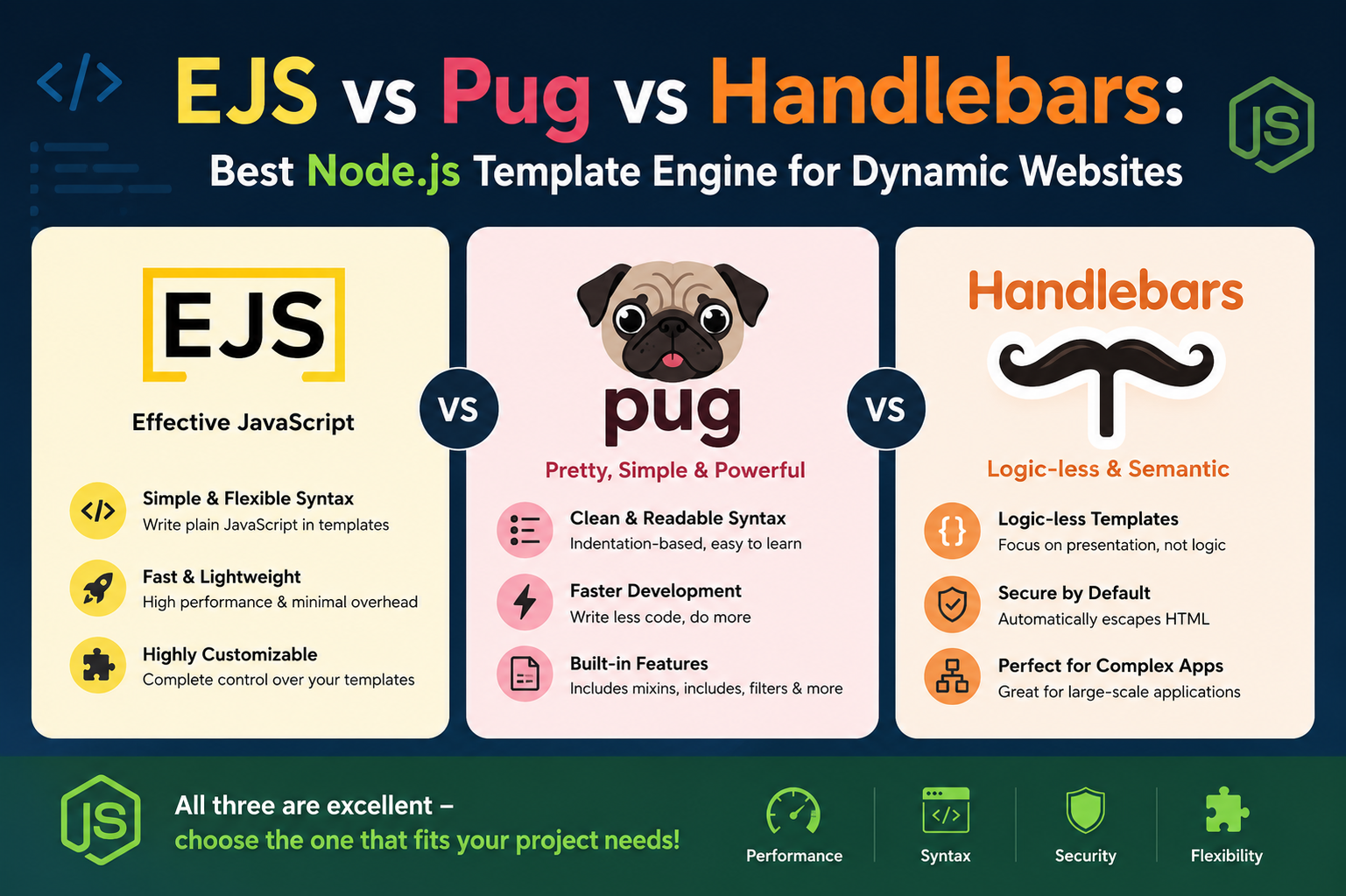
Modern websites rarely consist of static pages alone. Whether someone is browsing an online store, reading a personalized dashboard, checking social media feeds, or managing data in a business application, most of the content displayed on the screen is generated dynamically. Instead of writing every page manually, developers use template engines to combine data with HTML structures and create pages automatically.
In the JavaScript ecosystem, three names frequently appear when discussing server-side templating: EJS, Pug, and Handlebars. Each one offers a different philosophy for building dynamic interfaces, and each appeals to different types of developers and projects. While they all solve the same broad problem, the way they approach templating can dramatically affect developer workflow, readability, scalability, and long-term maintenance.
For developers building data-backed websites, selecting a template engine is not just about syntax preferences. The choice influences how quickly pages can be created, how teams collaborate, how reusable components are organized, and how easily applications can grow over time. Understanding the strengths and trade-offs of these template engines requires looking beyond quick feature lists and exploring how they behave in real-world development.
EJS, which stands for Embedded JavaScript, is often described as the most straightforward option because it feels very close to traditional HTML. Developers can insert JavaScript directly into templates, making it easy to generate dynamic content while still maintaining familiar markup structures. This simplicity has made EJS popular among beginners and among developers who want minimal abstraction.
Pug, formerly known as Jade, takes a very different approach. Instead of relying on standard HTML syntax, it introduces a whitespace-sensitive structure that removes many repetitive elements from templates. The result is concise and visually clean code, but it also introduces a learning curve for developers who are deeply accustomed to standard HTML formatting.
Handlebars sits somewhere between the two. It uses a lightweight templating style with placeholders wrapped in curly braces. The focus of Handlebars is to separate logic from presentation, encouraging cleaner templates that avoid embedding too much programming logic directly into markup.
Although all three engines can generate dynamic pages efficiently, their philosophies shape how developers think about building applications. Some prioritize flexibility, some prioritize simplicity, and others emphasize maintainability.
One of the first things developers notice when comparing these engines is how differently they handle syntax. Syntax may seem like a cosmetic detail at first glance, but in practice it affects productivity, readability, collaboration, and debugging.
EJS intentionally stays close to standard HTML. Developers write normal HTML structures and insert JavaScript expressions using delimiters. This makes templates highly approachable because the page still looks like traditional web markup. Someone familiar with HTML can usually understand an EJS template almost immediately.
This familiarity creates a comfortable development experience. Teams can move into EJS without learning an entirely new language structure. Since JavaScript expressions can be embedded directly into templates, developers gain significant freedom to handle loops, conditions, and dynamic rendering within the same file.
That flexibility is especially useful for projects where templates require detailed logic. For example, dashboards displaying different user permissions, product filtering systems, or data-heavy reporting pages may involve conditions that determine what users can see. EJS allows developers to manage such behavior using native JavaScript.
Another advantage of EJS is that debugging often feels more intuitive because developers are working with recognizable HTML and JavaScript. Errors usually point to familiar structures, making troubleshooting easier. This can save valuable time in large projects where template issues must be resolved quickly.
However, the same flexibility that makes EJS powerful can also become a weakness if teams are not disciplined. Since JavaScript can be placed almost anywhere inside templates, some developers may introduce excessive logic into presentation files. Over time, templates can become crowded and difficult to maintain.
This is particularly important in larger teams. If several developers structure logic differently inside templates, readability may decline. Templates that once appeared simple can evolve into complicated mixtures of HTML and JavaScript. Maintaining consistency becomes essential.
Pug approaches templating from an entirely different angle. Instead of preserving traditional HTML structures, it removes much of the repetition associated with opening and closing tags. The engine relies heavily on indentation to define hierarchy.
At the first encounter, Pug can feel unusual. Developers accustomed to explicit tags may initially struggle with the absence of familiar syntax. A missing indentation level can completely alter page structure, and whitespace becomes critically important.
Yet many developers eventually appreciate Pug because of its efficiency. Once the syntax becomes familiar, writing templates often feels significantly faster. Large chunks of repetitive HTML can be represented with fewer lines, reducing visual clutter.
This concise style can improve readability in projects with deeply nested layouts. Instead of scrolling through long blocks of opening and closing tags, developers can focus more directly on the structure of the content itself.
Pug also supports reusable structures through mixins, which allow developers to create reusable interface components with parameters. This encourages modular design and helps maintain consistency across websites.
Another reason developers appreciate Pug is its clean visual appearance. Large templates often feel less intimidating because the code appears compact and organized. For teams that value minimalist syntax, this can create a smoother workflow.
Still, Pug is not universally preferred. Some developers dislike moving away from standard HTML because it introduces an additional layer of abstraction. When onboarding new team members, additional time may be needed to explain indentation rules and syntax conventions.
Furthermore, because Pug hides some of the underlying HTML structure, debugging can occasionally become more difficult. Developers may need extra awareness of how the engine compiles templates behind the scenes.
Handlebars chooses a more restrained and structured philosophy. Unlike EJS, it discourages embedding extensive logic directly inside templates. Instead, Handlebars focuses on displaying data while pushing most processing responsibilities elsewhere.
Templates remain visually close to HTML, which helps preserve readability. Dynamic values are inserted using double curly braces, creating a clean distinction between markup and data placeholders.
This separation creates several practical benefits. Designers and front-end developers can often work on templates without needing to understand complex programming logic. Meanwhile, application logic remains centralized in controllers or helper functions.
For larger projects, this structure can significantly improve maintainability. Templates stay relatively simple, and the risk of cluttered presentation files decreases.
Handlebars also supports helpers and partials, enabling reusable snippets and custom functionality. These features help developers maintain consistent structures across large applications.
Because templates remain relatively lightweight, Handlebars is especially attractive in collaborative environments where different team members manage different layers of the application.
Another advantage is predictability. Since Handlebars intentionally limits what can happen inside templates, developers often find it easier to review code and enforce standards.
Yet this simplicity also introduces limitations. Developers accustomed to unrestricted JavaScript inside templates may find Handlebars restrictive. Complex rendering logic usually requires external helpers, adding extra steps during development.
This trade-off reflects a deeper philosophical divide among template engines. EJS prioritizes freedom, Pug prioritizes concise structure, and Handlebars prioritizes separation of concerns.
The developer experience changes significantly depending on which philosophy aligns with a team’s workflow.
For beginners entering server-side rendering for the first time, EJS often feels the least intimidating. Because templates resemble ordinary HTML, new developers can begin building pages almost immediately.
This accessibility makes EJS a common choice in educational projects and small applications. Developers can focus on understanding dynamic rendering without simultaneously learning an unfamiliar syntax system.
The ability to use JavaScript directly inside templates also reinforces learning because developers practice real JavaScript concepts while building views.
In contrast, Pug may initially feel confusing for beginners because its syntax departs so dramatically from traditional HTML. However, once developers adapt to the indentation-based structure, many find it highly productive.
The reduced visual clutter can make templates easier to scan, especially in projects with extensive nested layouts. Developers who value concise writing often become strong advocates for Pug after gaining experience.
Handlebars tend to appeal to developers who value organization and maintainability. Since logic remains separated from templates, projects can feel cleaner over time.
This becomes particularly important in enterprise environments where multiple developers contribute to the same application. Consistent structure helps reduce confusion and supports long-term scalability.
Another factor influencing developer experience is how these engines integrate with broader application architectures.
EJS integrates naturally with Express applications and other Node.js environments. Developers can quickly render server-side views using familiar JavaScript syntax. Since templates behave almost like regular HTML files with embedded scripts, integration usually feels straightforward.
Pug also integrates smoothly with Node.js frameworks, especially within Express-based environments. Many developers appreciate how rapidly layouts can be constructed once the syntax becomes second nature.
Handlebars offers flexibility through its helper ecosystem and component-oriented structure. This can be advantageous in applications where interface elements need to remain modular and reusable.
Template inheritance and reusability further distinguish these engines.
EJS supports includes and partials, enabling developers to reuse headers, footers, navigation menus, and other common structures. This helps reduce duplication and maintain consistency.
Pug extends this concept further with inheritance systems and mixins. Developers can define reusable blocks and extend layouts elegantly. This encourages structured design patterns and modular architecture.
Handlebars also support partials, allowing reusable template fragments. Combined with helpers, these features support scalable front-end organization.
The way each engine handles logic inside templates also affects code quality.
EJS grants developers nearly unrestricted access to JavaScript. While this creates flexibility, it can also tempt developers to place too much business logic inside views.
Pug allows conditions and loops while encouraging cleaner structures through concise syntax.
Handlebars deliberately restrict logic, encouraging developers to process data before it reaches templates. This limitation often improves maintainability by preventing presentation layers from becoming overloaded.
Performance discussions frequently arise when developers compare template engines, but in many real-world applications, differences are relatively small.
Pug is often considered very fast because its concise syntax compiles efficiently. The reduced verbosity can improve template processing speed.
Handlebars also perform well, particularly when templates are precompiled.
EJS remains highly capable for most projects, though templates containing extensive embedded JavaScript may introduce slightly more overhead.
In practical terms, the impact of template engine performance is often overshadowed by database operations, network requests, and application architecture decisions.
As a result, developer productivity and maintainability usually matter more than tiny rendering differences.
Community support also plays an important role when selecting technologies.
EJS benefits from years of widespread use and abundant learning resources. Developers can easily find tutorials, troubleshooting discussions, and implementation examples.
Pug maintains a loyal community that values its minimalist philosophy. While its user base may be smaller than some alternatives, its ecosystem remains active.
Handlebars enjoys strong adoption because of its clean templating philosophy and compatibility with organized development workflows.
Choosing among these engines ultimately depends on project priorities.
Teams seeking simplicity and flexibility often gravitate toward EJS because it feels familiar and easy to adopt.
Developers who value concise syntax and rapid template writing may prefer Pug.
Organizations emphasizing maintainability, structured architecture, and separation of concerns often appreciate Handlebars.
The decision is rarely about which engine is objectively superior. Instead, it revolves around which philosophy best supports the goals of the project and the habits of the development team.
Performance, Scalability, and Workflow Differences in Real Development Environments
Template engines influence much more than the appearance of source code. In practical development environments, they affect workflow efficiency, application scalability, collaboration patterns, debugging processes, and even long-term maintenance costs. While EJS, Pug, and Handlebars can all generate dynamic pages successfully, the experience of using them changes considerably once projects grow beyond simple examples.
Small demonstration applications often fail to reveal the deeper differences between templating systems. A basic page showing user data may look nearly identical regardless of the engine being used. The real distinctions begin to emerge when websites become larger, data flows become more complex, and teams start maintaining applications over long periods.
One of the most important considerations for data-backed websites is scalability. Scalability does not only refer to handling more users or processing larger datasets. It also includes the ability of developers to scale the codebase itself without losing clarity or efficiency.
EJS offers a highly flexible environment because developers can place JavaScript directly inside templates. This allows quick adaptation to changing requirements. For example, if a product page suddenly requires conditional rendering based on stock availability, membership status, or user location, developers can implement logic immediately within the template.
This flexibility becomes especially useful in fast-moving projects where requirements change frequently. Teams can modify templates rapidly without restructuring the entire rendering pipeline.
However, scalability in software development also depends on maintainability. Applications that grow rapidly can become difficult to manage if developers mix too much logic into presentation files.
In EJS projects, this risk increases over time. When developers repeatedly add loops, conditions, calculations, and formatting rules directly into templates, the separation between business logic and presentation can weaken.
A template that initially displayed simple data may eventually contain complicated rendering conditions spanning dozens of lines. While this is technically possible in EJS, it can reduce readability and make onboarding new developers more difficult.
This issue becomes particularly noticeable in enterprise applications with multiple contributors. Different coding styles inside templates may create inconsistency, especially if teams lack strict development standards.
Despite this challenge, disciplined teams can still maintain clean EJS architectures by limiting template logic and keeping most processing within controllers or services.
Pug introduces a different kind of scalability advantage. Because the syntax is concise, large templates often remain visually manageable even when page structures become deeply nested.
Complex dashboards, reporting interfaces, and administrative panels frequently contain repeated structures such as navigation menus, cards, widgets, and data containers. Pug allows developers to represent these structures with fewer lines of code.
This reduction in verbosity can improve productivity significantly. Developers spend less time writing repetitive markup and more time focusing on application functionality.
Mixin support further strengthens Pug’s scalability. Mixins allow reusable interface patterns to be defined once and reused throughout the application.
For example, a reusable notification component or profile card can be built as a mixin and customized with parameters. This encourages modular development and reduces duplication.
The visual cleanliness of Pug templates can also improve navigation through large codebases. Instead of scanning long walls of HTML tags, developers can identify structural patterns more quickly.
Still, Pug’s whitespace-sensitive structure introduces its own maintenance considerations. Indentation errors can alter layout hierarchy unexpectedly. Developers unfamiliar with the syntax may accidentally break template structures through small formatting mistakes.
In teams where developers rotate frequently or where contributors have varying experience levels, onboarding may take longer compared to engines that use more familiar HTML-based syntax.
Handlebars approaches scalability through separation and predictability. By restricting complex logic inside templates, it encourages developers to keep rendering layers focused primarily on presentation.
This philosophy becomes valuable in large systems where multiple departments or teams collaborate on the same application.
Front-end specialists can work on templates while back-end developers manage data transformation separately. Since templates remain relatively clean, the risk of presentation files evolving into complicated logic-heavy structures decreases.
Handlebars helpers further support organized scaling. Instead of embedding complex conditions directly inside templates, reusable helper functions can centralize formatting logic.
This creates consistency across applications. If multiple pages require identical formatting behavior, developers can modify the helper once instead of updating templates individually.
Partial templates provide another scalability benefit. Shared interface components such as navigation bars, article previews, user profiles, or product cards can be reused across pages.
As projects expand, these reusable structures help maintain visual consistency while reducing repetitive development work.
Another area where these engines differ is debugging.
Debugging template-related problems can consume significant development time, especially in data-driven applications where rendering depends on dynamic inputs.
EJS often feels straightforward during debugging because templates remain close to native HTML and JavaScript. Developers can usually identify problematic code quickly.
Error messages frequently correspond to recognizable JavaScript expressions, which simplifies troubleshooting.
For developers already comfortable with JavaScript, this familiarity can reduce frustration when diagnosing rendering problems.
Pug debugging may require more attention because the compiled HTML structure is abstracted behind the indentation-based syntax.
A missing indentation level or formatting inconsistency can alter the output dramatically. Developers must understand how Pug translates structures internally.
Although experienced Pug users adapt to this quickly, beginners sometimes find troubleshooting more difficult compared to HTML-like engines.
Handlebars generally maintain predictable templates because complex logic is restricted. Errors often stem from missing data or helper issues rather than deeply embedded conditional structures.
This predictability can improve debugging efficiency in large projects where template complexity must remain manageable.
Rendering performance is another commonly discussed topic when comparing template engines.
In benchmark discussions, Pug is often praised for efficient compilation and concise template structures. Since templates are compact and optimized during rendering, performance can be very strong.
Handlebars also perform well, especially when templates are precompiled. Precompilation reduces runtime overhead because templates are transformed into executable functions ahead of time.
EJS remains highly capable for most applications but may experience slightly more overhead in templates containing extensive embedded JavaScript.
Yet real-world performance discussions must consider context carefully.
For most websites, template rendering is only one small part of the total response process. Database queries, API calls, caching strategies, network latency, and server architecture often have a much greater impact on user experience.
As a result, the practical performance gap between EJS, Pug, and Handlebars is usually far smaller than online debates suggest.
Developer productivity often matters more than marginal rendering speed improvements.
Workflow efficiency is another critical factor.
EJS appeals strongly to developers who prefer unrestricted control. Since templates support standard JavaScript directly, developers can implement dynamic behaviors quickly.
This freedom can accelerate rapid prototyping and experimentation. Teams can adapt interfaces without introducing additional helper systems or external abstractions.
For startups and smaller teams moving quickly, this flexibility can be extremely valuable.
However, unrestricted flexibility also requires discipline. Teams must establish conventions to prevent templates from becoming overloaded with business logic.
Pug supports a workflow centered on concise writing and structural clarity. Developers who become comfortable with indentation-based syntax often report faster template creation.
The reduction in repetitive HTML can make development feel smoother and less cluttered.
Pug also encourages developers to think structurally. Since indentation directly represents hierarchy, layouts can become visually intuitive once the syntax is mastered.
This workflow appeals particularly to developers who dislike verbose markup.
Handlebars supports a more organized and controlled workflow. Since templates remain relatively simple, large teams can maintain consistency more easily.
Developers working on presentation layers do not need to navigate extensive embedded logic, which can simplify collaboration.
The helper-based system also promotes reusable patterns and centralized formatting behavior.
Another major consideration for data-backed websites is component reusability.
Modern websites rarely consist of entirely unique pages. Instead, they rely on repeated interface patterns.
EJS supports reusable structures through includes and partials. Developers can create reusable navigation menus, headers, footers, and content blocks.
This reduces duplication while maintaining flexibility.
Pug extends reusability further with mixins and inheritance systems. Complex interface patterns can be encapsulated elegantly.
For example, developers can define reusable form structures, cards, or modal windows with configurable parameters.
This modularity becomes increasingly valuable as applications grow.
Handlebars partials also support reusable design systems. Combined with helpers, they create highly organized rendering structures suitable for large-scale applications.
Security considerations are also important in template engines.
Data-backed websites frequently process user-generated content, making output escaping essential.
All three engines provide mechanisms for escaping output to reduce cross-site scripting risks.
EJS allows escaped and unescaped output modes, giving developers control but also requiring caution.
Pug includes automatic escaping by default in many cases, helping reduce accidental vulnerabilities.
Handlebars strongly emphasizes safe output rendering and escapes values automatically unless developers intentionally bypass protection.
These built-in protections contribute to safer rendering workflows.
Another practical difference lies in team culture and developer preferences.
Some developers strongly prefer staying close to native HTML because it reduces abstraction and improves transparency. These developers often gravitate toward EJS or Handlebars.
Others value concise syntax and minimalist structures, making Pug more appealing.
In collaborative environments, the choice may depend on how quickly new developers can become productive.
Organizations with frequent onboarding cycles sometimes prioritize engines with lower learning curves.
Long-term maintenance is equally important.
Applications often outlive their original developers. Years later, new teams may need to understand and modify templates efficiently.
Engines that encourage clean separation and predictable structures can reduce maintenance costs over time.
This is one reason why Handlebars remains attractive for large collaborative projects.
At the same time, many teams successfully maintain large EJS or Pug applications through disciplined architecture and coding standards.
The success of a template engine depends heavily on how consistently it is used.
Community ecosystems also shape long-term viability.
EJS benefits from extensive tutorials and broad familiarity among Node.js developers.
Pug maintains a passionate community that values concise templating and efficient layouts.
Handlebars enjoys strong adoption because its philosophy aligns well with structured front-end development.
These ecosystems influence plugin availability, troubleshooting support, and long-term confidence in the technology.
Ultimately, the differences among these engines are not merely technical. They reflect distinct philosophies about how presentation layers should interact with application logic.
EJS prioritizes flexibility and familiarity.
Pug prioritizes concise expression and structural efficiency.
Handlebars prioritizes separation, predictability, and maintainability.
Understanding these philosophical differences helps developers choose tools that align with their workflows rather than chasing abstract ideas of superiority.
Choosing the Right Template Engine Based on Project Goals and Team Needs
Selecting a template engine for a data-backed website is rarely about finding a universally superior option. The better question is which engine aligns most naturally with the goals of the project, the structure of the team, and the long-term maintenance strategy of the application.
EJS, Pug, and Handlebars each succeed in different environments because they support different development philosophies. A startup building a rapidly evolving product may prioritize flexibility and speed of iteration. A large enterprise platform may prioritize maintainability and strict architectural consistency. A design-focused team may prioritize concise and visually elegant templates.
Understanding how these engines fit into real project scenarios helps developers make more practical decisions.
One of the most common situations involves small to medium-sized projects developed by individuals or compact teams.
In these environments, development speed often matters more than strict architectural separation. Teams want to move quickly, implement features rapidly, and adapt interfaces without excessive complexity.
EJS performs especially well under these conditions.
Because templates resemble standard HTML, developers can start building dynamic pages almost immediately. The transition from static markup to dynamic rendering feels natural.
This familiarity reduces onboarding time and minimizes the cognitive overhead associated with learning new syntax systems.
Developers can focus on application logic instead of adapting to an entirely new templating language.
Rapid prototyping becomes particularly efficient in EJS. Since JavaScript expressions can be inserted directly into templates, developers can experiment freely.
If a page suddenly requires conditional rendering, loops, formatting, or user-specific content, adjustments can be made quickly without restructuring the project.
This flexibility supports iterative development cycles where features change frequently.
For example, a startup building an internal dashboard may need to modify layouts repeatedly as user feedback evolves. EJS enables rapid adaptation because templates remain highly flexible.
Another reason EJS works well in smaller projects is its transparency.
When developers open an EJS file, they immediately recognize the underlying HTML structure. This can simplify collaboration among developers with different experience levels.
Front-end developers familiar with HTML can contribute comfortably, while JavaScript developers can embed logic naturally.
However, the same flexibility that benefits smaller teams can create problems as applications grow.
Without strong conventions, templates may accumulate excessive logic. Over time, presentation files can become harder to maintain.
This does not mean EJS is unsuitable for large projects. Many large applications use it successfully. The difference lies in how carefully teams organize rendering responsibilities.
Projects with disciplined architecture can maintain clean EJS templates by ensuring that business logic remains primarily outside the view layer.
Pug shines in projects where development efficiency and concise syntax are highly valued.
Developers who become comfortable with Pug often appreciate how quickly they can construct layouts.
The removal of repetitive tags reduces visual clutter and makes templates feel streamlined.
This efficiency becomes especially noticeable in applications with deeply nested layouts or highly componentized interfaces.
For example, administrative dashboards frequently contain multiple layers of menus, content sections, widgets, and reusable cards. Writing such structures in traditional HTML can become verbose.
Pug simplifies these layouts through indentation-based hierarchy.
The resulting templates often feel cleaner and easier to scan visually.
Pug also supports reusable mixins that encourage modular interface development.
Teams building design-heavy applications may appreciate this capability because reusable structures can be defined elegantly.
Another advantage of Pug is the sense of structural clarity it can create once developers master the syntax.
Because indentation directly represents hierarchy, page organization becomes visually apparent.
Some developers describe this as reading the structure of the page rather than reading markup syntax.
Yet Pug’s advantages come with trade-offs.
The syntax differs significantly from standard HTML, which means onboarding may take longer.
Developers unfamiliar with whitespace-sensitive formatting may initially struggle.
This learning curve can become a practical concern in organizations with rotating contributors or mixed skill levels.
Pug also requires careful formatting discipline. Small indentation mistakes can alter page structures unexpectedly.
For experienced users, this rarely becomes a serious problem, but beginners may encounter frustrating debugging experiences early on.
Handlebars excels in environments where maintainability and separation of concerns are top priorities.
Its philosophy encourages developers to keep templates focused primarily on presentation.
Complex logic is intentionally minimized inside templates, helping maintain cleaner rendering layers.
This structure becomes especially valuable in large collaborative projects.
In enterprise environments, different teams often manage different aspects of the application.
Back-end developers handle data preparation, while front-end developers focus on interface presentation.
Handlebars supports this division effectively because templates remain relatively simple and predictable.
The helper system allows reusable formatting behavior to be centralized.
Instead of scattering formatting rules throughout templates, developers can define helper functions that standardize behavior across the application.
This consistency improves maintainability and reduces duplication.
Partial templates further strengthen Handlebars for scalable development.
Reusable components such as article previews, navigation systems, user cards, or product listings can be shared across pages easily.
As applications grow, this modularity supports cleaner organization and more consistent interfaces.
Handlebars also tends to produce templates that are approachable for designers and front-end contributors.
Because templates stay visually close to HTML and avoid heavy embedded logic, non-specialized contributors can understand page structures more comfortably.
This accessibility can improve collaboration in multidisciplinary teams.
The trade-off is reduced flexibility inside templates.
Developers accustomed to unrestricted JavaScript may find Handlebars limiting.
Complex rendering behavior often requires creating helpers or restructuring data before rendering.
While this discipline improves maintainability, it can slow down rapid experimentation.
The suitability of each engine also depends heavily on project architecture.
Applications following tightly organized MVC patterns often benefit from engines that encourage clear separation between controllers and views.
Handlebars aligns naturally with this philosophy.
Projects emphasizing rapid prototyping or direct rendering flexibility may lean toward EJS.
Applications prioritizing concise and elegant markup structures may find Pug especially attractive.
Developer experience is another major factor.
Programming tools are not only technical choices; they also shape how developers feel during daily work.
Some developers enjoy writing concise syntax and minimizing repetition. These developers often enjoy Pug.
Others prefer transparency and direct control, making EJS more appealing.
Developers who value structure, predictability, and organized workflows frequently prefer Handlebars.
There is also an educational dimension to these engines.
EJS is often recommended for beginners because it reinforces familiarity with HTML and JavaScript.
New developers can learn server-side rendering concepts without simultaneously learning an entirely new syntax language.
This accessibility helps beginners focus on core concepts such as loops, conditionals, and dynamic data injection.
Pug introduces a more opinionated style that can encourage cleaner structural thinking.
Once developers adapt to the syntax, many appreciate how quickly templates can be written.
Handlebars teaches the importance of separating logic from presentation, reinforcing architectural discipline.
Each engine therefore shapes developer habits differently.
Another important consideration is project longevity.
Applications often evolve for years, sometimes decades.
The technology decisions made early in development can influence maintenance costs long after the original team has moved on.
Projects maintained by large organizations may prioritize readability and predictability over rapid experimentation.
In such cases, Handlebars can provide long-term advantages because templates remain relatively controlled.
Smaller organizations with agile workflows may prioritize development speed instead.
For them, EJS may feel more natural.
Teams focused on developer efficiency and concise writing may continue preferring Pug for years because of its streamlined syntax.
Community support also affects sustainability.
EJS has remained popular because of its simplicity and strong integration with Node.js environments.
Many developers encounter EJS early in their learning journey, contributing to a large pool of community knowledge.
Pug maintains a dedicated following that values its minimalist philosophy.
Developers who enjoy concise syntax often remain loyal to it because of the productivity benefits they experience.
Handlebars continues to thrive because its approach aligns well with scalable front-end architecture and organized development practices.
Another practical factor is hiring and team familiarity.
Organizations sometimes choose technologies based partly on how easily developers can join existing projects.
HTML-like syntax may reduce onboarding friction, which can favor EJS or Handlebars.
Pug may require additional training, though experienced users often become highly productive once comfortable.
The decision-making process should therefore include both technical and human considerations.
A technically elegant solution may fail if the team dislikes using it.
Likewise, a familiar and flexible solution may become difficult to maintain without architectural discipline.
The best template engine is often the one that aligns naturally with how the team already thinks and works.
Some projects even combine philosophies from multiple systems.
A team may adopt strict conventions in EJS to preserve maintainability.
Another team may use Handlebars helpers extensively to create highly reusable rendering systems.
Pug teams may establish formatting standards that minimize indentation-related confusion.
Success depends less on the engine itself and more on how thoughtfully it is implemented.
When evaluating template engines, developers should consider several practical questions.
How large is the project expected to become?
How many developers will contribute to the codebase?
How important is rapid prototyping?
How much logic should exist inside templates?
How valuable is strict separation between presentation and business logic?
How comfortable is the team with non-standard syntax?
Answering these questions often reveals which engine fits most naturally.
For flexible and approachable rendering, EJS remains highly effective.
For concise and elegant template structures, Pug offers strong advantages.
For maintainable and organized rendering layers, Handlebars provides a disciplined approach.
Rather than searching for a universal winner, developers benefit more from understanding the trade-offs each engine introduces.
The ideal choice depends on workflow preferences, project architecture, collaboration patterns, and long-term maintenance goals.
Long-Term Development Strategies and the Future of Template Engines in Modern Web Applications
The discussion around EJS, Pug, and Handlebars often begins with syntax comparisons and basic rendering examples, but the real value of these template engines becomes clearer when viewed through the lens of long-term development. Modern web applications are rarely static projects. They evolve continuously as businesses grow, user expectations change, and technologies advance. A template engine that feels efficient during the first month of development may become difficult to manage years later if it does not align with the broader direction of the application.
For developers building data-backed websites, long-term sustainability matters just as much as initial productivity. Teams need tools that support maintainability, collaboration, scalability, and adaptability. The best template engine is not always the one with the shortest syntax or the fastest rendering benchmarks. Instead, it is often the one that continues supporting the project effectively as requirements become more complex.
One of the biggest shifts in modern web development has been the growing importance of structured workflows. Websites today are no longer simple collections of pages. Many function more like full software platforms, complete with authentication systems, dashboards, APIs, personalization layers, analytics, and real-time updates.
As applications become more sophisticated, developers increasingly prioritize organization and architectural consistency.
This trend influences how template engines are evaluated.
In smaller projects, developers may focus mostly on how quickly pages can be written. In larger systems, however, teams begin asking different questions.
Can new developers understand the templates easily?
Will the rendering system remain maintainable after several years?
Can the templates scale without becoming difficult to debug?
Does the engine encourage clean development habits?
The answers to these questions often shape technology decisions more strongly than minor performance differences.
EJS continues to remain relevant largely because of its familiarity and flexibility. Many developers appreciate how closely it resembles traditional HTML. This creates a low barrier to entry and allows teams to move quickly.
In fast-moving environments, flexibility can be extremely valuable.
For example, startups frequently revise product features based on user feedback. A dashboard may change several times within a few months. User interfaces may evolve rapidly as developers experiment with layouts and workflows.
EJS supports this kind of rapid iteration naturally.
Because JavaScript can be embedded directly into templates, developers can implement dynamic behavior immediately without introducing additional abstraction layers.
This directness creates a sense of creative freedom.
Developers can prototype quickly, test new rendering ideas, and adjust page structures without extensive setup.
For small teams where the same developers handle both front-end and back-end responsibilities, this flexibility often feels efficient and practical.
Another reason EJS remains attractive is its transparency.
Templates look familiar because they are fundamentally HTML enhanced with JavaScript expressions.
This can simplify onboarding and reduce confusion when developers revisit old projects.
Even years later, the structure usually remains understandable because the underlying markup follows standard web conventions.
Yet long-term flexibility also introduces long-term risks.
As projects grow, unrestricted JavaScript inside templates can gradually lead to complexity.
Developers may begin placing business rules, formatting logic, calculations, and conditional rendering directly into view files.
At first, this feels convenient.
Over time, however, templates can become crowded and difficult to maintain.
A page originally designed to display a small amount of data may eventually contain dozens of conditional branches controlling different user states.
Without strong coding standards, readability can decline significantly.
This issue is not unique to EJS. Any flexible system can become difficult to maintain if teams lack discipline.
Still, EJS requires developers to actively enforce boundaries between presentation and logic.
Organizations that manage this separation carefully often maintain clean and scalable EJS projects successfully.
Pug represents a different philosophy focused on efficiency and structural simplicity.
Its indentation-based syntax removes much of the repetition associated with traditional HTML.
For developers who spend large amounts of time building interfaces, this reduction in verbosity can feel refreshing.
Instead of writing long blocks of nested tags, developers can focus more directly on layout structure.
This creates a streamlined development experience.
Conclusion
Choosing between EJS, Pug, and Handlebars ultimately depends on the type of development experience you want and the specific needs of your project. Each template engine offers a unique approach to building dynamic, data-backed websites, and all three remain valuable tools in modern web development.
EJS stands out for its simplicity and flexibility. Its HTML-like structure and direct JavaScript integration make it an excellent option for beginners, small teams, and developers who prefer complete control over template logic. It works especially well for rapid development and projects that require frequent updates.
Pug focuses on clean, concise syntax and efficient template writing. Developers who enjoy minimal code and organized layouts often appreciate the speed and readability that Pug provides once its indentation-based structure becomes familiar. It is particularly useful for projects with complex layouts and reusable interface components.
Handlebars takes a more structured approach by separating logic from presentation. This makes templates easier to maintain, especially in large-scale applications and collaborative environments. Its helper and partial systems help teams build organized, reusable, and scalable rendering structures.
There is no universal “best” template engine because different projects demand different priorities. Some teams value flexibility, others prioritize maintainability, and some prefer concise syntax and faster workflow efficiency. The key is understanding how each engine fits your development style, project architecture, and long-term goals.
A well-chosen template engine can improve productivity, simplify maintenance, and create a smoother development experience for years to come.