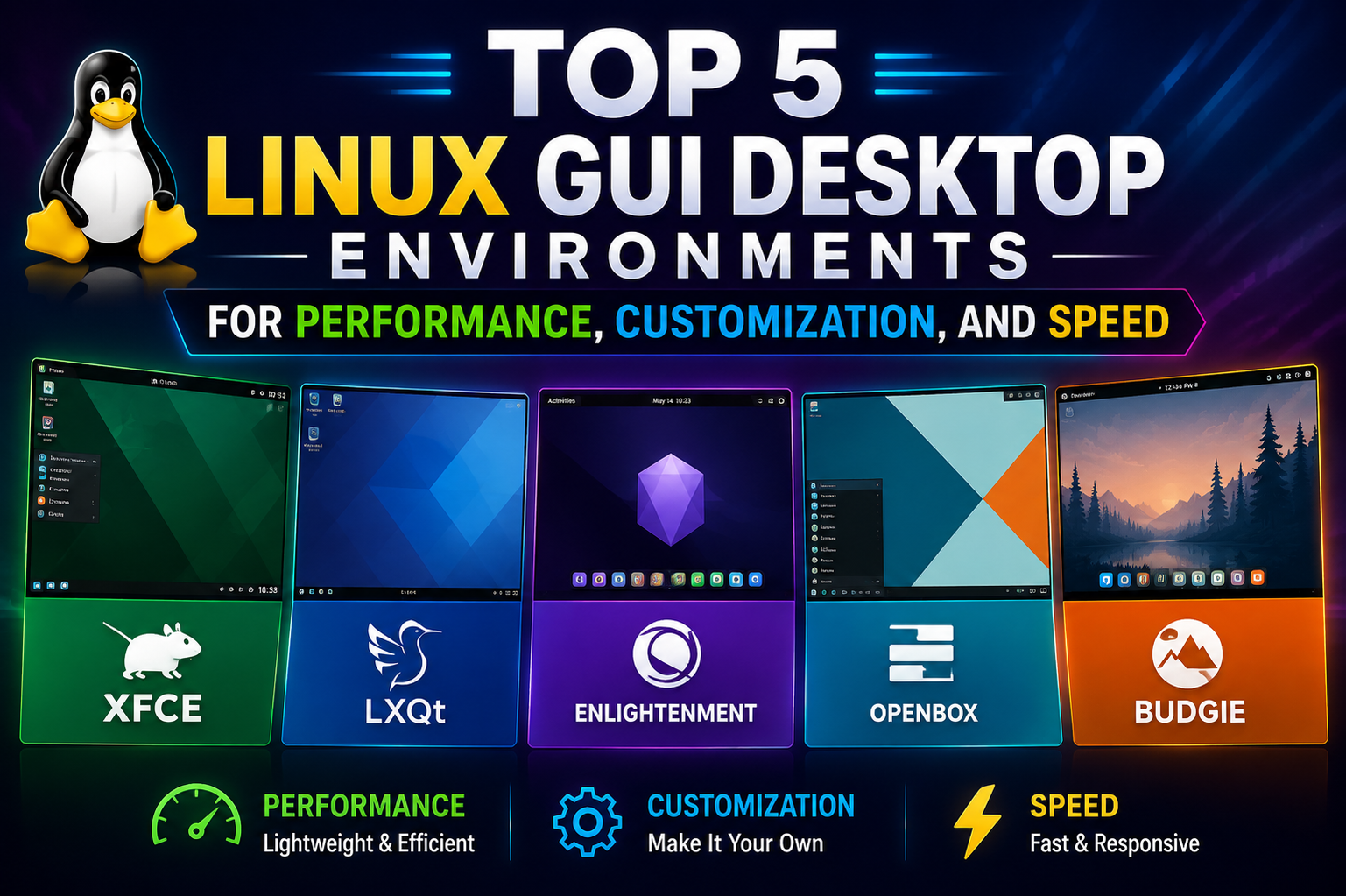
Linux has evolved far beyond the image many people still carry in their minds. Years ago, Linux was often associated with command lines, blinking cursors, and endless strings of text commands that only highly technical users could understand. While the command line still plays an important role in the Linux ecosystem, modern Linux systems now provide polished graphical environments that rival any mainstream operating system in appearance, usability, and flexibility.
At the center of this transformation is the Linux desktop environment, commonly referred to as a graphical user interface or GUI. A GUI is the visual layer of the operating system that allows users to interact with programs, files, settings, and tools through windows, icons, menus, and panels instead of typed commands. It is the workspace where users spend most of their time, and it heavily influences how comfortable, productive, and enjoyable the operating system feels.
Unlike many commercial operating systems that lock users into one specific desktop design, Linux offers a wide range of desktop environments. This variety is one of Linux’s greatest strengths. Instead of forcing every user into the same workflow, Linux gives people the freedom to choose a desktop that matches their hardware, habits, and preferences.
Some desktop environments are designed to look sleek and modern with advanced visual effects and animations. Others focus on speed and efficiency, using minimal system resources to keep older hardware running smoothly. Some prioritize simplicity for new users, while others provide deep customization tools for people who enjoy shaping every detail of their desktop.
The sheer number of Linux desktop environments can initially feel overwhelming. New users often wonder why there are so many choices and whether selecting the wrong one could ruin their Linux experience. In reality, the availability of different GUIs is one of the reasons Linux remains so adaptable. A desktop environment is not just a cosmetic theme. It changes the way the system behaves, how windows are managed, how applications are launched, and how users organize their work.
The Linux community values openness and experimentation. Because Linux is open source, developers can create entirely new desktop environments or improve existing ones without needing permission from a central company. This has allowed many creative ideas to flourish over the years. Some projects aim to modernize the traditional desktop experience, while others try to simplify computing as much as possible.
The year 2025 has brought major improvements across nearly every Linux desktop environment. One of the biggest changes has been the widespread adoption of Wayland, a modern display server protocol that replaces the older X11 system used for decades. Wayland improves security, responsiveness, and graphical performance. Many desktop environments have now transitioned to Wayland as their default session, helping Linux feel smoother and more modern on current hardware.
Another major advancement involves support for high-resolution displays. Modern laptops and monitors often use very high pixel densities, and Linux desktop environments have improved significantly in handling scaling and display clarity. Text, icons, and interface elements now look far sharper and more consistent across multiple display sizes.
Gaming has also become a major focus area. Linux gaming has grown rapidly due to advancements in compatibility technologies and the popularity of portable gaming systems built on Linux. Desktop environments now provide better support for graphics drivers, game launchers, and performance optimization. Many users who previously relied on other operating systems for gaming now find Linux to be a practical alternative.
The desktop environment market itself has become increasingly competitive. Established projects continue refining their platforms while newer projects experiment with fresh ideas. Although many alternative desktop environments exist, five major names continue to dominate the Linux desktop discussion: KDE Plasma, GNOME, XFCE, LXQt, and MATE.
Each of these environments approaches desktop computing differently. KDE Plasma focuses heavily on customization and modern features. GNOME emphasizes simplicity and workflow efficiency. XFCE aims to balance speed with usability. LXQt prioritizes extremely low resource usage. MATE preserves a more traditional desktop experience that many longtime users still appreciate.
Understanding these desktop environments starts with understanding what users actually expect from a desktop in everyday life. Some users want their desktop to disappear into the background so they can focus entirely on applications and tasks. Others want a visually engaging environment with animated effects and personalized layouts. Some people need maximum performance on older machines, while others simply want something familiar and easy to learn.
A Linux desktop environment consists of several major components working together. These include the window manager, file manager, system panels, notification systems, settings applications, themes, and desktop widgets. Different desktop environments package these components differently, which creates unique user experiences.
The window manager controls how application windows behave. It handles tasks such as resizing, minimizing, maximizing, snapping windows into position, and managing animations. Some environments focus on smooth transitions and modern effects, while lightweight desktops use simpler approaches to maximize speed.
The file manager is another critical component. It allows users to browse folders, organize files, copy documents, and interact with storage devices. Different desktop environments provide their own file managers, each with distinct designs and features.
Panels and docks are also central to the desktop experience. They provide shortcuts to applications, show running programs, display notifications, and offer quick access to system settings. The design philosophy behind these panels often reveals the overall priorities of the desktop environment.
One reason Linux users care so much about desktop environments is flexibility. On Linux, users are not permanently tied to one GUI. It is possible to install multiple desktop environments on the same system and switch between them during login. This freedom encourages experimentation and allows users to discover what works best for their needs.
KDE Plasma represents one end of the Linux desktop spectrum. It aims to provide an advanced and visually polished experience packed with features and customization options. Plasma has become significantly lighter and more efficient over the years, overcoming its earlier reputation for high resource usage.
The KDE community focuses heavily on user control. Nearly every aspect of the desktop can be adjusted, moved, resized, or redesigned. Panels can be repositioned anywhere on the screen. Widgets can be added directly to the desktop. Color themes, fonts, icons, and animations can all be modified without requiring advanced technical knowledge.
Modern KDE Plasma feels highly refined. Its application launcher, settings tools, and workflow options make it appealing to users who enjoy shaping their environment around personal habits. Many people migrating from Windows also find Plasma familiar because of its traditional desktop layout.
Another important KDE feature is integration across devices. KDE Connect allows communication between Linux systems and smartphones. Users can transfer files, share clipboard contents, view notifications, and even control media playback remotely. These features make KDE feel connected and modern.
GNOME takes almost the opposite approach. Instead of maximizing customization, GNOME prioritizes simplicity and focus. Its developers believe that reducing visual clutter helps users stay productive. As a result, GNOME presents a cleaner and more minimal interface than many competing desktop environments.
GNOME emphasizes workflow efficiency. Activities are organized around virtual desktops and application search rather than crowded taskbars and menus. Users can quickly switch between applications, organize workspaces, and launch programs through a streamlined overview mode.
This design philosophy divides opinions. Some users love GNOME’s clean presentation and distraction-free environment. Others prefer more traditional desktop layouts with visible taskbars and menus. Despite these debates, GNOME remains one of the most influential and widely adopted Linux desktop environments.
Major Linux distributions often choose GNOME as their default desktop because of its polished integration and strong accessibility support. It also benefits from extensive developer resources and consistent updates.
GNOME extensions provide an additional layer of flexibility. Users can install small modifications that change the desktop’s behavior or appearance. Extensions can add docks, weather widgets, productivity tools, and alternative menus. This allows users to customize GNOME without abandoning its core design principles.
XFCE occupies a middle ground between modern features and lightweight performance. It is often recommended for users who want a fast and stable desktop without sacrificing too much functionality. XFCE uses fewer system resources than KDE Plasma or GNOME while still maintaining a comfortable and familiar desktop layout.
The XFCE interface feels straightforward. Users typically find a traditional application menu, taskbar, system tray, and desktop icons. This familiarity makes XFCE especially appealing to people transitioning from older versions of Windows.
Despite its lightweight nature, XFCE remains highly customizable. Users can adjust panel layouts, themes, keyboard shortcuts, and workspace behavior. The desktop avoids unnecessary animations and visual complexity, which contributes to its reputation for reliability.
XFCE also performs exceptionally well on older hardware. Computers that struggle with heavier desktop environments often run XFCE smoothly. This makes it popular among users restoring aging laptops or building efficient low-resource systems.
LXQt takes the lightweight philosophy even further. It is designed specifically for maximum efficiency and minimal resource usage. LXQt emerged from the merger of the LXDE and Razor-qt projects, combining simplicity with the modern Qt framework.
The desktop focuses almost entirely on responsiveness and speed. It avoids heavy effects, complex animations, and unnecessary background services. As a result, LXQt can run comfortably on systems with limited memory and older processors.
Users often choose LXQt for older computers, small form-factor devices, and single-board systems such as Raspberry Pi setups. Even on modern hardware, some users appreciate the instant responsiveness and simplicity that LXQt provides.
Although LXQt may not appear as visually polished as heavier desktop environments, its clean layout and efficient design remain highly practical. It offers the core desktop features most users need without overwhelming the system.
MATE brings another perspective to the Linux desktop conversation. It originated as a continuation of the older GNOME 2 interface after GNOME shifted toward a newer design direction. Many users preferred the classic desktop layout and wanted to preserve it.
As a result, MATE maintains a traditional desktop structure with familiar menus, panels, and navigation systems. For longtime Linux users, MATE feels comfortable and dependable.
MATE balances stability with moderate resource usage. It is not as lightweight as LXQt, but it remains more efficient than some modern desktop environments. The project focuses on consistency and practicality rather than dramatic visual redesigns.
Many users appreciate MATE because it avoids unnecessary complexity. It provides a reliable environment for everyday tasks such as browsing, document editing, media playback, and office work.
The diversity among these desktop environments reflects the diversity of Linux users themselves. Some users prioritize beauty and visual customization. Others value efficiency and speed. Some want advanced multitasking features, while others prefer straightforward simplicity.
Hardware capabilities also play a major role in desktop selection. Modern desktops with dedicated graphics and large amounts of memory can comfortably run visually rich environments like KDE Plasma and GNOME. Older laptops and low-powered systems benefit greatly from XFCE, LXQt, or MATE.
Work habits matter as well. Developers often prefer desktops with efficient keyboard navigation and workspace management. Casual users may value simplicity and familiar layouts. Creative professionals might prioritize multi-monitor support and customization options.
One of Linux’s biggest strengths is that users are free to change their minds. Installing a new desktop environment does not require replacing the entire operating system. Users can explore multiple GUIs until they discover the one that feels right.
The Linux desktop ecosystem continues evolving rapidly. Developers constantly improve performance, accessibility, touch support, gaming compatibility, and hardware integration. Desktop environments that once felt niche now provide experiences polished enough for professional and personal use alike.
The growth of Linux on laptops, gaming devices, development systems, and productivity workstations has increased pressure on desktop projects to deliver modern, refined experiences. Competition between desktop environments benefits users because each project pushes others to improve.
Even though Linux desktop environments differ dramatically in appearance and philosophy, they all share a common purpose: making Linux approachable, useful, and enjoyable for people with different needs. The ability to choose among them is not a weakness or source of confusion. Instead, it is one of the defining advantages that makes Linux unique.
Exploring KDE Plasma and GNOME in Everyday Use
Among all Linux desktop environments, KDE Plasma and GNOME stand out as the two most influential and widely recognized choices. These desktops represent different philosophies about how people should interact with their computers, and their differences shape the daily experiences of millions of Linux users around the world.
Both environments are mature, polished, and capable of handling modern workloads. Both support current hardware standards, high-resolution displays, gaming, productivity applications, and professional workflows. Yet the experience of using them can feel dramatically different because each desktop was designed with very different priorities.
Understanding KDE Plasma and GNOME requires looking beyond technical specifications. The real distinction lies in how each desktop approaches organization, customization, multitasking, and user interaction.
KDE Plasma has long been associated with flexibility and visual sophistication. From the moment users log in, the desktop presents a familiar structure that resembles traditional desktop computing. There is usually a taskbar at the bottom, an application launcher in the corner, system indicators near the clock, and a desktop workspace where icons and widgets can be placed.
This familiarity is one reason many users migrating from Windows feel comfortable with KDE Plasma almost immediately. The workflow makes intuitive sense because common desktop concepts remain visible and accessible.
At first glance, Plasma may appear similar to other operating systems, but beneath the surface lies one of the most customizable desktop environments ever created. KDE developers have built Plasma around the idea that users should have extensive control over how their desktops behave.
Panels can be resized, repositioned, hidden, duplicated, or transformed into docks. Widgets can display weather forecasts, system monitors, clocks, media controls, sticky notes, and calendars directly on the desktop. Themes can dramatically alter the appearance of windows, icons, buttons, and animations.
For users who enjoy personalization, Plasma offers nearly endless possibilities. A desktop can be transformed into a sleek modern workstation, a minimalist environment, or something highly experimental. Many Linux enthusiasts enjoy showcasing their customized Plasma setups because no two desktops need to look alike.
Despite its feature-rich design, KDE Plasma has become far more efficient in recent years. Earlier versions sometimes carried a reputation for high memory usage and occasional instability, but modern Plasma releases have improved dramatically. Developers focused heavily on optimization, reducing background resource consumption while maintaining advanced functionality.
Today, Plasma runs smoothly on a wide range of hardware. Modern laptops and desktops handle it effortlessly, and even mid-range systems generally perform very well.
One of Plasma’s strongest features is its settings organization. Nearly every aspect of the desktop can be configured through graphical menus. Users can adjust window behavior, keyboard shortcuts, virtual desktops, touchpad gestures, startup behavior, notifications, display scaling, and power management without needing command-line tools.
This level of control appeals strongly to power users and enthusiasts. Developers, multitaskers, and advanced users often appreciate the ability to fine-tune workflows according to personal preferences.
Virtual desktop management in KDE Plasma is particularly robust. Users can create multiple workspaces for organizing tasks, separate professional and personal activities, and quickly navigate between projects. Window tiling and snapping features also help improve multitasking efficiency.
KDE applications contribute significantly to the overall ecosystem. Programs such as Dolphin, Gwenview, Okular, and Konsole are tightly integrated into the desktop environment and follow consistent design principles.
Dolphin, the KDE file manager, is especially respected for its flexibility. It supports split views, tabs, advanced file searching, network browsing, and extensive customization. Many experienced Linux users consider it one of the best file managers available on any operating system.
Okular provides powerful document viewing capabilities, supporting PDFs, eBooks, and many other file types. Gwenview offers lightweight image management, while Konsole provides a feature-rich terminal emulator for users who still rely on command-line workflows.
KDE Connect further enhances the Plasma ecosystem by integrating smartphones and desktop systems. Users can transfer files wirelessly, synchronize notifications, send text messages from the desktop, and control presentations remotely. These features make Linux feel more connected to modern digital lifestyles.
Gaming performance on Plasma has improved significantly as Linux gaming itself has grown. Better graphics driver support, Wayland enhancements, and gaming-focused optimizations allow many players to enjoy demanding games with smooth performance.
Wayland support represents one of Plasma’s most important recent improvements. The transition from X11 to Wayland has brought smoother animations, improved security, and better multi-monitor behavior. While some edge cases still rely on X11 compatibility, Wayland sessions are now stable enough for many users to adopt full time.
High-resolution display support is another area where Plasma performs well. Users with 4K monitors or mixed display scaling setups benefit from improved text rendering and flexible scaling controls.
However, KDE Plasma’s strengths can also become weaknesses for some users. The enormous number of settings and customization options may feel overwhelming to beginners who simply want a straightforward desktop experience.
Some users spend excessive amounts of time tweaking appearance and behavior instead of focusing on actual work. The abundance of options can create decision fatigue, especially for people who prefer simplicity.
GNOME approaches desktop computing from a very different perspective. Rather than maximizing customization, GNOME developers prioritize simplicity, consistency, and workflow efficiency.
The GNOME desktop intentionally removes many traditional desktop elements. By default, there is no visible taskbar filled with open windows. Desktop icons are often absent. Menus are simplified. Instead of encouraging users to manage cluttered desktops, GNOME focuses on organized workspaces and quick search-based interaction.
The centerpiece of GNOME is the Activities Overview. Pressing a key or moving the cursor to the corner opens a unified view of running applications, virtual desktops, and search functionality.
This design encourages users to think less about managing windows manually and more about moving fluidly between tasks. Applications can be organized into separate workspaces, reducing visual distractions.
For many users, GNOME feels clean and calming. The interface avoids excessive visual noise, unnecessary animations, and crowded panels. This minimalism creates an environment that many writers, developers, and office workers find productive.
GNOME also emphasizes keyboard-driven workflows. Users can launch applications, switch windows, search files, and navigate workspaces quickly using keyboard shortcuts. Over time, many users develop efficient habits that reduce reliance on mouse navigation.
One of GNOME’s biggest strengths is design consistency. Applications within the GNOME ecosystem typically follow similar visual and interaction principles. This creates a cohesive environment where programs feel unified rather than assembled from unrelated components.
GNOME applications such as Files, Calendar, Settings, and Software share a common design language. Buttons, menus, and layouts remain predictable across applications, helping users feel comfortable navigating the system.
Accessibility has also been a major GNOME priority. The desktop includes strong support for screen readers, keyboard navigation, display scaling, and accessibility tools. This commitment has made GNOME an important platform for users with different accessibility needs.
GNOME extensions allow users to expand functionality beyond the default interface. Extensions can restore taskbars, add weather indicators, customize workspaces, or modify system behavior.
This extension ecosystem partially addresses criticism that GNOME lacks customization. However, the extension system also introduces occasional compatibility concerns when major updates occur.
Performance on GNOME has improved steadily over recent years, though it still tends to use more system resources than lightweight desktops. Modern computers generally handle GNOME comfortably, but very old hardware may struggle.
Wayland integration is one of GNOME’s greatest technical achievements. GNOME embraced Wayland earlier than many other desktop environments, helping drive adoption across the Linux ecosystem. As a result, GNOME’s Wayland implementation is often considered among the most polished.
Touchpad gestures, smooth animations, and workspace transitions work particularly well under GNOME. Laptop users often appreciate how fluid and modern the interface feels.
The desktop also performs strongly on touchscreen devices and hybrid systems. Gesture support and responsive design elements make GNOME more adaptable to newer hardware trends.
GNOME’s simplicity does generate criticism from some users. People accustomed to traditional taskbars and desktop icons may initially feel disoriented. Certain customization options available in KDE Plasma require extensions or third-party tools in GNOME.
Some users also dislike the project’s strong design opinions. GNOME developers intentionally limit certain forms of customization because they believe consistency improves usability. While this philosophy creates a cleaner experience for some, others view it as restrictive.
The differences between KDE Plasma and GNOME often reflect deeper differences in user personality and workflow preferences.
Users who enjoy personalization, visual tweaking, and extensive settings often gravitate toward Plasma. Those who want a clean, focused environment with minimal distractions frequently prefer GNOME.
KDE Plasma rewards experimentation. GNOME rewards consistency.
Plasma offers abundant visible controls and customization menus. GNOME hides complexity behind streamlined interfaces.
Neither approach is objectively superior because desktop usability depends heavily on individual habits.
A software developer working with multiple monitors and advanced multitasking setups might appreciate Plasma’s flexibility. A writer seeking a distraction-free workspace may find GNOME’s simplicity more comfortable.
System stability and update frequency also matter. Both projects maintain active development communities and release frequent updates. Bug fixes, performance improvements, and new features arrive regularly.
Major Linux distributions often choose between these environments based on their target audiences. Fedora strongly emphasizes GNOME integration, while distributions such as Kubuntu focus on KDE Plasma.
Community support for both desktops remains extensive. Online forums, tutorials, themes, extensions, and troubleshooting resources are widely available.
One interesting aspect of Linux desktops is how quickly user preferences can change over time. A person who once preferred maximum customization may later value simplicity. Someone initially drawn to GNOME’s clean design may eventually desire more flexibility.
Fortunately, Linux makes switching possible without replacing the entire operating system. Users can install multiple desktop environments and compare them directly.
This experimentation process is part of the Linux experience itself. Unlike operating systems that provide one fixed interface, Linux encourages users to explore different workflows and discover what genuinely improves productivity and comfort.
As Linux desktop development continues advancing, the gap between functionality and polish has narrowed significantly. KDE Plasma and GNOME now compete not only with each other but with mainstream operating systems in overall quality and usability.
Both desktops demonstrate how far Linux has progressed from its early reputation as a purely technical platform. They show that Linux can support modern workflows, attractive interfaces, advanced customization, and professional productivity while still preserving user freedom.
Lightweight Desktops, Traditional Interfaces, and the Future of Linux GUIs
Not every computer user needs an advanced desktop filled with animations, widgets, and complex multitasking systems. Many people simply want a desktop that launches quickly, stays responsive, and provides familiar tools without consuming unnecessary system resources.
This need for efficiency has kept lightweight Linux desktop environments highly relevant, even as modern hardware becomes more powerful. Lightweight desktops serve multiple audiences at once. They help older computers remain useful, support low-powered devices, provide efficient work environments, and appeal to users who prefer simplicity over visual extravagance.
Three desktop environments stand out prominently in this category: XFCE, LXQt, and MATE. While each approaches the desktop differently, they share a common goal of delivering stable and practical computing experiences.
XFCE has built a strong reputation over the years as one of Linux’s most balanced desktop environments. It occupies a comfortable middle ground between modern functionality and low resource usage.
The first thing many users notice about XFCE is its familiarity. The layout often resembles classic desktop systems with a visible taskbar, application menu, desktop icons, and notification area. This traditional structure makes XFCE easy to understand for users transitioning from older operating systems.
Unlike highly experimental desktop environments, XFCE avoids dramatic interface redesigns. Its developers prioritize consistency, speed, and usability over trend-driven visual changes.
This conservative approach has helped XFCE earn a loyal following among users who value stability. Many people rely on XFCE for work environments where reliability matters more than flashy features.
One of XFCE’s greatest strengths is responsiveness. Even on older hardware, the desktop remains fast and fluid. Applications launch quickly, window movements feel smooth, and the system avoids unnecessary background activity.
Users restoring aging laptops often discover that XFCE can dramatically improve performance compared to heavier desktop environments. Machines once considered obsolete suddenly become useful again for browsing, office work, media playback, and light development tasks.
Despite its lightweight nature, XFCE still provides meaningful customization. Panels can be rearranged or resized. Themes and icons can be changed. Keyboard shortcuts, workspace behavior, and window management settings are all adjustable.
This flexibility appeals to users who want control without overwhelming complexity. XFCE provides enough customization to personalize the desktop while avoiding the massive configuration depth found in environments like KDE Plasma.
The desktop also benefits from modest hardware requirements. Systems with limited memory or older processors can often run XFCE comfortably without sacrificing usability.
Another important advantage is predictability. XFCE developers rarely introduce radical interface changes that disrupt existing workflows. Longtime users appreciate being able to update their systems without relearning the desktop.
The file manager used in XFCE, Thunar, reflects the same design philosophy. It focuses on speed and simplicity rather than advanced visual effects. File browsing feels straightforward and efficient.
This practicality makes XFCE popular in professional settings, educational institutions, and technical environments where dependable performance matters more than appearance.
Although XFCE may not deliver the sleek visual polish of GNOME or KDE Plasma, many users consider its understated design part of its charm. The desktop stays out of the way and allows people to focus on their actual work.
LXQt takes the lightweight concept even further. It was specifically designed to minimize system resource usage while maintaining a functional desktop experience.
The origins of LXQt lie in the merging of two lightweight desktop projects: LXDE and Razor-qt. The result was a desktop environment built using the Qt framework, which also powers KDE Plasma.
LXQt focuses intensely on efficiency. The desktop avoids resource-heavy effects, complicated animations, and unnecessary background services. This allows it to perform exceptionally well on older or low-powered hardware.
Users often choose LXQt for aging desktop computers, low-cost laptops, mini PCs, and single-board systems such as Raspberry Pi devices. These systems may struggle with modern heavyweight desktops but remain highly usable under LXQt.
One reason LXQt feels so fast is its minimal overhead. The desktop launches quickly, consumes very little memory, and responds instantly to user input.
This responsiveness can feel refreshing even on powerful modern systems. Some users intentionally choose LXQt not because they lack hardware power, but because they enjoy a fast and distraction-free computing experience.
The interface itself follows a traditional desktop layout. Users generally find an application menu, taskbar, desktop workspace, and system tray. The environment avoids experimental concepts and focuses on straightforward usability.
Customization exists but remains relatively simple. Users can modify themes, panel behavior, icons, and appearance settings, though the overall design stays intentionally minimal.
LXQt’s file manager, PCManFM-Qt, is lightweight and efficient. It handles everyday file operations smoothly while maintaining low resource usage.
The desktop environment particularly shines in specialized scenarios. Older educational computers, media systems, lightweight development environments, and portable Linux installations all benefit from LXQt’s efficiency.
Another advantage is energy efficiency. On laptops, lightweight desktops often reduce battery consumption compared to heavier alternatives because they place less strain on the processor and graphics system.
However, LXQt does involve trade-offs. Users expecting advanced visual effects, polished animations, or deeply integrated ecosystems may find the desktop too basic.
Its appearance can sometimes feel less modern than heavier desktop environments. While themes help improve aesthetics, LXQt prioritizes speed over visual sophistication.
For many users, though, this simplicity is exactly the appeal. LXQt demonstrates that a desktop does not need to be visually extravagant to remain practical and effective.
MATE offers yet another perspective within the Linux desktop ecosystem. Unlike LXQt, which emphasizes extreme efficiency, MATE focuses more heavily on preserving a classic desktop experience.
MATE emerged after major changes in GNOME’s design direction led some users to seek alternatives. Many people preferred the older GNOME 2 workflow and wanted to maintain its traditional structure.
The result is a desktop environment that feels familiar, stable, and comfortable. MATE preserves many classic desktop concepts that longtime Linux users appreciate.
Panels, menus, system trays, and application categories behave in predictable ways. The desktop does not attempt to redefine how users interact with their computers.
This familiarity makes MATE particularly attractive to users who dislike drastic interface experimentation. It provides a dependable environment where workflows remain consistent across updates.
MATE includes its own collection of integrated applications. Caja handles file management, Pluma provides text editing capabilities, and Atril serves as a document viewer.
These applications are lightweight yet functional, supporting everyday productivity without demanding significant system resources.
Performance on MATE generally falls between XFCE and heavier modern desktops. It remains efficient enough for older hardware while offering a more complete and polished experience than ultra-minimal environments.
One of MATE’s strongest qualities is stability. The desktop environment has matured gradually over time without chasing aggressive redesign trends.
Users who value long-term consistency often appreciate this steady development philosophy. Workflows learned years ago continue functioning today with minimal disruption.
MATE also appeals strongly to users who enjoy traditional desktop organization. Visible menus, clear navigation structures, and familiar window controls create a comfortable computing experience.
While KDE Plasma and GNOME frequently dominate discussions about innovation, lightweight and traditional desktops continue serving enormous portions of the Linux community.
Many Linux systems around the world operate in schools, offices, workshops, libraries, and older homes where hardware limitations remain important. Lightweight desktops ensure these machines remain useful rather than discarded.
This sustainability aspect is significant. Linux desktops like XFCE, LXQt, and MATE help extend the life of older hardware, reducing electronic waste and lowering costs for users who cannot constantly upgrade computers.
Beyond the established desktop environments, the Linux ecosystem continues producing new ideas and experimental projects. One of the most interesting recent developments is Cosmic DE.
Originally connected to a modified GNOME experience, Cosmic evolved into a completely independent desktop environment developed using the Rust programming language.
Cosmic aims to combine modern visual design with performance and productivity features. It incorporates tiling functionality, efficient keyboard navigation, and multitasking tools while maintaining a polished appearance.
The project reflects broader trends shaping Linux desktop development in 2025. Developers increasingly focus on balancing visual refinement with efficiency, modern hardware support, and workflow optimization.
Another major trend is Wayland adoption. Lightweight desktops have gradually improved Wayland compatibility, though some still rely heavily on X11.
Wayland improves graphical responsiveness, security, and multi-monitor behavior. As support matures across all desktop environments, Linux desktops continue becoming smoother and more reliable.
Gaming support has also influenced desktop development. Linux gaming is no longer a niche hobby limited to technical enthusiasts.
Modern desktop environments now prioritize better graphics driver handling, improved fullscreen behavior, lower latency, and compatibility with gaming tools.
The popularity of Linux-based gaming devices has accelerated these improvements. Desktop environments increasingly recognize that gaming is a major use case rather than an afterthought.
High-resolution display support remains another important area of progress. Lightweight desktops historically lagged behind heavier environments in display scaling features, but recent improvements have narrowed the gap.
Touchpad gestures, fractional scaling, adaptive themes, and multi-monitor management are becoming more common even within resource-efficient environments.
The future of Linux GUIs will likely involve greater flexibility across device types. Desktops must now support laptops, touchscreens, portable gaming systems, hybrid devices, and high-performance workstations simultaneously.
Artificial intelligence features may also begin influencing Linux desktops more heavily over time. Smarter search systems, workflow suggestions, and voice interaction tools could eventually become more integrated into Linux desktop experiences.
Despite these technological advancements, the core appeal of Linux desktops remains freedom of choice.
No single desktop environment dominates every use case because different users genuinely need different things from their computers.
A programmer using multiple virtual desktops may prefer KDE Plasma’s customization depth. A writer may enjoy GNOME’s minimalist focus. A student using an older laptop could rely on XFCE or LXQt for smooth performance. A longtime Linux enthusiast may feel most comfortable in MATE.
This diversity sometimes confuses new users, but it ultimately represents one of Linux’s greatest strengths. Instead of forcing everyone into one workflow, Linux allows experimentation and adaptation.
Choosing a desktop environment is not merely about appearance. It affects productivity, comfort, system responsiveness, and long-term usability.
Fortunately, Linux encourages exploration. Users can install multiple desktop environments, compare workflows, and switch whenever their needs evolve.
This flexibility creates an unusually personal relationship between users and their operating systems. People shape Linux around their habits rather than adapting themselves to a rigid platform.
The modern Linux desktop ecosystem is healthier than ever. Whether users prioritize customization, simplicity, speed, efficiency, gaming, multitasking, or traditional workflows, there is likely a desktop environment designed specifically for those preferences.
As Linux continues growing across laptops, gaming systems, development workstations, and general consumer devices, desktop environments will remain central to the experience. They are the face of Linux for millions of users and a major reason the operating system continues attracting people seeking something more flexible and personal than conventional alternatives.
How Linux Desktop Environments Shape Productivity, Creativity, and Daily Computing
The discussion around Linux desktop environments often focuses on technical differences, memory usage, customization features, and visual design. While these details matter, the real impact of a desktop environment becomes clearer when examining how it affects everyday life. A desktop is not simply a collection of panels, menus, and icons. It shapes how people work, organize information, interact with applications, and spend hours in front of a screen.
Every desktop environment creates a different rhythm for using a computer. Some encourage multitasking and experimentation, while others emphasize simplicity and focus. Over time, these differences influence productivity habits, comfort levels, workflow efficiency, and even creativity.
This is one reason Linux users often become passionate about their preferred desktop environments. The choice is deeply personal because the desktop becomes part of a person’s daily routine. It is the space where documents are written, code is developed, games are played, videos are edited, music is created, and communication takes place.
Unlike platforms that provide a single fixed interface, Linux allows users to choose an environment that aligns with their work style and personality. This flexibility has transformed Linux into a platform capable of serving vastly different audiences.
A software engineer, digital artist, student, office worker, gamer, and casual home user may all use Linux in completely different ways. Desktop environments help make those experiences possible.
One of the biggest factors influencing productivity is how quickly users can navigate their systems. A desktop environment determines how applications are launched, how windows are organized, and how tasks are switched.
KDE Plasma approaches productivity through flexibility and user control. The desktop provides powerful multitasking tools that allow users to build highly customized workspaces.
For example, virtual desktops in Plasma can be arranged and labeled according to specific tasks. One workspace may contain development tools, another communication applications, and another media software. Users can move between these workspaces instantly.
Window tiling features help organize large numbers of open applications. On ultrawide monitors or multi-monitor setups, this becomes especially valuable because users can efficiently arrange windows without manually resizing everything.
Conclusion
Linux desktop environments continue to evolve at an impressive pace, offering users more freedom, flexibility, and performance than ever before. Whether someone prefers the highly customizable experience of KDE Plasma, the clean and focused workflow of GNOME, the balanced efficiency of XFCE, the lightweight speed of LXQt, or the familiar traditional layout of MATE, there is a Linux GUI designed to match nearly every type of user and hardware setup.
One of the biggest strengths of Linux is that users are never locked into a single interface. The ability to experiment with different desktop environments allows people to shape their computing experience around their own habits, productivity needs, and personal style. Modern Linux desktops now support gaming, creative work, multitasking, high-resolution displays, and older hardware more effectively than ever before.
As Linux adoption continues to grow across laptops, desktops, development systems, and gaming devices, desktop environments will remain a major part of what makes the platform appealing. Each GUI brings its own philosophy and strengths, giving users genuine choice rather than a one-size-fits-all approach. Ultimately, the best Linux desktop environment is the one that feels comfortable, efficient, and enjoyable for the person using it every day.